
undash
Makes AI text feel more human by removing em-dashes (—) as you type, paste, or right-click. Toggle on/off with a click.
As of June 2026, undash has 111 users and a 3.67/5 rating from 3 reviews in the Productivity category.
Usersdown 6.7 percent−6.7%
111
111
Ratingno change0%
3.67
3 reviews
Reviewsno change0%
3
Version
1.1
Manifest V3
History
5 snapshotsTracking since Apr 1, 2026.
View as table
| Date | Users | Rating | Reviews | Version |
|---|---|---|---|---|
| Apr 1, 2026 | 119 | 3.67 | 3 | 1.1 |
| Apr 21, 2026 | 117 | 3.67 | 3 | 1.1 |
| May 6, 2026 | 109 | 3.67 | 3 | 1.1 |
| May 18, 2026 | 114 | 3.67 | 3 | 1.1 |
| Jun 1, 2026 | 124 | 3.67 | 3 | 1.1 |
| Now | 111 | 3.67 | 3 | 1.1 |
Permissions & access
- Permissions
- activeTabstoragecontextMenus
- Host access
- None declared
Screenshots


About
undash: Make AI Text Feel Human

✨ What It Does

AI writing is great but those long em dashes (—) kind of give it away.
undash is a tiny Chrome extension that quietly replaces them with spaces as you type, paste, or right click.

No setup, no clutter. Just cleaner, more natural looking text that doesn’t scream “AI generated.”


💚 Why You’ll Love It
• Works Instantly Replaces em dashes as you type or paste
• Right Click Magic Clean selected text with one click
• Quick Toggle Green badge = on, red = off
• Visual Feedback Know what state it’s in at a glance
• No Lag, No Bloat Super lightweight and fast
• Private by Design No data leaves your browser
• Works Everywhere LinkedIn, Gmail, Twitter, Notion, Docs basically anywhere you write
• Zero Setup Install, toggle on, and forget it


🛠 How to Use It
1. Click the extension icon to turn it on/off
2. Once it’s on, it just works type, paste, or copy like normal
3. To fix existing text, select and right click to clean
4. Green badge = it’s working; red = it’s paused
5. Toggle it anytime depending on your workflow


🎯 Who It’s For
• Writers tidying up AI drafts
• Students using AI for class notes
• Marketers fine tuning content
• Founders prepping posts
• Anyone who just wants text to sound a little more… human


🔒 No Creepy Stuff
• No tracking
• No analytics
• No logins
• No weird permissions
• All processing happens entirely in your browser


🆘 Troubleshooting
If the extension isn't working as expected:
• Toggle the extension OFF and ON
• Check that the badge is green (active)
• Refresh the browser tab
• Restart Chrome if needed
• In some cases after paste, it might still show dashes, try to click space anywhere in the text area to see if that triggers the extension to remove all the dashes, if this doesn't work, select the text and try right click "Undash this text"


💬 Need Help?

We’re here for it.
📧 Email: [email protected]
(Please include screenshots or console logs if something’s not working right.)


🚀 Always Getting Better

We’re constantly improving compatibility and adding little tweaks based on your feedback.

Drop us a note if you spot something odd or have ideas, Undash is evolving with you.
Technical
- Version
- 1.1
- Manifest
- V3
- Size
- 285KiB
- Min Chrome
- 88
- Languages
- 1
- Featured
- No
Metadata
- ID
- aamagglgpiodjibjocdpophehmgmkpda
- Developer ID
- uc2cfab18dac0a68831d62d8fc3af44ee
- Developer Email
- [email protected]
- Created
- Jun 9, 2025
- Last Updated (Store)
- Jun 12, 2025
- Last Scraped
- Jun 1, 2026
- Website
- —
- Support URL
- —
- Privacy Policy
- https://www.outdoinc.com/undash/privacy.html
Similar extensions
Alternatives to undash, ranked by description similarity.

Fix Em‑Dashes in ChatGPT
Replaces em (—) and en (–) dashes with hyphens on every site.
6

PlainTextify: AI Clean Text Converter
Convert AI-generated or formatted text to clean plain text. Removes styles, symbols, hidden characters, and AI fingerprints.
85

Em-Dash Replacer
Replace em dashes, en dashes, and other characters in selected text anywhere on the web
864
★ 5.0
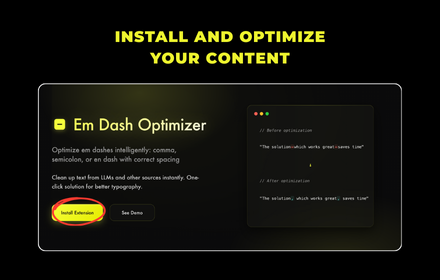
Em Dash Optimizer
Optimize em dashes intelligently: comma, semicolon, or en dash with correct spacing
6

ChromeDash
Enter dashes, accents, Greek letters, and custom aliases—instantly!
412
★ 4.1

UniversalAIAssistant
Improve selected text with AI. Right-click any text and select 'Improve with AI' for instant text enhancement.
—

Arzuno Humanizer: Write like a human
rewrite AI-generated or robotic text into natural, human-like language with a single right-click.
50
★ 5.0

ChatGPT: no more em-dashes
ChatGPT Life Saver — Convert all em-dashes (—) to normal hyphens (-) on https://chatgpt.com pages
2
Data sourced from the Chrome Web Store · last verified Jun 1, 2026.