
M-Dash Detector
Highlights em-dashes (—) commonly used by AI models to make you aware of AI-generated text
As of June 2026, M-Dash Detector has 10 users in the Productivity category.
Usersup 400.0 percent+400.0%
10
10
Ratingno change0%
—
— reviews
Reviewsno change0%
—
Version
1.0.0
Manifest V3
History
8 snapshotsTracking since Apr 1, 2026.
View as table
| Date | Users | Rating | Reviews | Version |
|---|---|---|---|---|
| Apr 1, 2026 | 2 | — | — | 1.0.0 |
| Apr 17, 2026 | 3 | — | — | 1.0.0 |
| Apr 22, 2026 | 8 | — | — | 1.0.0 |
| May 3, 2026 | 7 | — | — | 1.0.0 |
| May 10, 2026 | 9 | — | — | 1.0.0 |
| May 19, 2026 | 12 | — | — | 1.0.0 |
| May 28, 2026 | 9 | — | — | 1.0.0 |
| Jun 6, 2026 | 6 | — | — | 1.0.0 |
| Now | 10 | — | — | 1.0.0 |
Permissions & access
- Permissions
- None declared
- Host access
- None declared
Screenshots

About
Spot AI-generated text at a glance. M-Dash Detector highlights em-dashes (—) on any webpage—a typography pattern commonly favored by AI language models like ChatGPT, Claude, and Gemini.

🔍 HOW IT WORKS
Em-dashes are one of several stylistic "tells" that AI models tend to overuse compared to human writers. While not every em-dash means AI, frequent use can be a helpful signal. This extension automatically scans webpages and highlights em-dashes with a subtle, eye-catching animation.

✨ FEATURES
- Automatic Detection — Works instantly on every webpage you visit
- Visual Highlighting — Em-dashes are marked with a distinctive sparkle effect
- Count Badge — See at a glance how many em-dashes were found on a page
- Lightweight — No impact on browsing performance
- Privacy-First — Runs entirely in your browser, no data ever leaves your device

💡 PERFECT FOR
- Educators and students verifying content authenticity
- Journalists and researchers fact-checking sources
- Content moderators reviewing submissions
- Anyone curious about AI patterns in online text

⚙️ WORKS EVERYWHERE
The extension runs automatically on all websites with no configuration needed. Just install and browse—the extension does the rest.

📖 OPEN SOURCE
M-Dash Detector is free and open source. Check out the code, report bugs, or contribute on GitHub.

Note: Em-dash usage alone does not definitively indicate AI-generated text. This tool is meant to raise awareness, not provide proof. Always use critical thinking when evaluating content.
Technical
- Version
- 1.0.0
- Manifest
- V3
- Size
- 11.1KiB
- Min Chrome
- 88
- Languages
- 1
- Featured
- No
Metadata
- ID
- bklckfdemacllplbohflidceonongloa
- Developer ID
- ubae114060923956403954c1316c72101
- Developer Email
- [email protected]
- Created
- Jan 21, 2026
- Last Updated (Store)
- Jan 21, 2026
- Last Scraped
- Jun 6, 2026
- Website
- —
- Privacy Policy
- —
Similar extensions
Alternatives to M-Dash Detector, ranked by description similarity.

Em-dash Page Analyzer
Analyze em-dash frequency in the main content of a page.
7

Em-Dash Replacer
Replace em dashes, en dashes, and other characters in selected text anywhere on the web
864
★ 5.0

AI Detector: Em Dashes & Unicode Spaces Highlighter
Highlights em dashes and selected Unicode spaces on webpages to help spot likely AI-generated text.
3

Fix Em‑Dashes in ChatGPT
Replaces em (—) and en (–) dashes with hyphens on every site.
6

AI Text Detector
Detect and highlight any text that looks AI-generated!
20

Em-Dash Detector
Detects em-dash characters on webpages and applies custom styling
35
★ 5.0
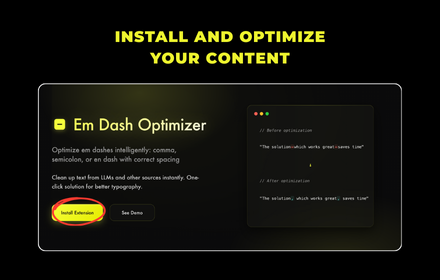
Em Dash Optimizer
Optimize em dashes intelligently: comma, semicolon, or en dash with correct spacing
6

AI Content Detector
Detect AI-generated content in web pages and custom text
25
★ 5.0
Data sourced from the Chrome Web Store · last verified Jun 6, 2026.