
SnapEdit
Capture and edit screenshots with a powerful built-in editor
As of June 2026, SnapEdit has 5 users in the Productivity category.
Usersdown 16.7 percent−16.7%
5
5
Ratingno change0%
—
— reviews
Reviewsno change0%
—
Version
1.0
Manifest V3
History
3 snapshotsTracking since Apr 21, 2026.
View as table
| Date | Users | Rating | Reviews | Version |
|---|---|---|---|---|
| Apr 21, 2026 | 6 | — | — | 1.0 |
| May 18, 2026 | 4 | — | — | 1.0 |
| Jun 1, 2026 | 7 | — | — | 1.0 |
| Now | 5 | — | — | 1.0 |
Permissions & access
- Permissions
- activeTabstorage
- Host access
- <all_urls>
Screenshots


About
🧩 Snap Edit – Capture, Annotate & Highlight Any Web Page
Snap Edit is the fastest and most intuitive way to capture, annotate, and highlight content from any website — directly from your browser.

Whether you're researching, collaborating, teaching, or simply organizing your ideas, Snap Edit helps you snap what matters and make it clearer.

✅ Features:
📸 Full Page or Custom Area Capture
Take a screenshot of the entire page or just a selected section.

✍️ Annotate Instantly
Add arrows, shapes, highlights, and notes with a simple click.

🗂️ Auto-organized Snap History
Revisit your past edits with time-stamped records. Never lose a snap again.

💾 One-click Download
Save your edited image directly to your device.

🌐 Works on All Websites
Snap Edit runs seamlessly on any site, including pages with media content, dynamic elements, or complex layouts.

💡 Who is it for?
Snap Edit is perfect for:

Designers and developers who need to mark up live UIs

Students and educators annotating online content

Teams sharing feedback visually

Anyone who wants to capture ideas directly from the web

🔐 Privacy-Focused
We do not collect or share your personal data. Snap Edit uses the minimum permissions required to function — strictly for your editing needs.

Get started in seconds. Add Snap Edit to your browser and turn your screen into a canvas.
Technical
- Version
- 1.0
- Manifest
- V3
- Size
- 4.04MiB
- Min Chrome
- 88
- Languages
- 1
- Featured
- No
Metadata
- ID
- aeiooedcjgkmcbahecaoncfopjldjpce
- Developer ID
- u5c1465d715d0c09e325cc77486f4928f
- Developer Email
- [email protected]
- Created
- Aug 6, 2025
- Last Updated (Store)
- Aug 6, 2025
- Last Scraped
- Jun 1, 2026
- Website
- daniel-design.ar
- Support URL
- —
- Privacy Policy
- —
Similar extensions
Alternatives to SnapEdit, ranked by description similarity.

AnnoSnap
Annotez vos pages web : surlignage, notes, modifications et export PNG. Parfait pour la recherche et l'étude.
3

Full Page Screenshot
Capture full page screenshots and edit with powerful image editor
7

Highlighter Pen, Selected text in webpages
Highlighter Pen, Selected text in webpages, add notes, textbox, screenshot
35
★ 5.0
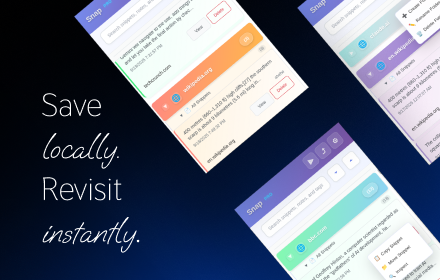
Snap - Smart Text Snippet Manager
Highlight and save text snippets with professional note-taking capabilities. Privacy-first, local storage.
14

Snaply
A browser extension for taking screenshots of DOM elements
—

Snapshot - Screenshot & Annotate
Capture, annotate and beautify screenshots with area selection, full page capture, annotations, browser frames and more.
54
★ 5.0
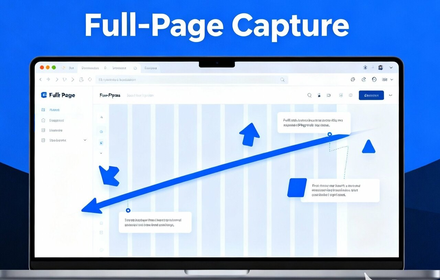
Full Page Capture - Screenshot Tool
Capture full page screenshots or select areas. Add annotations with built-in editor. Free extension for Chrome & Edge.
25
★ 5.0

Snapmark - Screenshot & Annotate
Capture screenshots and annotate with arrows, text, shapes, and highlights. Perfect for tutorials, bug reports, and documentation.
1
Data sourced from the Chrome Web Store · last verified Jun 1, 2026.