
AnnoSnap
Annotez vos pages web : surlignage, notes, modifications et export PNG. Parfait pour la recherche et l'étude.
As of June 2026, AnnoSnap has 3 users in the Productivity category.
Usersno change0%
3
3
Ratingno change0%
—
— reviews
Reviewsno change0%
—
Version
2.0.3
Manifest V3
History
3 snapshotsTracking since Apr 20, 2026.
View as table
| Date | Users | Rating | Reviews | Version |
|---|---|---|---|---|
| Apr 20, 2026 | — | — | — | 2.0.3 |
| May 5, 2026 | 3 | — | — | 2.0.3 |
| May 16, 2026 | 2 | — | — | 2.0.3 |
| Now | 3 | — | — | 2.0.3 |
Permissions & access
- Permissions
- activeTabscriptingclipboardWrite
- Host access
- None declared
Screenshots


About
AnnoSnap is your go-to tool to capture and annotate any web page directly from your browser.

Whether you're a developer, designer, QA tester, or product manager, AnnoSnap helps you give clear, visual feedback in seconds — without switching tools or opening another app.

🚀 Key features:
– Take full-page or selected-area screenshots
– Draw, highlight, add arrows or comments
– Blur sensitive content
– Export and share annotated images instantly
– Works on any webpage, no setup required

🧠 Ideal for:
– Reporting bugs with context
– Reviewing UI/UX with your team
– Collecting visual notes and ideas
– Communicating design tweaks faster

📦 Lightweight and privacy-friendly — no sign-up required.

👉 Try AnnoSnap today and make feedback flow smarter.
Technical
- Version
- 2.0.3
- Manifest
- V3
- Size
- 147KiB
- Min Chrome
- 88
- Languages
- 1
- Featured
- No
Metadata
- ID
- eenlmflfigbgplmcighackpnjdmcpcmc
- Developer ID
- ua36691c262a9d2b9cfb4cb829e7693f5
- Developer Email
- [email protected]
- Created
- Jul 23, 2025
- Last Updated (Store)
- Aug 1, 2025
- Last Scraped
- Jun 10, 2026
- Website
- —
- Support URL
- —
- Privacy Policy
- —
Similar extensions
Alternatives to AnnoSnap, ranked by description similarity.

Snapmark - Screenshot & Annotate
Capture screenshots and annotate with arrows, text, shapes, and highlights. Perfect for tutorials, bug reports, and documentation.
1

SnapEdit
Capture and edit screenshots with a powerful built-in editor
5

Snapshot - Screenshot & Annotate
Capture, annotate and beautify screenshots with area selection, full page capture, annotations, browser frames and more.
54
★ 5.0

Free Screenshot Tool
Professional screenshot tool with full page, selection, and scrolling capture capabilities
6

SnapShot
Screenshot & Annotate. Capture, mark up, and share in seconds.
60
★ 5.0

MarkScreen - Annotate Webpages & Screenshot
Annotate webpages with pen, arrows, text & blur. Capture clear screenshots for bug reports, feedback, and docs. No account needed.
12
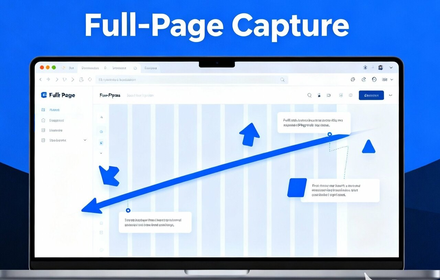
Full Page Capture - Screenshot Tool
Capture full page screenshots or select areas. Add annotations with built-in editor. Free extension for Chrome & Edge.
25
★ 5.0

Instant Annotator
Stop taking messy screenshots. Instantly draw, highlight, blur, and annotate any webpage with one clean, powerful toolbar
27
★ 5.0
Data sourced from the Chrome Web Store · last verified Jun 10, 2026.