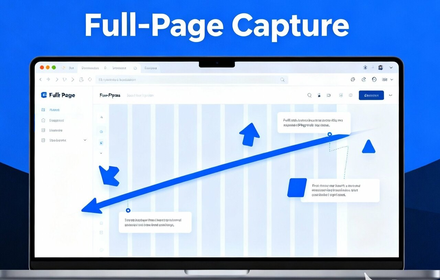
Full Page Capture - Screenshot Tool
Capture full page screenshots or select areas. Add annotations with built-in editor. Free extension for Chrome & Edge.
As of June 2026, Full Page Capture - Screenshot Tool has 25 users and a 5.00/5 rating from 1 reviews in the Productivity category.
Usersup 56.3 percent+56.3%
25
25
Ratingno change0%
5.00
1 reviews
Reviewsno change0%
1
Version
1.0.1
Manifest V3
90-day change · In the last 90 days this extension 1 version update, changed permissions.
History
10 snapshotsTracking since Apr 1, 2026.
View as table
| Date | Users | Rating | Reviews | Version |
|---|---|---|---|---|
| Apr 1, 2026 | 16 | 5.00 | 1 | 1.0.0 |
| Apr 8, 2026 | 15 | 5.00 | 1 | 1.0.0 |
| Apr 19, 2026 | 18 | 5.00 | 1 | 1.0.1 |
| Apr 26, 2026 | 16 | 5.00 | 1 | 1.0.1 |
| May 3, 2026 | 21 | 5.00 | 1 | 1.0.1 |
| May 9, 2026 | 22 | 5.00 | 1 | 1.0.1 |
| May 14, 2026 | 20 | 5.00 | 1 | 1.0.1 |
| May 20, 2026 | 23 | 5.00 | 1 | 1.0.1 |
| Jun 3, 2026 | 25 | 5.00 | 1 | 1.0.1 |
| Jun 9, 2026 | 22 | 5.00 | 1 | 1.0.1 |
| Now | 25 | 5.00 | 1 | 1.0.1 |
Changelog
- Apr 8, 2026permissions
storage, tabs, activeTab, scripting, declarativeNetRequest
storage, tabs, activeTab, scripting, declarativeNetRequest, clipboardWrite
Permissions & access
- Permissions
- storagetabsactiveTabscriptingdeclarativeNetRequestclipboardWrite
- Host access
- <all_urls>
Screenshots


About
📸 Full Page Capture — Capture and Annotate Web Screenshots

Capture entire web pages, select specific areas, and add annotations directly in your browser. This extension helps you create clear screenshots for work, study, or personal use.

🚀 Features

📄 Full Page Capture

* Capture entire web pages, including long content
* Automatic scrolling and page stitching
* Works with dynamic content and lazy-loaded images

✂️ Area Selection

* Select specific parts of a page
* Capture custom regions using an easy selection tool
* Preview before saving

🎨 Annotation Tools

* Draw and highlight directly on screenshots
* Add arrows, text, and shapes
* Customize colors and brush sizes
* Clear or edit annotations anytime

👥 Useful For

* Designers and developers documenting layouts or UI
* QA teams reporting issues
* Content creators preparing tutorials
* Students capturing research material

🔒 Privacy

* All processing happens locally in your browser
* No data collection or tracking
* Screenshots stay on your device

🌍 Supports 13 languages with automatic detection
Technical
- Version
- 1.0.1
- Manifest
- V3
- Size
- 1.41MiB
- Min Chrome
- 88
- Languages
- 13
- Featured
- No
Metadata
- ID
- cmfoidiacmlllaifebpdflabafobibnk
- Developer ID
- uc1b9fb6868ac27b15b91957021e8de11
- Developer Email
- [email protected]
- Created
- Feb 14, 2026
- Last Updated (Store)
- Apr 4, 2026
- Last Scraped
- Jun 9, 2026
- Website
- —
- Support URL
- —
- Privacy Policy
- —
Similar extensions
Alternatives to Full Page Capture - Screenshot Tool, ranked by description similarity.

Full Page Screenshot
Capture full page screenshots and edit with powerful image editor
7

ScreenCapture Light - Screenshot Tool with Annotation & Scroll Capture
Capture full page, visible area, or regions with editing, annotations, cropping, and watermarks. Simple and powerful.
35

Screenshot Extension
Take a screenshot and save it to a location of your choice.
89

Full Page Screenshot Pro
Capture full web pages, annotate them, and export as PNG, JPG, WEBP, or PDF with selection capture, clipboard copy, and rich tools.
5

Web Capture
Capture web pages - visible area, region selection, and full page capture
10
★ 5.0

Snapshot - Screenshot & Annotate
Capture, annotate and beautify screenshots with area selection, full page capture, annotations, browser frames and more.
54
★ 5.0

Free Screenshot Tool
Professional screenshot tool with full page, selection, and scrolling capture capabilities
6

Quick Page Snap - Take Full Page Screenshot
A powerful browser extension that lets you capture, edit, and download FULL PAGE web page screenshots with ease.
30
★ 5.0
Data sourced from the Chrome Web Store · last verified Jun 9, 2026.