
Remote for Slides
Control Google Slides on any device, remotely.
As of June 2026, Remote for Slides has 100,000 users and a 4.16/5 rating from 137 reviews in the Workflow & Planning category.
Usersno change0%
100.0K
100,000
Ratingup 0.2 percent+0.2%
4.16
137 reviews
Reviewsup 0.7 percent+0.7%
137
Version
3.0.2
Manifest V3
History
2 snapshotsTracking since Apr 1, 2026.
View as table
| Date | Users | Rating | Reviews | Version |
|---|---|---|---|---|
| Apr 1, 2026 | 100.0K | 4.15 | 136 | 3.0.2 |
| Apr 21, 2026 | 100.0K | 4.16 | 137 | 3.0.2 |
| Now | 100.0K | 4.16 | 137 | 3.0.2 |
Permissions & access
- Permissions
- storage
- Host access
- None declared
Screenshots



About
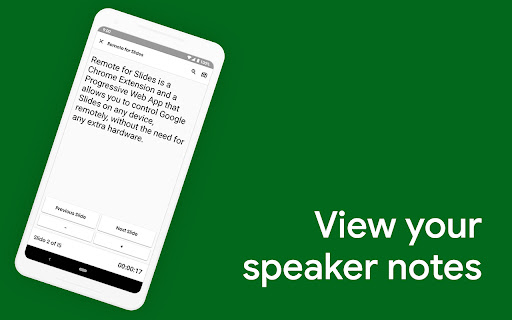
Remote for Slides allows you to control Google Slides on any device, remotely, without the need of any extra hardware. ✨ FEATURES ✔️ Control presentation slide (Next/Previous slide) ✔️ View speaker notes with adjustable font size ✔️ View timer ✔️ Control YouTube playback ✔️ Control Google Slides using Game Controller ✔️ Dark mode & Black Mode ✔️ Multiple languages support ✔️ Add to home screen ✔️ Easy to use ❓ HOW TO USE 1. Install Remote for Slides Chrome Extension from the Chrome Web Store. 2. Open your Google Slides in Editor Mode, then click on the “Present with Remote” button. 3. Next, click on the “Start Remote” button to show the 6-digit code. 4. Enter the 6-digit code in the Remote for Slides Progressive Web App (s.limhenry.xyz) or in the Remote for Slides Lite Android App (bit.ly/slides-lite), and you are ready to go! 🎮 Game Controller Support [NEW!] - Now you can control your Google Slides presentation using your game controller (Xbox Controller, PlayStation Controller, Joy-Con, etc.). - How? Just connect your game controller to your computer (via Bluetooth or USB). That's it. You are good to go. 📱 Remote for Slides Apps • Remote for Slides Progressive Web App: https://s.limhenry.xyz • Remote for Slides Lite Android App: https://bit.ly/slides-lite 🎁 DONATE PayPal: https://go.limhenry.xyz/donate Patreon: https://patreon.com/remoteforslides Ko-fi: https://ko-fi.com/remoteforslides 👨🏻💻️ FIND US ON What's Remote for Slides: https://go.limhenry.xyz/what-is-remote Twitter: https://twitter.com/remoteforslides YouTube: https://www.youtube.com/channel/UCQ3tNfjAlGqMP6P5Vg-OblQ
Technical
- Version
- 3.0.2
- Manifest
- V3
- Size
- 255KiB
- Min Chrome
- 88
- Languages
- 3
- Featured
- Yes
Metadata
- ID
- pojijacppbhikhkmegdoechbfiiibppi
- Developer ID
- u1b53596cb5d49b4367666cfa7ee701f7
- Developer Email
- [email protected]
- Created
- Jan 10, 2016
- Last Updated (Store)
- Apr 30, 2025
- Last Scraped
- Jun 4, 2026
- Website
- https://limhenry.xyz/
- Support URL
- https://limhenry.xyz/slides/
- Privacy Policy
- https://policies.limhenry.xyz/slides/
Similar extensions
Alternatives to Remote for Slides, ranked by description similarity.

Shared Slides Clicker for Google Meet
Allows multiple users to control a Google Slides presentation from within Google Meet
881
★ 5.0

Internet Clicker for Slides
An Internet Clicker for Google Slides Chrome extension
1.0K
★ 3.0

Video Controller
Advanced video controller for YouTube and other video platforms
—

Slido
Engage your audience with live polling and Q&A without ever leaving Google Slides
200.0K
★ 4.6

Slide Sync
Slides can be operated remotely.
15

Presentation Pacemaker
Shows a presentation pace-keeping timer on Google and Qiita slides
216
★ 5.0

Photon Slides Assistant
Assistant for Photon Slides | Store slides
14
★ 5.0

YT Remote
A chrome extension to control your YouTube tabs / playback from any website / tabs.
1.0K
★ 4.0
Data sourced from the Chrome Web Store · last verified Jun 4, 2026.