
Gmail Dark Mode
Gmail Dark Mode allows you quickly to enable a dark theme for Gmail.
As of May 2026, Gmail Dark Mode has 10,000 users and a 3.89/5 rating from 28 reviews in the Accessibility category.
Usersno change0%
10.0K
10,000
Ratingno change0%
3.89
28 reviews
Reviewsno change0%
28
Version
1.4.5
Manifest V3
History
1 snapshotsTracking since Apr 26, 2026.
View as table
| Date | Users | Rating | Reviews | Version |
|---|---|---|---|---|
| Apr 26, 2026 | 10.0K | 3.89 | 28 | 1.4.5 |
| Now | 10.0K | 3.89 | 28 | 1.4.5 |
Permissions & access
- Permissions
- storagetabsactiveTabscripting
- Host access
- *://mail.google.com/*, *://*.gstatic.com/*
Screenshots

About
Gmail Dark mode is a simple yet powerful extension that does not simply invert the colors of the page. It uses the powerful algorithm of Night Eye to properly convert the Gmail theme into a smooth and eye-caring dark theme.

Why do you need Gmail dark mode?
Dark mode can reduce eye strain, allow you to be more productive, and,  most importantly, give you another layer of protection for your eyes. As we are spending more and more time in front of the screen, our eyes suffer the most from this. Obviously, there is no turning back; we will be spending most of our waking hours staring at screens. Thus something must be done to lift the heavy burden we are putting on our eyesight.

The fact is that we are sending more and more emails, and pretty much all communication is done via email. E-mail is one of those online activities that can literally eat up half of your day. This is why improving how you handle email is a good starting point to minimize the pressure you put on your eyes every day.
Does Gmail dark mode read my emails?
Absolutely not! The extension only analyzes the colors of your page and converts them. It does not read, process, store, or do anything with your content.

Can I enable dark mode on other websites?
Gmail dark mode is specifically made for those who only want to have a dark theme on Gmail. To enable dark mode on any website, please check our other extension - Night Eye - www.nighteye.app

Our website: https://nighteye.app/gmail-dark-mode
Follow us on Twitter: https://twitter.com/nighteye_ext
Like us on Facebook: https://www.facebook.com/night.eye.extension
Technical
- Version
- 1.4.5
- Manifest
- V3
- Size
- 200KiB
- Min Chrome
- 88
- Languages
- 1
- Featured
- Yes
Metadata
- ID
- pmdghmdjjojjeajflmpgnambocpnpiea
- Developer ID
- u7305ff73429348414d00832d83ce4c55
- Developer Email
- [email protected]
- Created
- Apr 21, 2022
- Last Updated (Store)
- Feb 27, 2025
- Last Scraped
- May 23, 2026
- Website
- nighteye.app
- Support URL
- https://nighteye.app/support
- Privacy Policy
- https://nighteye.app/privacy-policy/
Similar extensions
Alternatives to Gmail Dark Mode, ranked by description similarity.

Dark Theme - Dark mode for Chrome
Dark mode switch any websites to dark theme. Take care of your eyes day using a classic dark reader or change screen brightness.
400.0K
★ 4.3

Grammarly Dark
A dark theme for Grammarly documents.
10.0K
★ 3.8
Dark Mode for Chrome
Dark mode for all websites. Use dark theme for night and daily browsing with dark reader. Night shift mode.
60.0K
★ 4.5

DARK VISOR — darkmode for the web
Dark mode for the web. Protect your eyes with Dark Visor. Customize brightness, contrast, and night shift for comfortable browsing.
8.0K
★ 4.9
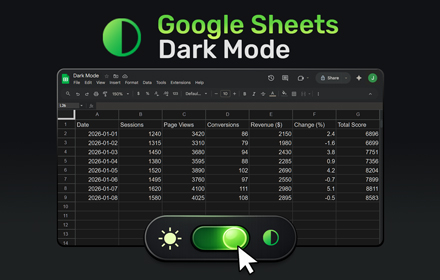
Google Sheets Dark Mode
Use Google Sheets Dark Mode to turn bright spreadsheets into a comfortable dark theme and reduce eye strain while you view, edit,…
6.0K
★ 4.4

Dark Mode
Dark Mode, read at night. Bluelight filter for every website. Relax your eyes at night and day.
20.0K
★ 4.4

Night Eye Care
Apply dark themes to websites with customizable brightness and contrast controls.
56
Highlight Emails in Gmail by cloudHQ
Highlight Email Rows in Gmail
8.0K
★ 4.2
Data sourced from the Chrome Web Store · last verified May 23, 2026.