
Screen Lens - Search Screen with Google Lens
Search your screen with Google Lens in a single click!
As of June 2026, Screen Lens - Search Screen with Google Lens has 1,000 users and a 4.00/5 rating from 4 reviews in the Productivity category.
Usersno change0%
1.0K
1,000
Ratingup 9.0 percent+9.0%
4.00
4 reviews
Reviewsup 33.3 percent+33.3%
4
Version
2.7
Manifest V3
History
1 snapshotsTracking since May 29, 2026.
View as table
| Date | Users | Rating | Reviews | Version |
|---|---|---|---|---|
| May 29, 2026 | 1.0K | 3.67 | 3 | 2.7 |
| Now | 1.0K | 4.00 | 4 | 2.7 |
Permissions & access
- Permissions
- activeTabcontextMenusscriptingstoragewebNavigationtabs
- Host access
- *://*.images.google.ca/*, https://www.youtube.com/*, https://www.google.com/*, https://lens.google.com/*
Screenshots


About
Screen Lens – Google Lens for PC

Screen Lens brings the power of Google Lens to your desktop. With one click, search your screen’s content—text, images, objects, and more—using Google Lens, without needing to upload anything.

Consider it the ‘circle to search’ feature, typically exclusive to Android phones, now available for your PC. Unlock the power of Google Lens to enhance your browsing experience and boost your productivity effortlessly.

Key Features:
1. Screen Search: Instantly search the entire content of your screen with Google Lens.
2. Search Area Feature: Select a specific area of your screen to capture and search, allowing for targeted queries.
3. Text Translation & Object Identification: Identify text, products, landmarks, and more.
4. Local Image Search: Easily search local images saved on your PC using Google Lens with the 'Local Search' button.
5. Right-Click Image Search: Right-click on any image on the web and select 'Search with Google Lens' from the context menu for quick access.
6. Keyboard Shortcut: Quickly search your screen content with Google Lens using keyboard shortcuts, without needing to open the extension. Press Alt+Q to instantly capture and search your full screen, or use Alt+W to select and search a specific area, allowing you to focus your search with ease and save time.
7. YouTube Frame Search: A search button near YouTube's toolbar, allows you to search the current video frame with Google Lens. This feature can be toggled on/off in the options page.
8. Privacy-Focused: No data is collected or stored. Everything happens locally.

Note: Some features of Screen Lens may not work in browsers like Opera, Arc and Vivaldi, which modify Chromium’s standard behavior and can override certain extension functionalities. Screen Lens works best with Google Chrome, Microsoft Edge, and Brave.

Install Screen Lens and easily search what’s on your screen today!
Technical
- Version
- 2.7
- Manifest
- V3
- Size
- 411KiB
- Min Chrome
- 88
- Languages
- 1
- Featured
- No
Metadata
- ID
- iobfgjlgbbidpkglklokjbififallaog
- Developer ID
- uce480f3ea3787118352f78beb05b2cfd
- Developer Email
- [email protected]
- Created
- Jul 11, 2025
- Last Updated (Store)
- Jul 11, 2025
- Last Scraped
- Jun 10, 2026
- Website
- —
- Support URL
- —
- Privacy Policy
- https://flexiapps.me/privacy-screen-lens.html
Similar extensions
Alternatives to Screen Lens - Search Screen with Google Lens, ranked by description similarity.

Google Lens - Search your screen
Google Lens brings visual search to your browser. Search your screen or any image for products, translations, and more.
20.0K
★ 4.3

Screen Search - Search Screen with Google Lens
Search anything on your screen with Google Lens. Instant visual search, translations, and product info at your fingertips.
10.0K
★ 4.6

Google Lens ImageSearcher
Search images using Google Lens directly from the context menu
20.0K
★ 4.3

ScreenScan - Instant Screenshot Search
Instantly capture, search, and explore any image, video or text on the web with a click and discover more with Google Lens.
569
★ 3.8

SmartLens AI - Alternative of Google Lens For PC
Free Google Lens alternative for PC, Windows & Mac. AI image analysis, OCR text extraction, QR/barcode scanner,Right-click any image
100.0K
★ 1.6

Select & Search - Capture Screen and Search Instantly
Select any area on screen and instantly search it across 40+ engines.
90
★ 5.0

Google Lens Image Search
Enable this extension to quickly search, identify image patterns, and download in one click
20.0K
★ 4.3
Screenshot Search
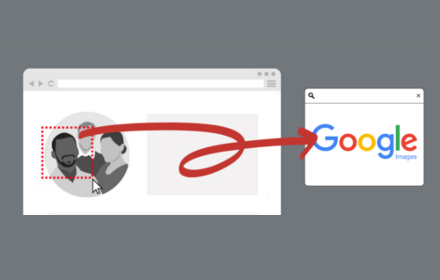
select and capture any area on a web page, then effortlessly perform reverse image searches on Google Images
3.0K
★ 3.7
Data sourced from the Chrome Web Store · last verified Jun 10, 2026.