
ChatGPT Conversation Exporter
Export ChatGPT conversations to Markdown or plain text. Supports copy to clipboard and download as .md file.
As of June 2026, ChatGPT Conversation Exporter has — users in the Productivity category.
Usersno change0%
—
—
Ratingno change0%
—
— reviews
Reviewsno change0%
—
Version
1.0.0
Manifest V3
History
6 snapshotsTracking since Apr 7, 2026.
View as table
| Date | Users | Rating | Reviews | Version |
|---|---|---|---|---|
| Apr 7, 2026 | 1 | — | — | 1.0.0 |
| Apr 19, 2026 | 2 | — | — | 1.0.0 |
| Apr 26, 2026 | 3 | — | — | 1.0.0 |
| May 3, 2026 | 1 | — | — | 1.0.0 |
| May 27, 2026 | — | — | — | 1.0.0 |
| Jun 3, 2026 | 1 | — | — | 1.0.0 |
| Now | — | — | — | 1.0.0 |
Permissions & access
- Permissions
- activeTabscripting
- Host access
- None declared
Screenshots

About
ChatGPT Conversation Exporter - Export your ChatGPT conversations with one click.

Features:
• Export conversations as Markdown (.md) files
• Export as plain text (.txt) files
• Copy conversation to clipboard instantly
• Clean formatting with role labels (You / Assistant)
• Works on chat.openai.com and chatgpt.com
• Minimal permissions - only activates on ChatGPT pages
• No data collection - everything stays local
• Dark theme UI matching ChatGPT style

How to use:
1. Open any ChatGPT conversation
2. Click the extension icon
3. Choose format: Markdown or Plain Text
4. Click "Copy to Clipboard" or "Download File"
5. Done - your conversation is saved

Perfect for archiving, sharing, or documenting AI conversations.
Technical
- Version
- 1.0.0
- Manifest
- V3
- Size
- 11.02KiB
- Min Chrome
- 88
- Languages
- 1
- Featured
- No
Metadata
- ID
- ojjolnnkfmphiekbhkmnfiopjpefkipo
- Developer ID
- u0c55b585d1c384165a99ce618c5677e6
- Developer Email
- [email protected]
- Created
- Mar 16, 2026
- Last Updated (Store)
- Mar 16, 2026
- Last Scraped
- Jun 8, 2026
- Website
- —
- Support URL
- —
Similar extensions
Alternatives to ChatGPT Conversation Exporter, ranked by description similarity.

ChatGPT to Markdown
Export ChatGPT conversations to Markdown format
20
★ 5.0
ChatGPT Exporter
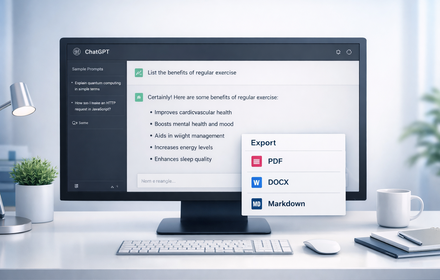
Export ChatGPT conversations to PDF, Word, Markdown, and Text.
194
★ 1.0

ChatGPT Chat Exporter
Export your ChatGPT conversations to text, JSON, markdown, and PDF
85

ChatGPT Export
Export ChatGPT conversations to PDF, Markdown, or DOCX with beautiful styling
3

GPT Session Exporter
Export ChatGPT conversations from the current page as a Markdown file.
7

ChatGPT Conversation Exporter
Export ChatGPT conversations to JSON or Markdown.
10

GPT to markdown
new extension for GPT to markdown
12

ChatGPT Exporter — Export Chat to PDF, Markdown, JSON & CSV
Export ChatGPT conversations to PDF, Markdown, Text, CSV, JSON. Download and save any chat. Free, open-source, 100% local.
489
★ 4.2
Data sourced from the Chrome Web Store · last verified Jun 8, 2026.