
ChatGPT to Markdown
Export ChatGPT conversations to Markdown format
As of June 2026, ChatGPT to Markdown has 20 users and a 5.00/5 rating from 2 reviews in the Productivity category.
Usersup 25.0 percent+25.0%
20
20
Ratingno change0%
5.00
2 reviews
Reviewsno change0%
2
Version
1.0.3
Manifest V3
History
8 snapshotsTracking since Apr 3, 2026.
View as table
| Date | Users | Rating | Reviews | Version |
|---|---|---|---|---|
| Apr 3, 2026 | 16 | 5.00 | 2 | 1.0.3 |
| Apr 17, 2026 | 17 | 5.00 | 2 | 1.0.3 |
| May 2, 2026 | 19 | 5.00 | 2 | 1.0.3 |
| May 8, 2026 | 20 | 5.00 | 2 | 1.0.3 |
| May 13, 2026 | 19 | 5.00 | 2 | 1.0.3 |
| May 25, 2026 | 20 | 5.00 | 2 | 1.0.3 |
| Jun 1, 2026 | 17 | 5.00 | 2 | 1.0.3 |
| Jun 9, 2026 | 22 | 5.00 | 2 | 1.0.3 |
| Now | 20 | 5.00 | 2 | 1.0.3 |
Permissions & access
- Permissions
- activeTabsidePanelscriptingstorage
- Host access
- https://chat.openai.com/*, https://chatgpt.com/*
Screenshots

About
ChatGPT to Markdown makes it easy to export your ChatGPT conversations to clean, well-formatted Markdown.

✨ Key Features:

• Selective Export - Choose exactly which messages you want to export. No need to copy the entire conversation.

• Quick Search & Filter - Easily find specific messages with built-in search. Filter by user or assistant messages.

• Live Preview - See the Markdown output before copying. What you see is what you get.

• One-Click Copy - Copy your formatted Markdown to clipboard instantly.

• Clean Formatting - Properly formatted code blocks, lists, and headings are preserved.

🚀 How to Use:

1. Go to chatgpt.com
2. Click the extension icon in your browser toolbar
3. Select the messages you want to export
4. Click "Copy" to copy the Markdown to your clipboard

💡 Perfect for:
- Saving important AI conversations
- Creating documentation from ChatGPT responses
- Archiving code snippets with explanations
- Building a personal knowledge base
- Sharing conversations in Markdown-compatible platforms (Notion, Obsidian, GitHub, etc.)
Technical
- Version
- 1.0.3
- Manifest
- V3
- Size
- 408KiB
- Min Chrome
- 88
- Languages
- 1
- Featured
- No
Metadata
- ID
- lobfcloalpchpcomgdkkdbcnbcldfoig
- Developer ID
- u90dfb6acd05efed2aad26545e5837c60
- Developer Email
- [email protected]
- Created
- Jan 17, 2026
- Last Updated (Store)
- Feb 25, 2026
- Last Scraped
- Jun 9, 2026
- Website
- —
- Support URL
- —
Similar extensions
Alternatives to ChatGPT to Markdown, ranked by description similarity.

ChatGPT Conversation Exporter
Export ChatGPT conversations to Markdown or plain text. Supports copy to clipboard and download as .md file.
—

GPT to markdown
new extension for GPT to markdown
12

ChatGPT Copy as Markdown
One-click copy from ChatGPT to Markdown. Preserves formatting, code, tables, and math.
55
★ 5.0

ChatGPT Copy Markdown
Use ChatGPT Copy Text Extension to quickly copy selected messages from your conversations and export them as clean text or Markdown…
17
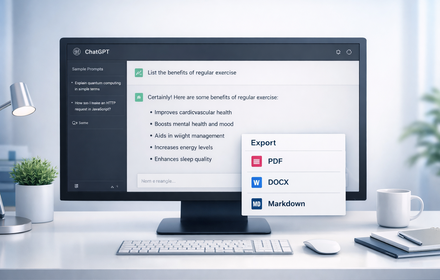
ChatGPT Exporter
Export ChatGPT conversations to PDF, Word, Markdown, and Text.
194
★ 1.0

ChatGPT Chat Exporter
Export your ChatGPT conversations to text, JSON, markdown, and PDF
85

ChatGPT To Markdown
Export ChatGPT conversations to Markdown or PDF.
2
Save ChatGPT to Obsidian markdown file
Save ChatGPT conversations to Obsidian with one click. Export ChatGPT conversations
4.0K
★ 4.3
Data sourced from the Chrome Web Store · last verified Jun 9, 2026.