
Split Screen
Best for Traders and Multitaskers
As of May 2026, Split Screen has 1,000 users and a 5.00/5 rating from 2 reviews in the Workflow & Planning category.
Usersno change0%
1.0K
1,000
Ratingno change0%
5.00
2 reviews
Reviewsno change0%
2
Version
2.7
Manifest V3
History
1 snapshotsTracking since Apr 20, 2026.
View as table
| Date | Users | Rating | Reviews | Version |
|---|---|---|---|---|
| Apr 20, 2026 | 1.0K | 5.00 | 2 | 2.7 |
| Now | 1.0K | 5.00 | 2 | 2.7 |
Permissions & access
- Permissions
- tabswindowssystem.display
- Host access
- None declared
Screenshots


About
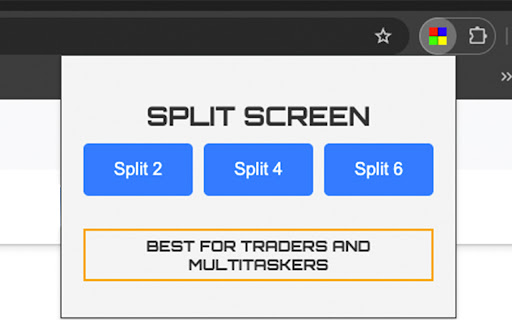
Effortlessly manage your workflow with Split Screen, the ultimate tool for traders, multitaskers, and productivity enthusiasts. Split your browser windows into 2, 4, or 6 perfectly arranged screens with just a click. Seamlessly work across multiple tabs, monitor charts, or manage tasks in parallel – all from a single interface.

Key Features:

Smart Window Management: Automatically organize and split your screen across multiple monitors.
Multi-Monitor Support: Fully compatible with dual and multi-monitor setups.
Efficient URL Management: Copy existing tabs and distribute them across new windows.
User-Friendly Interface: An intuitive, stylish layout designed for enhanced productivity.
Perfect for day traders, coders, analysts, and anyone who needs to keep multiple tabs in view simultaneously. Boost your productivity and get more done with Split Screen!
Technical
- Version
- 2.7
- Manifest
- V3
- Size
- 19.94KiB
- Min Chrome
- 88
- Languages
- 1
- Featured
- Yes
Metadata
- ID
- ojheeeifngfobffcmdpalcajoomkohga
- Developer ID
- uba15f3b2fa8abe9d9afb93ef3054cbf8
- Developer Email
- [email protected]
- Created
- Aug 27, 2024
- Last Updated (Store)
- May 21, 2025
- Last Scraped
- May 29, 2026
- Website
- —
- Support URL
- —
- Privacy Policy
- —
Similar extensions
Alternatives to Split Screen, ranked by description similarity.

SplitView — Split Screen & Side by Side Tabs for Multi Window Browsing
Split screen extension — tile browser windows side by side in one click. 6 layouts, multi-monitor, keyboard shortcuts, instant undo.
653
★ 5.0

Tab Splitter
Split your browser tab into two panes
—
★ 1.0

Physical Multi-Page Workspace
Manage multiple browser windows as a single workspace
—

Tab Split
Forces each browser start page to open in a new browser window across multiple monitors.
3.0K
★ 1.0

Dual Windows (Updated)
Dual monitor in one machine. 💻
573
★ 5.0

Premium Dogwater AI Tab Manager
Advanced tab and session manager with multi-window support, session switching, and window restoration
7

Tiling Window Manager
Automatically tile your browser windows to maximise your screen space.
120
★ 1.0

Tab Catcher: The Ultimate Tab Manager
Organize, group & save browser tabs with Tab Manager. Boost productivity & workflow, perfect for multitaskers and professionals.
22
★ 4.5
Data sourced from the Chrome Web Store · last verified May 29, 2026.