
Clipboard-Free
Copy To Clipboard Anyting You Want To Save!
As of May 2026, Clipboard-Free has 7 users in the Productivity category.
Usersdown 12.5 percent−12.5%
7
7
Ratingno change0%
—
— reviews
Reviewsno change0%
—
Version
1.0.0
Manifest V3
History
2 snapshotsTracking since Apr 29, 2026.
View as table
| Date | Users | Rating | Reviews | Version |
|---|---|---|---|---|
| Apr 29, 2026 | 8 | — | — | 1.0.0 |
| May 26, 2026 | 9 | — | — | 1.0.0 |
| Now | 7 | — | — | 1.0.0 |
Permissions & access
- Permissions
- storagecontextMenusactiveTab
- Host access
- None declared
Screenshots


About
You have a few options to choose from:

- Enter the text manually into the field.

- Highlight the text you wish to copy, right-click, and select the "Copy to clipboard" option.

-Copy the URL of the page you're on.
Technical
- Version
- 1.0.0
- Manifest
- V3
- Size
- 78.09KiB
- Min Chrome
- 88
- Languages
- 1
- Featured
- No
Metadata
- ID
- ohmpmcjjjikbbipdimmdfepggehcbigm
- Developer ID
- u817683ee035fd35adf295a1fbb01df92
- Developer Email
- [email protected]
- Created
- Mar 29, 2024
- Last Updated (Store)
- Apr 1, 2024
- Last Scraped
- May 26, 2026
- Website
- —
- Support URL
- —
- Privacy Policy
- —
Similar extensions
Alternatives to Clipboard-Free, ranked by description similarity.

Copy page title and URL from context menu
Copy the page title and URL from the context (right-click) menu
43
★ 5.0

Copy hyperlink as Edge does
Copy hyperlink as Edge does, just press Ctrl-C/Cmd-C in the web page. Shortcut is configurable.
246
★ 2.8

Paste Assistant
Copie le titre de l'article avec un lien 'voir en ligne' dans le presse-papiers.
8
★ 5.0

ClipTitle
Quickly copy any webpage title to your clipboard with just one click.
1

ClipMark
Quickly copy any webpage as a markdown link to your clipboard with just one click.
1

Copy Link Helper
Copy selected text or links in plain text, Markdown, or HTML list format with shortcuts and notifications.
3

DNXTemplateText
Extension to save and paste common text templates (such as AI prompts, etc.) into the currently active text field on the page.
5
★ 5.0
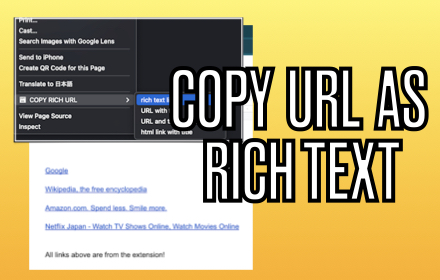
COPY RICH URL
Just clicking the icon and copying the link of the page as RICH TEXT. Markdown and other styles are available with right click menu.
737
★ 4.0
Data sourced from the Chrome Web Store · last verified May 26, 2026.