
Qurutu — Web Clipper for Google Docs
Qurutu lets you capture any web content—text, images, or code—and instantly save it to Google Docs in one click.
As of June 2026, Qurutu — Web Clipper for Google Docs has 12 users in the Productivity category.
Usersup 500.0 percent+500.0%
12
12
Ratingno change0%
—
— reviews
Reviewsno change0%
—
Version
2.1.0
Manifest V3
90-day change · In the last 90 days this extension 2 version updates, changed permissions.
History
9 snapshotsTracking since Apr 20, 2026.
View as table
| Date | Users | Rating | Reviews | Version |
|---|---|---|---|---|
| Apr 20, 2026 | 2 | — | — | 1.0.0 |
| Apr 27, 2026 | 4 | — | — | 2.0.1 |
| May 4, 2026 | 4 | — | — | 2.1.0 |
| May 15, 2026 | 5 | — | — | 2.1.0 |
| May 21, 2026 | 13 | — | — | 2.1.0 |
| May 27, 2026 | 15 | — | — | 2.1.0 |
| Jun 3, 2026 | 13 | — | — | 2.1.0 |
| Jun 8, 2026 | 13 | — | — | 2.1.0 |
| Jun 14, 2026 | 14 | — | — | 2.1.0 |
| Now | 12 | — | — | 2.1.0 |
Changelog
- Apr 27, 2026description
Snapgle is a Chrome extension that lets you capture text, images, links, and code from any website and instantly save them to Google Docs — without copy-pasting.

Designed for researchers, students, developers, writers, content creators, and professionals, Snapgle helps turn scattered web content into documents in seconds.

Why Snapgle?
Stop losing valuable information while browsing. Snapgle helps you:
- Save insights directly to Google Docs
- Build a personal knowledge base
- Capture content without interrupting your workflow

How to use Snapgle
Getting started takes just a few seconds:
1. Install the Snapgle Chrome extension
2. Sign in with your Google account
3. Choose an existing Google Doc or create a new one
4. Click “Start Snapping” from the extension popup
5. Open any website and select the content you want to save
6. Choose how to save it — as a title, paragraph, bullet list, or code — using the options in the popup
7. Your content is instantly saved to the selected document

To stop capturing, open the Snapgle extension popup and click “Stop Snapping”.

Capturing Images
1. Right-click on any image
2. Select “Snap to Doc” from the menu
3. The image will be saved to your Google Doc

Note: Only publicly accessible images within supported size limits can be saved.

Key Features
- One-click capture of text, images, links, and code
- Direct integration with Google Docs
- Save to existing documents or create new ones instantly
- Works across all websites
- Clean formatting and structured output
- Secure authentication with Google
- Built for people who work with information
- Research and study
- Writing and content creation
- Documentation and note-taking
- Coding and technical learning

Save time and stay organized
No more switching tabs or manual copy-pasting. Snapgle ensures everything you capture is instantly saved, structured, and accessible in your Google Docs.
Qurutu is a Chrome extension that lets you capture text, images, links, and code from any website and instantly save them to Google Docs — without copy-pasting.

Designed for researchers, students, developers, writers, content creators, and professionals, Qurutu helps turn scattered web content into documents in seconds.

Why Qurutu?
Stop losing valuable information while browsing. Qurutu helps you:
- Save insights directly to Google Docs
- Build a personal knowledge base
- Capture content without interrupting your workflow

How to use Qurutu
Getting started takes just a few seconds:
1. Install the Qurutu Chrome extension
2. Sign in with your Google account
3. Choose an existing Google Doc or create a new one
4. Click “Start Capturing” from the extension popup
5. Open any website and select the content you want to save
6. Choose how to save it — as a title, paragraph, bullet list, or code — using the options in the popup
7. Your content is instantly saved to the selected document

To stop capturing, open the Qurutu extension popup and click “Stop Capturing”.

Capturing Images
1. Right-click on any image
2. Select “Save to Doc” from the menu
3. The image will be saved to your Google Doc

Note: Only publicly accessible images within supported size limits can be saved.

Key Features
- One-click capture of text, images, links, and code
- Direct integration with Google Docs
- Save to existing documents or create new ones instantly
- Works across all websites
- Clean formatting and structured output
- Secure authentication with Google
- Built for people who work with information
- Research and study
- Writing and content creation
- Documentation and note-taking
- Coding and technical learning

Save time and stay organized
No more switching tabs or manual copy-pasting. Qurutu ensures everything you capture is instantly saved, structured, and accessible in your Google Docs.
- Apr 27, 2026short_description
Snapgle lets you capture any web content—text, images, or code—and instantly save it to Google Docs in one click.
Qurutu lets you capture any web content—text, images, or code—and instantly save it to Google Docs in one click.
- Apr 27, 2026name
Snapgle — Web Clipper for Google Docs
Qurutu — Web Clipper for Google Docs
- Apr 27, 2026host_permissions
https://www.snapgle.com/*, https://api.snapgle.com/*
https://www.qurutu.com/*, https://api.qurutu.com/*
- Apr 20, 2026description
🚀 Snapgle transforms how you capture and organize web content for research and documentation. With one click, save any text, images, links, or code blocks directly to your Google Docs. 🎯 Perfect for researchers, students, writers, and professionals who need to quickly collect information from across the web. Simply select content on any webpage and Snapgle instantly saves it to your chosen Google Doc with proper organization. ✨ Key features: - 📝 One-click content capture (text, images, links, code) - 📄 Direct Google Docs integration - 📋 Create new docs or save to existing ones - 🌐 Works on any website - 🔒 Secure authentication via Google 👨💻 Developer's glimpse: - 💻 Specially optimized for code snippet capture with syntax preservation - 📚 Perfect for building technical documentation and API references - 🔧 Capture Stack Overflow solutions, GitHub code, and technical tutorials - 📖 Organize coding resources and create personal knowledge bases - ⚡ Streamline technical research and learning workflows ⏰ Save hours of copy-pasting and manual formatting. Whether you're conducting research, taking notes, or building documentation, Snapgle streamlines your workflow from web browsing to organized documents. 🔥 No more switching between tabs or losing important information - capture it instantly and find it organized in your Google Docs.
Snapgle is a Chrome extension that lets you capture text, images, links, and code from any website and instantly save them to Google Docs — without copy-pasting.

Designed for researchers, students, developers, writers, content creators, and professionals, Snapgle helps turn scattered web content into documents in seconds.

Why Snapgle?
Stop losing valuable information while browsing. Snapgle helps you:
- Save insights directly to Google Docs
- Build a personal knowledge base
- Capture content without interrupting your workflow

How to use Snapgle
Getting started takes just a few seconds:
1. Install the Snapgle Chrome extension
2. Sign in with your Google account
3. Choose an existing Google Doc or create a new one
4. Click “Start Snapping” from the extension popup
5. Open any website and select the content you want to save
6. Choose how to save it — as a title, paragraph, bullet list, or code — using the options in the popup
7. Your content is instantly saved to the selected document

To stop capturing, open the Snapgle extension popup and click “Stop Snapping”.

Capturing Images
1. Right-click on any image
2. Select “Snap to Doc” from the menu
3. The image will be saved to your Google Doc

Note: Only publicly accessible images within supported size limits can be saved.

Key Features
- One-click capture of text, images, links, and code
- Direct integration with Google Docs
- Save to existing documents or create new ones instantly
- Works across all websites
- Clean formatting and structured output
- Secure authentication with Google
- Built for people who work with information
- Research and study
- Writing and content creation
- Documentation and note-taking
- Coding and technical learning

Save time and stay organized
No more switching tabs or manual copy-pasting. Snapgle ensures everything you capture is instantly saved, structured, and accessible in your Google Docs.
- Apr 20, 2026short_description
Snapgle lets you capture any web content—text, images, or code—and save it to Google Docs instantly with one click.
Snapgle lets you capture any web content—text, images, or code—and instantly save it to Google Docs in one click.
- Apr 20, 2026name
Snapgle
Snapgle — Web Clipper for Google Docs
Permissions & access
- Permissions
- tabsactiveTabstoragecookiesscriptingcontextMenus
- Host access
- https://www.qurutu.com/*, https://api.qurutu.com/*
Screenshots


About
Qurutu is a Chrome extension that lets you capture text, images, links, and code from any website and instantly save them to Google Docs — without copy-pasting.

Designed for researchers, students, developers, writers, content creators, and professionals, Qurutu helps turn scattered web content into documents in seconds.

Why Qurutu?
Stop losing valuable information while browsing. Qurutu helps you:
- Save insights directly to Google Docs
- Build a personal knowledge base
- Capture content without interrupting your workflow

How to use Qurutu
Getting started takes just a few seconds:
1. Install the Qurutu Chrome extension
2. Sign in with your Google account
3. Choose an existing Google Doc or create a new one
4. Click “Start Capturing” from the extension popup
5. Open any website and select the content you want to save
6. Choose how to save it — as a title, paragraph, bullet list, or code — using the options in the popup
7. Your content is instantly saved to the selected document

To stop capturing, open the Qurutu extension popup and click “Stop Capturing”.

Capturing Images
1. Right-click on any image
2. Select “Save to Doc” from the menu
3. The image will be saved to your Google Doc

Note: Only publicly accessible images within supported size limits can be saved.

Key Features
- One-click capture of text, images, links, and code
- Direct integration with Google Docs
- Save to existing documents or create new ones instantly
- Works across all websites
- Clean formatting and structured output
- Secure authentication with Google
- Built for people who work with information
- Research and study
- Writing and content creation
- Documentation and note-taking
- Coding and technical learning

Save time and stay organized
No more switching tabs or manual copy-pasting. Qurutu ensures everything you capture is instantly saved, structured, and accessible in your Google Docs.
Technical
- Version
- 2.1.0
- Manifest
- V3
- Size
- 78.01KiB
- Min Chrome
- 88
- Languages
- 1
- Featured
- Yes
Metadata
- ID
- ogilcbgmpheefcpolcngibpbmbigghok
- Developer ID
- uc1e0a7cd0f3298815b11dd98b9830f70
- Developer Email
- [email protected]
- Created
- Jul 4, 2025
- Last Updated (Store)
- Apr 21, 2026
- Last Scraped
- Jun 14, 2026
- Website
- —
- Support URL
- —
- Privacy Policy
- https://www.qurutu.com/privacy
Similar extensions
Alternatives to Qurutu — Web Clipper for Google Docs, ranked by description similarity.

SNAG — Save Notes And Go
Select text anywhere, right-click, SNAG it to your Google Doc. Never lose an insight again.
—

Save to Google Docs
Save selected text from any webpage directly to Google Docs with a simple right-click.
277
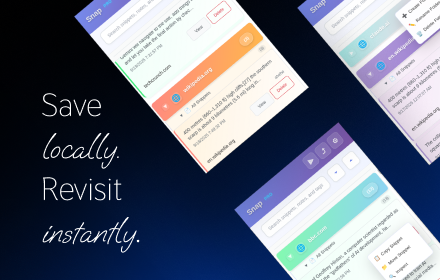
Snap - Smart Text Snippet Manager
Highlight and save text snippets with professional note-taking capabilities. Privacy-first, local storage.
14

SnipSnap
Save copied text & screenshots. Auto-organized by domain and date so you never lose track. Lightweight, private, and always on
6
★ 5.0

Snap Text
Select any text, get an instant AI explanation, and save it to your personal knowledge base — without leaving the page.
35
★ 5.0

ImageSnatch
Instantly extract and download all images from Google Docs
219
★ 5.0

SnapDrive - Capture & Share
The fastest way to capture screen snippets and share them instantly via Google Drive. Minimalist, secure, and ready for work.
18
★ 5.0

Send2
Quickly send selected text or links to Google Docs for easy access later.
18
★ 3.0
Data sourced from the Chrome Web Store · last verified Jun 14, 2026.