
Snap Text
Select any text, get an instant AI explanation, and save it to your personal knowledge base — without leaving the page.
As of June 2026, Snap Text has 35 users and a 5.00/5 rating from 6 reviews in the Productivity category.
Usersup 16.7 percent+16.7%
35
35
Ratingno change0%
5.00
6 reviews
Reviewsup 20.0 percent+20.0%
6
Version
1.5
Manifest V3
90-day change · In the last 90 days this extension 2 version updates, changed permissions.
History
8 snapshotsTracking since Apr 19, 2026.
View as table
| Date | Users | Rating | Reviews | Version |
|---|---|---|---|---|
| Apr 19, 2026 | 30 | 5.00 | 5 | 1.3 |
| Apr 26, 2026 | 29 | 5.00 | 6 | 1.4 |
| May 3, 2026 | 26 | 5.00 | 6 | 1.5 |
| May 9, 2026 | 27 | 5.00 | 6 | 1.5 |
| May 20, 2026 | 34 | 5.00 | 6 | 1.5 |
| May 27, 2026 | 33 | 5.00 | 6 | 1.5 |
| Jun 3, 2026 | 35 | 5.00 | 6 | 1.5 |
| Jun 9, 2026 | 37 | 5.00 | 6 | 1.5 |
| Now | 35 | 5.00 | 6 | 1.5 |
Changelog
- Apr 26, 2026description
Snap Text is a super simple Chrome extension that helps you capture and organize important text from any webpage in seconds. Whether you're a student, researcher, or daily reader, Snap Text keeps your key takeaways in one place.SnapText ensures you never lose track of important content.

How it works: Highlight text → Right click → Add to Snap Text → DONE.

Main features
✅ Save highlighted text along with its URL using the right-click menu or shortcut (Ctrl+Shift+1 on Windows, Cmd+Shift+1 on Mac).
✅ View all saved snippets in a sticky-note popup.
✅ Quickly search, copy, delete, or clear all saved text.

🔄 Stay tuned: Save your answers directly to your Google Sheets is coming soon — no extra steps needed.

Just fast, focused text capture.
Install Snap Text to streamline how you save what matters.
📌 Save it. Understand it. Remember it — all without leaving the page.

Snap Text is the AI-powered reading assistant that lives in your browser. Highlight any text on any webpage, get an instant plain-English explanation from AI, and save both to your personal knowledge base in one click.

Perfect for students, researchers, professionals, and anyone who reads a lot online.

─────────────────────────────
✨ AI EXPLAINER
─────────────────────────────
Highlight confusing text → click "AI Explainer" → get a clear, jargon-free explanation in seconds. No copy-pasting. No switching tabs. No extra steps.

─────────────────────────────
📂 YOUR PERSONAL KNOWLEDGE BASE
─────────────────────────────
✅ Save highlighted text + AI explanation together
✅ Save manually with your own notes
✅ Search across all saved items instantly
✅ Copy, delete, or clear anytime
✅ Export to TXT, Markdown, or Anki flashcards

─────────────────────────────
⚡ HOW IT WORKS
─────────────────────────────
1. Highlight any text on any webpage
2. Click "📌 Save Text" or "✨ AI Explainer" from the popup
3. Open Snap Text to review, search, or export your saved items

Or use the shortcut: Ctrl+Shift+1 (Windows) / Cmd+Shift+1 (Mac)

─────────────────────────────
🎓 GREAT FOR
─────────────────────────────
• Students building study notes
• Researchers collecting references
• Professionals staying on top of industry news
• Anyone who reads and wants to retain more

Install Snap Text — and finally keep up with everything you read.
- Apr 26, 2026short_description
Save any text with a single click!
Select any text, get an instant AI explanation, and save it to your personal knowledge base — without leaving the page.
- Apr 26, 2026permissions
contextMenus, notifications, storage, activeTab, scripting, tabs, commands, downloads
contextMenus, notifications, storage, activeTab, scripting, tabs, commands, downloads, alarms
Permissions & access
- Permissions
- contextMenusnotificationsstorageactiveTabscriptingtabscommandsdownloadsalarms
- Host access
- <all_urls>
Screenshots


About
📌 Save it. Understand it. Remember it — all without leaving the page.

Snap Text is the AI-powered reading assistant that lives in your browser. Highlight any text on any webpage, get an instant plain-English explanation from AI, and save both to your personal knowledge base in one click.

Perfect for students, researchers, professionals, and anyone who reads a lot online.

─────────────────────────────
✨ AI EXPLAINER
─────────────────────────────
Highlight confusing text → click "AI Explainer" → get a clear, jargon-free explanation in seconds. No copy-pasting. No switching tabs. No extra steps.

─────────────────────────────
📂 YOUR PERSONAL KNOWLEDGE BASE
─────────────────────────────
✅ Save highlighted text + AI explanation together
✅ Save manually with your own notes
✅ Search across all saved items instantly
✅ Copy, delete, or clear anytime
✅ Export to TXT, Markdown, or Anki flashcards

─────────────────────────────
⚡ HOW IT WORKS
─────────────────────────────
1. Highlight any text on any webpage
2. Click "📌 Save Text" or "✨ AI Explainer" from the popup
3. Open Snap Text to review, search, or export your saved items

Or use the shortcut: Ctrl+Shift+1 (Windows) / Cmd+Shift+1 (Mac)

─────────────────────────────
🎓 GREAT FOR
─────────────────────────────
• Students building study notes
• Researchers collecting references
• Professionals staying on top of industry news
• Anyone who reads and wants to retain more

Install Snap Text — and finally keep up with everything you read.
Technical
- Version
- 1.5
- Manifest
- V3
- Size
- 64.06KiB
- Min Chrome
- 88
- Languages
- 1
- Featured
- No
Metadata
- ID
- ngapfniidaedgpjkonnoppkkbffifnbp
- Developer ID
- u52e4398761c4045b0197f92844fee6a0
- Developer Email
- [email protected]
- Created
- Dec 19, 2024
- Last Updated (Store)
- Apr 22, 2026
- Last Scraped
- Jun 9, 2026
- Website
- —
- Support URL
- —
Similar extensions
Alternatives to Snap Text, ranked by description similarity.
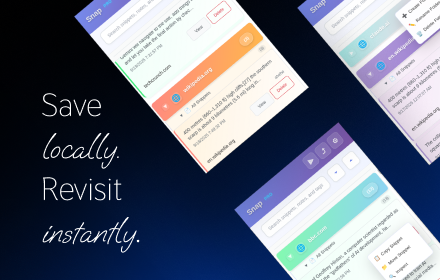
Snap - Smart Text Snippet Manager
Highlight and save text snippets with professional note-taking capabilities. Privacy-first, local storage.
14

Snipets
Adds a context menu for selected text and stores it in your Snipets account.
1

SnipSnap
Save copied text & screenshots. Auto-organized by domain and date so you never lose track. Lightweight, private, and always on
6
★ 5.0

ThinkClip
A simple note-taking extension that clips thoughts from the web
—

ZenMarker
Save text snippets from any website with optional notes and tags.
1

Snippets Pro
Save and manage text snippets from any website with ease.
1
★ 5.0

Text Catcher
Save text from any webpage with keyboard shortcuts. Easily organize, access, copy, and export your captured text snippets.
59

SnapText
Quickly extract text from images with one click!
4
Data sourced from the Chrome Web Store · last verified Jun 9, 2026.