
ChatGPT CopyIt
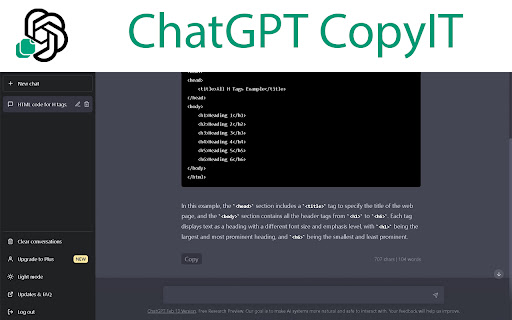
ChatGPT CopyIt adds a copy to clipboard button end of each answer. Also it shows word and character counter.
As of June 2026, ChatGPT CopyIt has 579 users and a 5.00/5 rating from 6 reviews in the Workflow & Planning category.
Usersdown 6.9 percent−6.9%
579
579
Ratingno change0%
5.00
6 reviews
Reviewsdown 14.3 percent−14.3%
6
Version
0.0.0.2
Manifest V3
History
3 snapshotsTracking since Apr 22, 2026.
View as table
| Date | Users | Rating | Reviews | Version |
|---|---|---|---|---|
| Apr 22, 2026 | 622 | 5.00 | 7 | 0.0.0.2 |
| May 12, 2026 | 598 | 5.00 | 6 | 0.0.0.2 |
| Jun 7, 2026 | 589 | 5.00 | 6 | 0.0.0.2 |
| Now | 579 | 5.00 | 6 | 0.0.0.2 |
Permissions & access
- Permissions
- None declared
- Host access
- None declared
Screenshots


About
This extension is designed specifically for the ChatGPT website, and it adds a "Copy" button to the answers on the website. When you click on this button, the text of the answer will be copied to your clipboard. The extension also displays the number of characters and words in the answer, and it updates the action buttons and counters when new messages are added to the chat.

To use this extension, simply install it from the Chrome Web Store and navigate to the ChatGPT website. When you see an answer in the chat, you will notice a "Copy" button next to it. Click on this button to copy the text of the answer to your clipboard. Please note that this extension will not work on other websites or web applications, as it is specifically designed for use with ChatGPT.
Technical
- Version
- 0.0.0.2
- Manifest
- V3
- Size
- 2.28MiB
- Min Chrome
- 88
- Languages
- 1
- Featured
- No
Metadata
- ID
- ogakgacjkoojmdahpelppalilhhplnbe
- Developer ID
- u2bd4c4d6c384cc36a16a1575889271c1
- Developer Email
- [email protected]
- Created
- Feb 23, 2023
- Last Updated (Store)
- Apr 25, 2023
- Last Scraped
- Jun 7, 2026
- Website
- —
- Support URL
- —
Similar extensions
Alternatives to ChatGPT CopyIt, ranked by description similarity.

ChatGPT COPY
ChatGPT COPY adds an additional copy button under each content of conversations.
202
★ 3.7

Copy Button for ChatGPT
Adds a native looking copy button for ChatGPT messages.
622
★ 3.0

TapToCopee - Copy Text Button for ChatGPT
Adds a copy button for your chatGPT session to copy its response in a click
28

GPT Here
Get answers from chatGPT anywhere while browsing
6
★ 2.0

Chatpgt Copy Export Clipboard
🪄 Enhance CHATGPT with copy button, export chat in any extension and clipboard manager 📋. Compatible with AIPRM ✅
420
★ 4.3

ChatClipper
It provides a function to copy conversations in ChatGPT as images to the clipboard
49
★ 5.0

Web Content Copier
Copy headings and paragraphs from the current webpage.
6.0K
★ 4.5

ChatGPT markdown magic
ChatGPT markdown magic is a chrome extension designed to seamlessly copy the output of ChatGPT conversations in markdown format.
82
★ 5.0
Data sourced from the Chrome Web Store · last verified Jun 7, 2026.