
FullPageX Screenshot CoderXpoint- Click to capture entire page
Take full-page screenshots with advanced editing tools. Draw shapes, add text, crop, and export as PNG, JPG, or PDF.
As of June 2026, FullPageX Screenshot CoderXpoint- Click to capture entire page has 11 users in the Productivity category.
Usersup 175.0 percent+175.0%
11
11
Ratingno change0%
—
— reviews
Reviewsno change0%
—
Version
2.0.0
Manifest V3
History
8 snapshotsTracking since Apr 1, 2026.
View as table
| Date | Users | Rating | Reviews | Version |
|---|---|---|---|---|
| Apr 1, 2026 | 4 | — | — | 2.0.0 |
| Apr 17, 2026 | 5 | — | — | 2.0.0 |
| Apr 24, 2026 | 8 | — | — | 2.0.0 |
| May 4, 2026 | 11 | — | — | 2.0.0 |
| May 11, 2026 | 10 | — | — | 2.0.0 |
| May 20, 2026 | 12 | — | — | 2.0.0 |
| May 30, 2026 | 9 | — | — | 2.0.0 |
| Jun 8, 2026 | 10 | — | — | 2.0.0 |
| Now | 11 | — | — | 2.0.0 |
Permissions & access
- Permissions
- tabsscriptingactiveTabstorage
- Host access
- http://*/*, https://*/*
Screenshots

About
FullPageX Screenshot CoderXpoint is a powerful and easy-to-use browser tool that lets you capture full-page screenshots of any webpage with a single click. It allows users to scroll and capture the entire page, including content that is not visible on the screen, ensuring accurate and complete screenshots every time.

The extension includes advanced editing tools that let you crop images, draw shapes, highlight areas, and add text or annotations directly after capturing a screenshot. Screenshots can be exported in multiple formats including PNG, JPG, and PDF, making it ideal for documentation, design reviews, tutorials, bug reporting, and presentations.

FullPageX works only when activated by the user and captures content from the currently active webpage. It does not run in the background, does not track users, and does not collect personal data. All captured screenshots are processed locally, giving users full control over their content.

Whether you are a designer, developer, student, or professional, FullPageX Screenshot CoderXpoint provides a fast, reliable, and efficient way to capture and edit full-page screenshots directly in your browser.
Technical
- Version
- 2.0.0
- Manifest
- V3
- Size
- 46.66KiB
- Min Chrome
- 88
- Languages
- 1
- Featured
- No
Metadata
- ID
- oegcogohfboobndhggebhaladpfnbdnc
- Developer ID
- u07ba8ce985e82e9e845e8a9666117fd3
- Developer Email
- [email protected]
- Created
- Jan 21, 2026
- Last Updated (Store)
- Jun 3, 2026
- Last Scraped
- Jun 8, 2026
- Website
- coderxpoint.com
- Support URL
- https://www.coderxpoint.com/contact-us
- Privacy Policy
- https://coderxpoint.github.io/privacy-policy/
Similar extensions
Alternatives to FullPageX Screenshot CoderXpoint- Click to capture entire page, ranked by description similarity.

Full Page Screen Capture
Capture full webpage screenshots as JPG with preview, PDF export, clipboard copy, and smart handling of fixed/sticky elements
8
★ 5.0

Full Page Screenshot Pro
Capture full web pages, annotate them, and export as PNG, JPG, WEBP, or PDF with selection capture, clipboard copy, and rich tools.
5

Full Page Screenshot
A simple extension to capture a full-page screenshot of any website.
10

FullPage Screenshot
Capture full-page screenshots of websites, including scrollable content
32
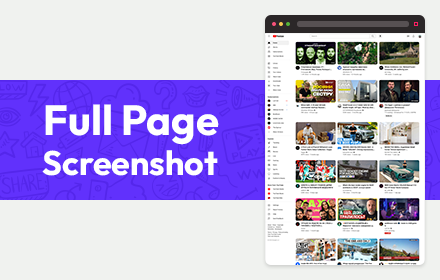
Full Page Screenshot
Full page screen capture is a simple extension that lets you capture the entire screen in one click. Get an entire page screenshot.
30.0K
★ 4.6

Capture Full Page Screenshot
Capture a screenshot of your current page according to visible and fullpage with just one click.
2.0K
★ 5.0

FullScreen Screenshot
Capture full-page screenshots with smooth scrolling and progress tracking. Press Alt+C for instant capture!
5

Full Page Capture
Capture the entire scrollable page as a single PNG image.
7
Data sourced from the Chrome Web Store · last verified Jun 8, 2026.