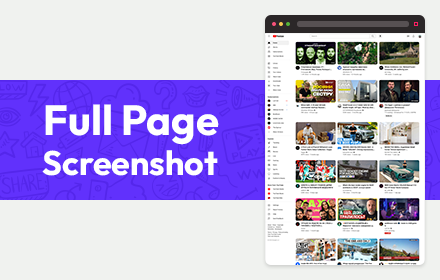
Full Page Screenshot
Full page screen capture is a simple extension that lets you capture the entire screen in one click. Get an entire page screenshot.
As of June 2026, Full Page Screenshot has 30,000 users and a 4.59/5 rating from 307 reviews in the Productivity category.
Usersno change0%
30.0K
30,000
Ratingdown 0.6 percent−0.6%
4.59
307 reviews
Reviewsup 0.7 percent+0.7%
307
Version
1.0.2
Manifest V3
History
2 snapshotsTracking since May 3, 2026.
View as table
| Date | Users | Rating | Reviews | Version |
|---|---|---|---|---|
| May 3, 2026 | 30.0K | 4.62 | 305 | 1.0.2 |
| Jun 2, 2026 | 30.0K | 4.60 | 306 | 1.0.2 |
| Now | 30.0K | 4.59 | 307 | 1.0.2 |
Permissions & access
- Permissions
- storageactiveTabtabsunlimitedStorage
- Host access
- <all_urls>
Screenshots


About
Note: FOR THE BEST RESULT, SCROLL THROUGH THE ENTIRE PAGE BEFORE TAKING A SCREENSHOT.

The Full Page Screenshot extension for Chrome is a powerful tool that allows users to capture the entire screen with a single click. With this extension, users can easily take entire page screenshots of websites, articles, documents, or any other content they come across while browsing the internet.

The extension offers two convenient methods for capturing full-page screenshots. The first method captures the entire visible content of the webpage, including what's currently visible on the screen. The second method captures the entire page, scrolling down automatically to capture the hidden content that extends beyond the visible area. This ensures that users can capture every bit of information on the page without any limitations.

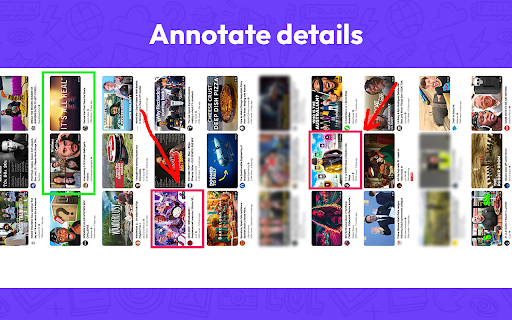
In addition to the full page screen capture functionality, the extension provides several useful features. Users can annotate the screen by adding various figures, shapes, lines, or other elements to highlight or emphasize specific areas of interest. This makes it easy to communicate information visually or draw attention to important details within the screenshot.

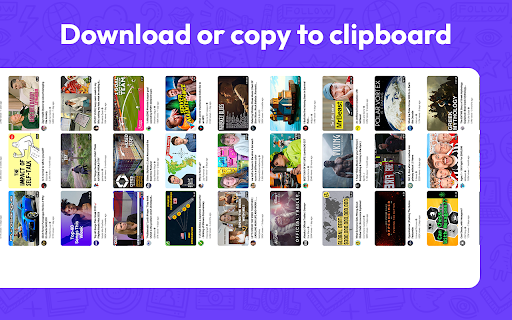
Once a webpage is captured and annotated, users have multiple options to save and share it. They can download the image directly to their PC, making it easily accessible for future reference. Also, users can copy the screenshot to the clipboard and paste it into a message or any other application. This feature allows for seamless sharing with colleagues, friends, or anyone else.

The extension is designed to cater to users who require comprehensive screen capture capabilities. Its intuitive interface, quick one-click functionality, and convenient annotation and sharing features make it a valuable tool for both personal and professional use.

Why Full Page Screenshot?

1. Comprehensive Content Capture:
Full page screen capture allows users to capture an entire webpage as it appears on their screen, including all visible content such as images, text, and interactive elements. This is especially useful for saving articles, blog posts, or other online content for offline reading or reference.

2. Design and Development Evaluation
Web designers and developers often use entire page screenshots to assess the overall layout and appearance of a webpage. By capturing the entire page, they can review how different elements interact, check for visual inconsistencies, and ensure the webpage renders correctly across different devices and screen sizes.

3. Documentation and Reporting
Full page screenshot is valuable for documentation and reporting purposes. They enable users to create visual records of webpages, which can be shared with others for reference or analysis. This is particularly useful in fields like user experience (UX) design, where capturing the entire page context helps communicate design decisions or identify areas for improvement.

4. Comparison and Analysis
By creating full page screenshots of different versions of a webpage or different webpages altogether, users can easily compare and analyze changes in design, content, or layout. This is beneficial for A/B testing, tracking design iterations, or evaluating the effectiveness of different webpage variations.

5. Sharing and Collaboration
Entire page screenshots are often shared with clients, team members, or stakeholders to gather feedback or discuss specific aspects of a webpage. They provide a visual representation of the webpage's appearance, facilitating effective communication and collaboration among team members, regardless of their physical location.

Overall, Full Page Screenshot offers a convenient and versatile way to capture, evaluate, and communicate webpage content and design, making them a popular choice among users.
Technical
- Version
- 1.0.2
- Manifest
- V3
- Size
- 773KiB
- Min Chrome
- 88
- Languages
- 46
- Featured
- Yes
Metadata
- ID
- aecnmadngpjbokeakinhbgfanlnjdnom
- Developer ID
- u8ca1eab42aba08345e4e092c5de3e7c0
- Developer Email
- [email protected]
- Created
- Sep 17, 2023
- Last Updated (Store)
- Aug 16, 2024
- Last Scraped
- Jun 2, 2026
- Website
- https://fullscrn.net/
- Support URL
- —
- Privacy Policy
- https://fullscrn.net/privacy-policy.html
Similar extensions
Alternatives to Full Page Screenshot, ranked by description similarity.

Full Page Screenshot Pro
Capture full web pages, annotate them, and export as PNG, JPG, WEBP, or PDF with selection capture, clipboard copy, and rich tools.
5

Chrome Snapshot
Easily answer "how to take screenshot" with Chrome Snapshot. Instantly capture full page screen capture chrome.
504
★ 5.0

Full Page Screenshot
Capture, annotate & design with backgrounds! All-in-one tool for full-page screenshots, edits & creative designs. Free & powerful.
1.0K
★ 4.1

FullCapture
Capture full webpage screenshots with ease
174
★ 5.0

Full Page Screen Capture
Capture full webpage screenshots as JPG with preview, PDF export, clipboard copy, and smart handling of fixed/sticky elements
8
★ 5.0

Full Page Screenshot
Capture full-page, visible-area or selected-page screenshots. Edit, save as PNG/JPEG/PDF, copy or share with consent.
1.0K
★ 4.1

Capture Full Page Screenshot
Capture a screenshot of your current page according to visible and fullpage with just one click.
2.0K
★ 5.0

Web screenshot for chrome
Activate this extension to take screenshot of any webpage or any articles with just one click
10
Data sourced from the Chrome Web Store · last verified Jun 2, 2026.