
Audio/Video Delay
Delays audio and video for synchronized playback
As of June 2026, Audio/Video Delay has 1,000 users and a 4.50/5 rating from 24 reviews in the Productivity category.
Usersno change0%
1.0K
1,000
Ratingdown 3.6 percent−3.6%
4.50
24 reviews
Reviewsup 33.3 percent+33.3%
24
Version
2.5.0
Manifest V3
90-day change · In the last 90 days this extension 2 version updates.
History
7 snapshotsTracking since Apr 17, 2026.
View as table
| Date | Users | Rating | Reviews | Version |
|---|---|---|---|---|
| Apr 17, 2026 | 1.0K | 4.67 | 18 | 2.4.6 |
| Apr 27, 2026 | 1.0K | 4.67 | 18 | 2.4.6 |
| May 4, 2026 | 1.0K | 4.67 | 18 | 2.4.7 |
| May 10, 2026 | 1.0K | 4.50 | 20 | 2.4.7 |
| May 21, 2026 | 1.0K | 4.50 | 20 | 2.5.0 |
| May 28, 2026 | 1.0K | 4.55 | 22 | 2.5.0 |
| Jun 4, 2026 | 1.0K | 4.48 | 23 | 2.5.0 |
| Now | 1.0K | 4.50 | 24 | 2.5.0 |
Changelog
- May 21, 2026description
FOSS extension that delays audio and video for synchronized playback

GitHub: https://github.com/cpb34/Audio-Video-Delay
Donate: https://buymeacoffee.com/cpb34

=== Privacy ===
Audio/Video Delay runs locally and does not collect any user data or analytics. It is fully open-source and can be audited at GitHub.

=== Limitations ===
- DRM-protected content can only have its audio delayed. The screen will appear black when attempting to delay DRM video.
- Subtitles are delayed only for videos on YouTube and the JW Player

=== Usage Guide ===
Ensure graphics acceleration is enabled in your browser settings. If you have multiple displays, set all to the same refresh rate or watch videos on the one with the highest.

-- Enabling/Disabling the Extension
Enable or disable the extension by pressing the bottom button in the GUI. The current on/off state is reflected here.

-- Changing Delay Modes Between Audio and Video
Video is delayed by default. Delay audio instead by clicking the yellow "Video" button at the top of the GUI. It will change to a red "Audio" button, and clicking it will return the delay mode back to video.

-- Changing the Delay Amount
Input the desired delay (in milliseconds) in the middle box of the GUI; no page refresh is required.
FOSS extension that delays audio and video for synchronized playback

=== Privacy ===
Audio/Video Delay runs locally and does not collect any user data or analytics. It is fully open-source and may be freely reviewed at GitHub.

=== Limitations ===
- DRM-protected content can only have its audio delayed
- Subtitles are delayed only for videos on YouTube and the JW Player

=== Support the Project ===
If this extension solves your audio issues, please consider sponsoring me at Ko-Fi. Even better (and free!), leave a review or star the GitHub repository. Many hours went into making the experience as seamless as possible, so any way of paying it forward is greatly appreciated! If you would like to contribute to the code, you are welcome to do so in the develop branch. If you encounter an issue, please open a GitHub Issue or mention it in a review. Thank you!

Donate: https://ko-fi.com/cpb34
GitHub: https://github.com/cpb34/Audio-Video-Delay

=== Usage Guide ===
Ensure graphics acceleration is enabled in your browser settings. If you have multiple displays, set all to the same refresh rate or watch videos on the one with the highest.

-- Enabling/Disabling the Extension
Enable or disable the extension by pressing the bottom button in the GUI. The current on/off state is reflected here.

-- Changing Delay Modes Between Audio and Video
Video is delayed by default. Delay audio instead by clicking the yellow "Video" button at the top of the GUI. It will change to a red "Audio" button, and clicking it will return the delay mode back to video.

-- Changing the Delay Amount
Input the desired delay (in milliseconds) in the middle box of the GUI; no page refresh is required.

Enjoy!
- May 10, 2026description
Please consider leaving a review if this extension solves your audio synchronization issues. Thank you!

GitHub: https://github.com/cpb34/Audio-Video-Delay
Donate: https://buymeacoffee.com/cpb34

=== Limitations ===
- DRM-protected content can only have its audio delayed. The screen will appear black when attempting to delay DRM video.
- Subtitles are delayed only for videos on YouTube and the JW Player

=== Privacy ===
Audio/Video Delay runs locally and does not collect any user data or analytics. It is fully open-source and can be freely reviewed at GitHub.

=== Usage Guide ===
For the best experience with frame-perfect playback, enable graphics acceleration in your browser and set all displays to 60fps in your computer's settings. If any display is over 60fps, frame drift may occur and the delayed video may be choppy. Only use above 60fps if your computer has a dedicated graphics card or powerful integrated graphics and can maintain a locked framerate.

-- Enabling/Disabling the Extension
Enable or disable the extension by pressing the bottom button in the GUI. The current on/off state is reflected here.

-- Changing Delay Modes Between Audio and Video
Video is delayed by default. Delay audio instead by clicking the yellow "Video" button at the top of the GUI. It will change to a red "Audio" button, and clicking it will return the delay mode back to video.

-- Changing the Delay Amount
Input the desired delay (in milliseconds) in the middle box of the GUI; no page refresh is required.

-- If Screen Tearing Occurs
NVIDIA GPU users:
- NVIDIA Control Panel -> Manage 3D Settings -> enable Vertical Sync in Global Settings or do so in Program Settings for your browser
- Set all displays to 60fps, as the delay mechanism is fundamentally different for videos at 60fps and above 60fps
- Follow potential fixes in the Intel section below
- Roll back drivers with NVCleanstall if all else fails. If on gaming drivers, try studio drivers instead. This would be understandably painful, but a non-tearing, synchronized video is worth the trouble. There are no other extensions that you can try instead that will give you the same quality delayed video as the original video itself.
- Send an email to [email protected] with a description of your issues and I will help resolve them

AMD GPU/iGPU users:
- AMD Adrenalin Software -> Gaming -> Display -> enable VRR

Intel GPU/iGPU users:
- Experiment with resolution settings, disabling hardware acceleration in the browser (will reduce performance but will confirm it's a GPU issue), and having multiple displays active (moving the cursor to the display not containing the video may help)

=== Known Bugs ===
Normal Instagram post videos are inconsistent due to undetermined video caching logic
FOSS extension that delays audio and video for synchronized playback

GitHub: https://github.com/cpb34/Audio-Video-Delay
Donate: https://buymeacoffee.com/cpb34

=== Privacy ===
Audio/Video Delay runs locally and does not collect any user data or analytics. It is fully open-source and can be audited at GitHub.

=== Limitations ===
- DRM-protected content can only have its audio delayed. The screen will appear black when attempting to delay DRM video.
- Subtitles are delayed only for videos on YouTube and the JW Player

=== Usage Guide ===
Ensure graphics acceleration is enabled in your browser settings. If you have multiple displays, set all to the same refresh rate or watch videos on the one with the highest.

-- Enabling/Disabling the Extension
Enable or disable the extension by pressing the bottom button in the GUI. The current on/off state is reflected here.

-- Changing Delay Modes Between Audio and Video
Video is delayed by default. Delay audio instead by clicking the yellow "Video" button at the top of the GUI. It will change to a red "Audio" button, and clicking it will return the delay mode back to video.

-- Changing the Delay Amount
Input the desired delay (in milliseconds) in the middle box of the GUI; no page refresh is required.
Permissions & access
- Permissions
- storage
- Host access
- None declared
Screenshots


About
FOSS extension that delays audio and video for synchronized playback

=== Privacy ===
Audio/Video Delay runs locally and does not collect any user data or analytics. It is fully open-source and may be freely reviewed at GitHub.

=== Limitations ===
- DRM-protected content can only have its audio delayed
- Subtitles are delayed only for videos on YouTube and the JW Player

=== Support the Project ===
If this extension solves your audio issues, please consider sponsoring me at Ko-Fi. Even better (and free!), leave a review or star the GitHub repository. Many hours went into making the experience as seamless as possible, so any way of paying it forward is greatly appreciated! If you would like to contribute to the code, you are welcome to do so in the develop branch. If you encounter an issue, please open a GitHub Issue or mention it in a review. Thank you!

Donate: https://ko-fi.com/cpb34
GitHub: https://github.com/cpb34/Audio-Video-Delay

=== Usage Guide ===
Ensure graphics acceleration is enabled in your browser settings. If you have multiple displays, set all to the same refresh rate or watch videos on the one with the highest.

-- Enabling/Disabling the Extension
Enable or disable the extension by pressing the bottom button in the GUI. The current on/off state is reflected here.

-- Changing Delay Modes Between Audio and Video
Video is delayed by default. Delay audio instead by clicking the yellow "Video" button at the top of the GUI. It will change to a red "Audio" button, and clicking it will return the delay mode back to video.

-- Changing the Delay Amount
Input the desired delay (in milliseconds) in the middle box of the GUI; no page refresh is required.

Enjoy!
Technical
- Version
- 2.5.0
- Manifest
- V3
- Size
- 81.47KiB
- Min Chrome
- 88
- Languages
- 1
- Featured
- No
Metadata
- ID
- oefgkbcfnbncpbociajoehcnnmmipjmo
- Developer ID
- u8410dee6531d686f1be4a6df674cfa34
- Developer Email
- [email protected]
- Created
- Jun 25, 2025
- Last Updated (Store)
- May 20, 2026
- Last Scraped
- Jun 9, 2026
- Website
- —
- Support URL
- —
- Privacy Policy
- —
Similar extensions
Alternatives to Audio/Video Delay, ranked by description similarity.

Frame Sync (Fix for Wireless Audio Delay)
Frame Sync is the best solution for wireless audio delay, syncing video with audio for lag-free playback
4.0K
★ 4.1

Video Controls Plus
Speed control, A-B loop, audio boost, video filters, screenshots, and more for YouTube, Netflix, Udemy & 10+ sites
1.0K
★ 4.3

Audio Booster: Real Surround, EQ & Spatial Sound
Turn any tab's stereo into immersive surround or 8D spatial audio. Boost volume, fine-tune with a 7-band EQ and normalizer.
2.0K
★ 4.6

Youtube Audio Control - Auto Language Switcher
Automatically forces your preferred audio track language on YouTube videos and Shorts (e.g., Original, English, Japanese).
39

Video Playback Rate Sync
Sync video playback rates across tabs with draggable controls
6
★ 1.0
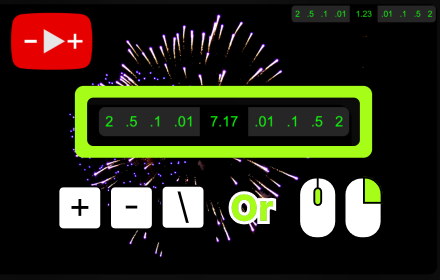
Web Video Speed Controller
Effortlessly control any online video speed. Easily operable via floating interface, or keyboard shortcuts, or mouse actions only.
565
★ 5.0

Easy Video Sharpener
Real-time performance friendly video sharpening using CSS SVG filters. Improves video sharpness on large screens and TVs.
116
★ 5.0

Telegram Augmenter
Enhances Telegram Web video player with fullscreen controls, volume/timestamp persistence, keyboard shortcuts (Space, arrows, F).
30
★ 5.0
Data sourced from the Chrome Web Store · last verified Jun 9, 2026.