
Switch between Multiple Google Accounts
Keyboard shorcuts to Switch between Multiple Google Accounts
As of June 2026, Switch between Multiple Google Accounts has 235 users and a 3.67/5 rating from 6 reviews in the Workflow & Planning category.
Usersdown 3.7 percent−3.7%
235
235
Ratingno change0%
3.67
6 reviews
Reviewsno change0%
6
Version
1.0
Manifest V3
History
3 snapshotsTracking since Apr 1, 2026.
View as table
| Date | Users | Rating | Reviews | Version |
|---|---|---|---|---|
| Apr 1, 2026 | 244 | 3.67 | 6 | 1.0 |
| May 2, 2026 | 247 | 3.67 | 6 | 1.0 |
| Jun 1, 2026 | 221 | 3.67 | 6 | 1.0 |
| Now | 235 | 3.67 | 6 | 1.0 |
Permissions & access
- Permissions
- tabs
- Host access
- None declared
Screenshots
About
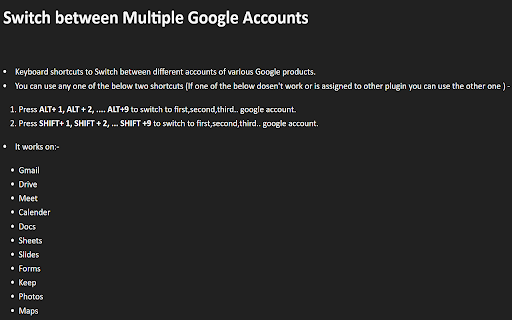
Keyboard shortcuts to Switch between different accounts of various Google products.

You can use any one of the below two shortcuts (If one of the below doesn't work or is assigned to other plugin you can use the other one ) -

1) Press ALT+ 1, ALT + 2, .... ALT+9 to switch to first, second, third.. google account.
2) Press SHIFT+ 1, SHIFT + 2, ... SHIFT +9 to switch to first, second, third.. google
account.

It works on:-
Gmail
Drive
Meet
Calendar
Docs
Sheets
Slides
Forms
Keep
Photos
Maps
Technical
- Version
- 1.0
- Manifest
- V3
- Size
- 21.48KiB
- Min Chrome
- 88
- Languages
- 1
- Featured
- Yes
Metadata
- ID
- nlmcbmeicbooompjafliaoiodifdhnpd
- Developer ID
- u7955eb0c13839b7f567b00b32fc2b995
- Developer Email
- [email protected]
- Created
- Jan 5, 2022
- Last Updated (Store)
- Jun 23, 2022
- Last Scraped
- Jun 1, 2026
- Website
- —
- Support URL
- —
- Privacy Policy
- —
Similar extensions
Alternatives to Switch between Multiple Google Accounts, ranked by description similarity.

Google Account Easy Switch
Light weight extension that aids in Google Account switching without having to click on the account selector.
844
★ 4.9

ChromeSwitcher
Automagically redirect Google Docs/Sheets/Slides/Meet to the right Google account. Never 'Switch Accounts' again!
29
★ 5.0

Default Account+ for Google
Select and manage your default account for Google Meet, Gmail, or any other Google product. A maintained fork of default.wtf.
154

G-Switcher
Choose what Google account to use when navigating to various Google sites
—

Keyboard Navigator for Google Search™
Navigate Google Search results using arrows and keyboard shortcuts.
214
★ 4.9

Tabkey
Assign number keys to open tabs and jump between them instantly.
—

Google Default Account
Automatically redirect google service to default account
306
★ 3.3

QuickSwitch
Speed dial for chrome
8
Data sourced from the Chrome Web Store · last verified Jun 1, 2026.