
mei's lens
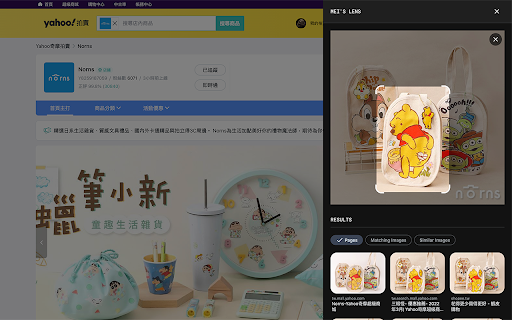
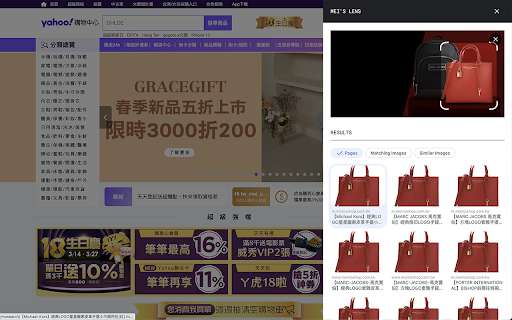
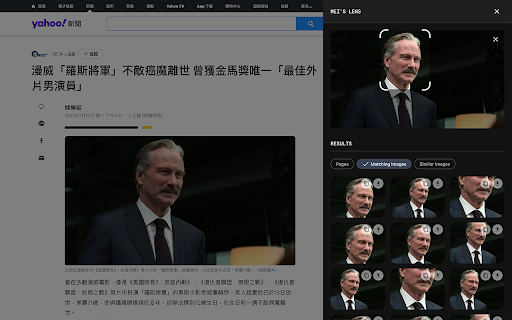
mei's lens provides search the web by image feature for web pages.
As of May 2026, mei's lens has 2,000 users and a 1.80/5 rating from 10 reviews in the Productivity category.
Usersno change0%
2.0K
2,000
Ratingno change0%
1.80
10 reviews
Reviewsno change0%
10
Version
1.0.5
Manifest V3
Permissions & access
- Permissions
- contextMenusdownloadsstorageidentity
- Host access
- None declared
Screenshots
About
「mei's lens」provides search the web by image feature for web pages.

With 「mei's lens」you could do the following stuff.
- Pick & select image for searching by image.
- Comes with light / dark mode.

※ Usage instructions:
1. Turn on「mei's lens」by context menu or browser bar icon.(「mei's lens」will apply image directly once tap image context menu).「mei's lens」 will ask for google account login for 1st time usage. (This is just for recording request count only)
2. Switch mode to select area which you like to search.

※ How to switch main image source?
1. Drag & drop image file or web page element into main image section.
2. Focus main image section then paste url、image、html string on it.
3. Double click main image section to pick up image you like.

※ Keyboard shortcuts:
- 「ctrl」+「shift」+「L」: toggle「mei's lens」.
-  「esc」: turn off「mei's lens」.

※ Related videos:
- Tutorial: https://www.youtube.com/watch?v=jjUhkBtMGF4
- Switch image source: https://www.youtube.com/watch?v=SDS85iuBDlk

Enjoy it.

※ Change Log:
1.0.5:
  a. Add identity permission to connect with user's google account. (This is just for recording request count only)

1.0.4:
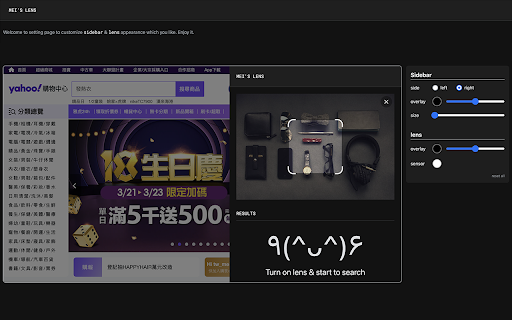
  a. Add options page for customize appearance.

1.0.3:
  a. Keyboard shortcut: 「esc」for turn off「mei's lens」.
  b. Performance enhancement.

1.0.2:
  a. Keyboard shortcut: 「ctrl」+「shift」+「L」 for toggle「mei's lens」.
  b. Add several ways to switch image source. User can copy / paste url、image、html string on main image when focus on it. Besides that,DnD also support drag file or web element into main image to switch its source.

1.0.1
  a. fix: data normalize.
Technical
- Version
- 1.0.5
- Manifest
- V3
- Size
- 2.07MiB
- Min Chrome
- 88
- Languages
- 1
- Featured
- No
Metadata
- ID
- njoicpmnlbhcinacogofeincbglclloi
- Developer ID
- u4a5096f7fdaec08c0c2f85e504f25e1c
- Developer Email
- [email protected]
- Created
- Apr 13, 2022
- Last Updated (Store)
- Apr 13, 2022
- Last Scraped
- May 27, 2026
- Website
- —
- Support URL
- —
- Privacy Policy
- —
Similar extensions
Alternatives to mei's lens, ranked by description similarity.

Google Lens ImageSearcher
Search images using Google Lens directly from the context menu
20.0K
★ 4.3

SnapLens
Snip, copy, and search screenshots across Google Lens and Bing
34

LensAI - AI Overview Controller
Control and enhance Google AI Overviews with LensAI's smarter model switching and interface options.
7

Hilight Lens
Instantly highlight keywords on any website. Customize colors, use presets, and mark important info with a right-click.
23

Image Master
查看并处理页面图片:编辑/下载/批量下载。支持多语言和本地下载记录。View and process images: edit/download/batch download.
4

ImageZoom
Enlarge, shrink, rotate, flip, batch download web images. Supports HD images for Taobao, JD products and buyer reviews.
353
★ 4.5

URL Quick Append
Quickly manipulate URL appendix
133
★ 5.0

Bingoogle Shortcuts - Browse with Keyboard
“Bingoogle shortcuts” provides keyboard shortcuts for “Bing” and “Google“. You will be able to search and browse without mouse.
274
★ 5.0
Data sourced from the Chrome Web Store · last verified May 27, 2026.