
Adam
Bulk rename Google Drive files with custom patterns. Select files and apply naming rules instantly.
As of June 2026, Adam has 7 users in the Workflow & Planning category.
Usersno change0%
7
7
Ratingno change0%
—
— reviews
Reviewsno change0%
—
Version
1.0.0
Manifest V3
History
7 snapshotsTracking since Apr 19, 2026.
View as table
| Date | Users | Rating | Reviews | Version |
|---|---|---|---|---|
| Apr 19, 2026 | — | — | — | 1.0.0 |
| Apr 25, 2026 | — | — | — | 1.0.0 |
| May 13, 2026 | — | — | — | 1.0.0 |
| May 19, 2026 | 1 | — | — | 1.0.0 |
| May 25, 2026 | 4 | — | — | 1.0.0 |
| Jun 1, 2026 | 6 | — | — | 1.0.0 |
| Jun 7, 2026 | 9 | — | — | 1.0.0 |
| Now | 7 | — | — | 1.0.0 |
Permissions & access
- Permissions
- identity
- Host access
- https://drive.google.com/*, https://www.googleapis.com/*
Screenshots

About
Quickly rename multiple files in Google Drive with just one click. Adam adds a smart button directly to the Google Drive interface, letting you apply custom naming patterns (like {index} and {ext}) to organize your files in seconds—no downloads or uploads required.

Instantly and securely rename files in bulk
Works with any file type in Drive
Modern, intuitive, and hassle-free interface
100% cloud-based: your files never leave Google Drive
Perfect for photographers, students, businesses, and power users
Save time and keep your Google Drive perfectly organized with Adam!
Technical
- Version
- 1.0.0
- Manifest
- V3
- Size
- 50.23KiB
- Min Chrome
- 88
- Languages
- 1
- Featured
- No
Metadata
- ID
- njikbnbfnphaoecdkgldbalffbapnbmo
- Developer ID
- ue250156117fe9651306d4757da415284
- Developer Email
- [email protected]
- Created
- Mar 17, 2026
- Last Updated (Store)
- Mar 17, 2026
- Last Scraped
- Jun 7, 2026
- Website
- —
- Support URL
- —
Similar extensions
Alternatives to Adam, ranked by description similarity.
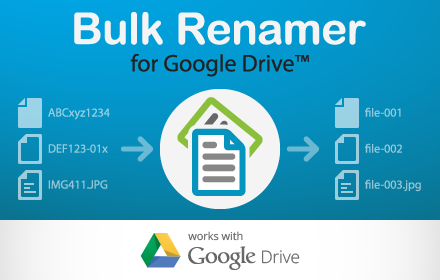
Bulk Renamer for Drive
Rename multiple files in a Google Drive folder!
5.0K
★ 2.7

Google Drive Mini
Create and manage Google Drive files.
50.0K
★ 4.2

DriveSnap
Capture screenshots and upload them directly to Google Drive
—

Open with Google Drive (Google Docs, Sheets or Slides)
Opens files in Google Workspace apps (Google Docs, Sheets or Slides) when dropped in designated area
551
★ 5.0

Quick Google Docs Create
Quick Google Docs Create
256
★ 5.0

Google Docs Quick Create
Quickly create new Google Docs, Sheets, Slides, and more.
238
★ 4.4

Quick Create Plus
Create new files for Google Drive from your browser bar. Links include Docs, Sheets, Slides, Drawings, Forms, and Scripts.
60.0K
★ 4.6

Name My Download - Take control of your downloads
Take control of your downloads - rename files instantly before they hit your drive
60
★ 5.0
Data sourced from the Chrome Web Store · last verified Jun 7, 2026.