
LI Block
Block unwanted content from LinkedIn feed based on keywords
As of May 2026, LI Block has 122 users and a 4.50/5 rating from 6 reviews in the Workflow & Planning category.
Usersup 8.9 percent+8.9%
122
122
Ratingdown 10.0 percent−10.0%
4.50
6 reviews
Reviewsup 20.0 percent+20.0%
6
Version
1.0.4 Beta
Manifest V3
History
3 snapshotsTracking since Apr 1, 2026.
View as table
| Date | Users | Rating | Reviews | Version |
|---|---|---|---|---|
| Apr 1, 2026 | 112 | 5.00 | 5 | 1.0.4 Beta |
| Apr 30, 2026 | 113 | 5.00 | 5 | 1.0.4 Beta |
| May 27, 2026 | 132 | 4.50 | 6 | 1.0.4 Beta |
| Now | 122 | 4.50 | 6 | 1.0.4 Beta |
Permissions & access
- Permissions
- storageactiveTabtabs
- Host access
- None declared
Screenshots
About
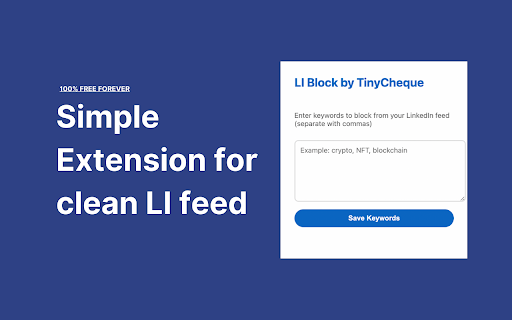
Clean up your professional feed by filtering out unwanted content based on keywords you choose. This lightweight extension helps you customize your networking experience by blocking posts containing specific terms, letting you focus on the content that matters to you. Perfect for maintaining a distraction-free professional feed and improving your browsing productivity.
Technical
- Version
- 1.0.4 Beta
- Manifest
- V3
- Size
- 18.81KiB
- Min Chrome
- 88
- Languages
- 1
- Featured
- No
Metadata
- ID
- njchccpncfgacmlbkdolikignjcoklid
- Developer ID
- u022e4c10edb24e2d0887894476d11cb0
- Developer Email
- [email protected]
- Created
- Nov 22, 2024
- Last Updated (Store)
- Nov 24, 2024
- Last Scraped
- May 27, 2026
- Website
- tinycheque.com
- Support URL
- —
- Privacy Policy
- https://tinycheque.com/privacy-policy
Similar extensions
Alternatives to LI Block, ranked by description similarity.

Filter Everything Online
Take control of what you see online. Hide spoilers, profanity, politics, and distractions by keyword, site, and schedule.
48
★ 5.0

DeTrumper
Content filter that removes posts containing specified keywords from Reddit, YouTube, and LinkedIn to curate your online experience.
—

FilterOut - LinkedIn Content Filter
Filter unwanted LinkedIn content using advanced text matching, all in your local browser.
26
★ 5.0

FocusFilter
Block Sites and their elements
1

I don't wanna know
Customize your browsing experience. 'I Don't Wanna Know' hides unwanted content based on your keywords. Stay focused, stay informed.
23
★ 5.0

WebFilter
WebFilter allows users to block specific websites using categorical blacklist of URLs.
269
★ 5.0

Hide the feed for X (Twitter)
Hide your X/Twitter feed to focus on creating content instead of scrolling.
11

Promoted Tweets Blocker
Block promoted tweets on your Twitter feed.
26
Data sourced from the Chrome Web Store · last verified May 27, 2026.