
URLDict
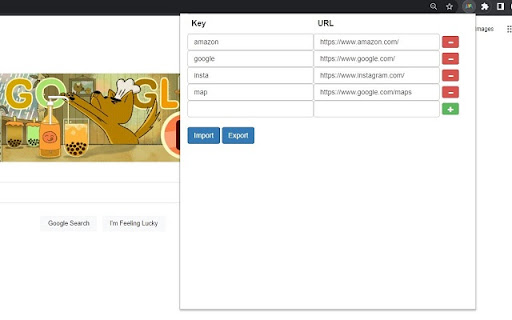
Define keywords that are tied to URLs and jump to the URLs by typing those keywords.
As of May 2026, URLDict has 5 users and a 5.00/5 rating from 1 reviews in the Workflow & Planning category.
Usersno change0%
5
5
Ratingno change0%
5.00
1 reviews
Reviewsno change0%
1
Version
1.0.2
Manifest V3
History
2 snapshotsTracking since Apr 1, 2026.
View as table
| Date | Users | Rating | Reviews | Version |
|---|---|---|---|---|
| Apr 1, 2026 | 5 | 5.00 | 1 | 1.0.2 |
| Apr 30, 2026 | 3 | 5.00 | 1 | 1.0.2 |
| Now | 5 | 5.00 | 1 | 1.0.2 |
Permissions & access
- Permissions
- storagetabs
- Host access
- None declared
Screenshots


About
Usage:
1. Define keyword to URL dictionary in the extension popup which you can open by clicking the extension icon. I recommend to pin this extension.
2. Open the jump popup by pressing 'Ctrl+B' by default. You can change the shortcut key in the extension menu.
3. Type the keyword you defined and press 'Enter' or click Jump button to open the URL.

Features:
- Import/Export dictionary from/to a json file.
- Find an existing tab option.
- Press 'Tab' to autocomplete in the jump popup.
Technical
- Version
- 1.0.2
- Manifest
- V3
- Size
- 36.16KiB
- Min Chrome
- 88
- Languages
- 1
- Featured
- No
Metadata
- ID
- niknoeegkekolibdbdklnlgeifncpfna
- Developer ID
- u7e954b00755dcaee6d0ad21303314f6c
- Developer Email
- [email protected]
- Created
- Jan 31, 2023
- Last Updated (Store)
- Feb 2, 2023
- Last Scraped
- May 27, 2026
- Website
- —
- Support URL
- —
- Privacy Policy
- —
Similar extensions
Alternatives to URLDict, ranked by description similarity.

Wormhole
quicker way to access frequently used url
49

Tab Hot Key
Define hotkeys to open or focus frequently used tabs.
144
★ 5.0

QuickJump
Quick keyboard navigation with customizable shortcuts. Type 'j keyword' to jump to any site.
7
Switch tabs shortcuts
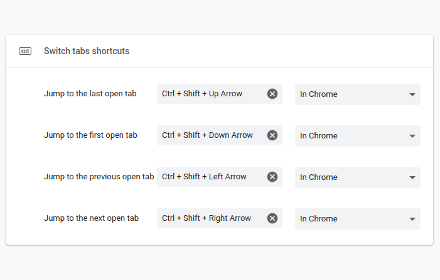
Adds custom shortcuts for switching tabs.
707
★ 4.7

Quick Tab Switch
Quickly switch between tabs using custom keyboard shortcuts. Assign keys to tabs for fast navigation and seamless tab management.
19
★ 5.0

Copy All URL's 2.0
Copy the currently opened tabs’ URL to the clipboard and paste them in a go to open them all again. (formats: text, HTML or JSON)
8.0K
★ 2.7

JumpAround - Tab Switcher
One shortcut to instantly locate your tab
6
★ 5.0

URL Prefix
A tool for links where URL prefix is same and suffix changes. Ideal for Jira, GitHub, and ticketing links.
1.0K
★ 5.0
Data sourced from the Chrome Web Store · last verified May 27, 2026.