
Eats Tracker
Detects and scrapes order data from Uber Eats Orders page.
As of May 2026, Eats Tracker has 601 users and a 3.17/5 rating from 6 reviews in the Shopping category.
Usersup 12.3 percent+12.3%
601
601
Ratingno change0%
3.17
6 reviews
Reviewsno change0%
6
Version
1.1
Manifest V3
History
2 snapshotsTracking since Apr 26, 2026.
View as table
| Date | Users | Rating | Reviews | Version |
|---|---|---|---|---|
| Apr 26, 2026 | 535 | 3.17 | 6 | 1.1 |
| May 23, 2026 | 596 | 3.17 | 6 | 1.1 |
| Now | 601 | 3.17 | 6 | 1.1 |
Permissions & access
- Permissions
- activeTabscripting
- Host access
- None declared
Screenshots


About
Eats Tracker: Effortlessly Track Your Uber Eats Spending

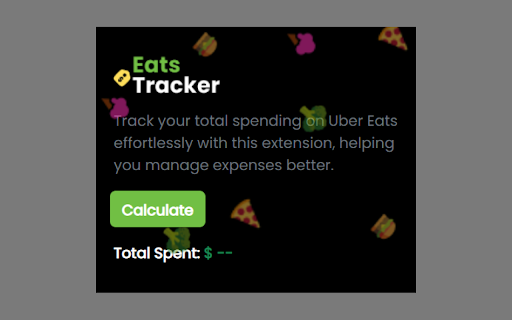
Are you curious about how much you're spending on Uber Eats orders? Eats Tracker is here to help! This simple yet powerful Chrome extension allows you to easily track your total spending on Uber Eats, helping you manage your food expenses better.

How to Use Eats Tracker:

1: Log In: Make sure you are logged into your Uber Eats account in your browser.

2: Navigate to the Orders Page: Go to the Uber Eats Orders page where your past orders are listed.

3: Open Eats Tracker: Click on the Eats Tracker extension icon at the top of your browser.

4: Start Tracking: Click the "Calculate" button in the Eats Tracker popup. The extension will collect your order details and calculate your total spending.

5: View the Insights: Once the calculation is complete, you will see your total spending directly in the extension. Click "Report" to open a detailed report in a new tab, providing comprehensive insights into your order history.

Note: Sometimes, it might show "No orders found." Just refresh the tab or close the tab and open a new one, and try again.

Key Features:

One-Click Calculation: With a single click, Eats Tracker calculates and displays your total spending on Uber Eats, giving you instant insight into your food budget.
Detailed Reports: View a detailed breakdown of your order history, including dates, seller names, and amounts spent, so you can keep a close eye on your expenses.
User-Friendly Interface: The intuitive design makes it easy for anyone to use, with no complicated setup or technical knowledge required.
Why Install Eats Tracker?

Take Control of Your Spending: Whether you're budgeting for the month or just curious about your spending habits, Eats Tracker provides the transparency you need to make informed financial decisions.
Save Time and Effort: Instead of manually checking and adding up your orders, let Eats Tracker do the work for you, saving you time and hassle.
Stay Informed: Keep track of your spending patterns and make adjustments as needed to stay within your budget.
Install Eats Tracker today and start managing your Uber Eats expenses more effectively!
Technical
- Version
- 1.1
- Manifest
- V3
- Size
- 22.68KiB
- Min Chrome
- 88
- Languages
- 1
- Featured
- No
Metadata
- ID
- ngodbkadlefiadjbkbdlnpklgdkndaep
- Developer ID
- u3441ded6770795f4f91500f01d8a62ce
- Developer Email
- [email protected]
- Created
- Aug 27, 2024
- Last Updated (Store)
- Sep 2, 2024
- Last Scraped
- May 23, 2026
- Website
- —
- Support URL
- —
- Privacy Policy
- —
Similar extensions
Alternatives to Eats Tracker, ranked by description similarity.

UberEats Stats
Shows Uber Eats spending insights
—
SnackStats – Track Your Food Delivery Spending
It is your all-in-one Chrome extension to track and visualize spending patterns across Uber Eats, DoorDash, and SkipTheDishes.
111
★ 5.0

Spending Calculator for Swiggy™ and Zomato™
Zomato™ and Swiggy™ spending calculator to keep track of food expenses.
100.0K
★ 3.5

Foodpanda Spending Calculator
Track exactly how much you’ve spent on Foodpanda and see your top restaurants, items, and order stats
82
★ 5.0

E-food Order Tracker & Analytics
Keep track of time for your e-food orders and view interesting analytics.
70
★ 5.0

Zomato & Swiggy Spending Calc - Snackalytics
Analyse your orders on Swiggy and Zomato to get valuable metrics and insights on your eating and spending habits.
20.0K
★ 4.4

Food and Wealth
Analyze your spending habits on Uber Eats and DoorDash.
3

Carthole - Analyse spends on Blinkit, Instamart and Zepto
Track your spending on Zepto, Blinkit, and Swiggy Instamart with detailed analytics
329
★ 5.0
Data sourced from the Chrome Web Store · last verified May 23, 2026.