
FastShare — P2P File Sharing
Share files of any size directly between devices. No account, no cloud, no limits. Powered by WebRTC.
As of June 2026, FastShare — P2P File Sharing has 9 users in the Productivity category.
Usersup 28.6 percent+28.6%
9
9
Ratingno change0%
—
— reviews
Reviewsno change0%
—
Version
1.0.0
Manifest V3
History
10 snapshotsTracking since Apr 1, 2026.
View as table
| Date | Users | Rating | Reviews | Version |
|---|---|---|---|---|
| Apr 1, 2026 | 7 | — | — | 1.0.0 |
| Apr 10, 2026 | 8 | — | — | 1.0.0 |
| Apr 20, 2026 | 5 | — | — | 1.0.0 |
| Apr 25, 2026 | — | — | — | 1.0.0 |
| May 3, 2026 | 4 | — | — | 1.0.0 |
| May 9, 2026 | 6 | — | — | 1.0.0 |
| May 14, 2026 | 7 | — | — | 1.0.0 |
| May 20, 2026 | 6 | — | — | 1.0.0 |
| May 26, 2026 | 8 | — | — | 1.0.0 |
| Jun 8, 2026 | 10 | — | — | 1.0.0 |
| Now | 9 | — | — | 1.0.0 |
Permissions & access
- Permissions
- storageclipboardReadclipboardWriteoffscreennotificationssidePanel
- Host access
- http://*/*, https://*/*, ws://*/*, wss://*/*
Screenshots

About
FastShare lets you share files directly between devices using WebRTC — peer-to-peer, with no file size limits and no cloud storage involved.

KEY FEATURES
• Transfer files of any size directly between devices (no upload limits)
• Real-time chat with connected peers
• QR code — scan from your phone to send files to your PC instantly
• Works on local networks without internet
• Notification sounds for new files and connections
• Dark theme side panel — stays open while you browse

HOW IT WORKS
1. Click the FastShare icon to open the side panel
2. Host a room and share the 6-digit code with the other person
3. Drag and drop files, paste images, or type messages — sent instantly

PRIVACY
All file transfers happen directly between your devices (peer-to-peer).
No files are ever uploaded to any server.
No account required. No tracking. No analytics.
Files are stored in your browser's private file system (OPFS) and only accessible through the extension.

PERMISSIONS EXPLAINED
• Storage: Saves your display name and settings locally
• Clipboard read/write: Paste images directly into chat; copy room codes
• Notifications: Alerts you when files arrive while the panel is closed
• Tabs: Opens the panel in a full browser tab when you click expand
• Side panel: The extension's main UI
Technical
- Version
- 1.0.0
- Manifest
- V3
- Size
- 107KiB
- Min Chrome
- 88
- Languages
- 1
- Featured
- No
Metadata
- ID
- nfdamldmgjmaplildfadhljmdimgefng
- Developer ID
- ueaebbae8b67c3f05fdffdbb9b72eda9e
- Developer Email
- [email protected]
- Created
- Mar 17, 2026
- Last Updated (Store)
- Mar 17, 2026
- Last Scraped
- Jun 8, 2026
- Website
- —
- Support URL
- https://fastshare.infatoz.com/contact.html
- Privacy Policy
- https://fastshare.infatoz.com/privacy.html
Similar extensions
Alternatives to FastShare — P2P File Sharing, ranked by description similarity.

Secure share extension
SecureShare-extension
11

EasyShare - Quick File Sharing
Upload any file with one click and instantly share it via temporary download links. No accounts required.
155
★ 5.0

NotesQR Extension
Share files easily and securely using NotesQR backend.
27
★ 5.0

Media Beam
Peer-to-peer file and text sharing over WebRTC.
5
Fileshare
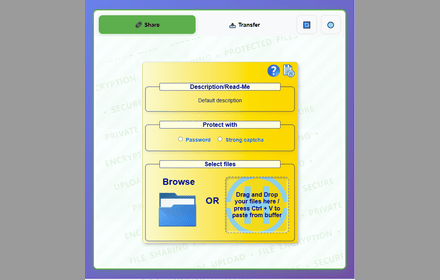
Secure file sharing extension with end-to-end encryption, password protection, and anonymous transfers for maximum privacy.
279
★ 4.5

Share Files - TransferWoW
Send & receive files instantly! Fast, secure P2P file sharing like WeTransfer. No size limits. Includes 1:1 Video Call.
109
★ 5.0

StrongFolder - File Share
Use StrongFolder - File Share to send large files & folders directly — no clouds, no limits, just transfer files fast and secure.
359
★ 5.0

Photon - Instant, Secure P2P Sharing
Photon Chrome Extension - Transfer files, links, and text at the speed of thought. No cloud, no delays, no limits.
2
Data sourced from the Chrome Web Store · last verified Jun 8, 2026.