
Transfer Ownership
Transfer ownership of a Google Drive Folder, including all sub-folders and contents
As of May 2026, Transfer Ownership has 2,000 users and a 3.71/5 rating from 38 reviews.
Usersno change0%
2.0K
2,000
Ratingno change0%
3.71
38 reviews
Reviewsno change0%
38
Version
29
Manifest V2
History
1 snapshotsTracking since Apr 29, 2026.
View as table
| Date | Users | Rating | Reviews | Version |
|---|---|---|---|---|
| Apr 29, 2026 | 2.0K | 3.71 | 38 | 29 |
| Now | 2.0K | 3.71 | 38 | 29 |
Permissions & access
- Permissions
- None declared
- Host access
- None declared
Screenshots

About
This app will transfer ownership of a Google Drive folder, including ownership of all sub-folders and files.  This extends the normal Google Drive functionality because Google Drive only allows you to transfer folders or files one at a time.  Transferring ownership of a parent folder, for example, does not transfer ownership of the children files and folders.  This app fills that gap by recursively transferring ownership of all files and folders within a single parent folder.

To launch app: click "Visit Website" button at top of window.

Usage
=====

Using this app is simple:
1. Select your folder with the Google Picker
2. Enter the new owner's email address
3. Click "Transfer Folder" and wait for the script to complete!


Notes
=====

* This cannot be undone!  Do not transfer a folder to an email address you do not know or recognize!
* This script will send the new owner an email **for each folder and each file within the main folder**.  This can result in a huge number of emails to the new owner, but unfortunately there is no way to suppress this behavior programmatically.
* If you do transfer it to the wrong person, immediately make a copy of the folder using my Copy Folder tool (search "Copy Folder" in the Webstore).  This will ensure that you have a working copy of the files and that they aren't deleted without your permission.
* Any folders or files that you do not currently own will not be transferred.
* If using a browser other than Chrome, simply follow the "Website" link directly below this description.


Limitations
===========

Google Drive prohibits Transfer of Ownership in some circumstances.  These include:
1) Transferring ownership of files or folders you don't own.
2) Transferring ownership of "synced" files.  Examples of "synced" docs include uploaded PDFs, images, or plain-text files such as HTML.  If a file is not a Google file (e.g. Docs, Spreadsheets, Slides), the ownership cannot be transferred.
3) Transferring ownership to someone outside your organization.  For example, if your email address is at "@gmail.com" and you attempt to transfer to a "@company.com" email, it will fail.

If you attempt to transfer a folder and it (or any of its children files or folders) meets the first or second "prohibited" criteria, the web app will throw an error but continue transferring the eligible files and folders.  If you attempt to transfer to someone outside your organization, the web app will freeze.


Privacy
=======
This app does not change sharing permissions on any files or folders, nor does provide visibility of any files or folders to anyone except the owner and the new owner. The transfer is done entirely through Google Drive and will not change the privacy of your files in any way, except for transferring ownership to the specified new owner.


Bugs/Question/Comments
======================

For bug reports please open an issue on the Github page.

You can view the Github project at https://github.com/ericyd/gdrive-transfer
Technical
- Version
- 29
- Manifest
- V2
- Size
- 7.19KiB
- Min Chrome
- —
- Languages
- 1
- Featured
- No
Metadata
- ID
- ndbdlpeegehlbhgnpifancfbnnehoofa
- Developer ID
- u99dcd6309089729daed18321bfe63131
- Developer Email
- —
- Created
- Oct 9, 2015
- Last Updated (Store)
- Dec 29, 2016
- Last Scraped
- May 26, 2026
- Website
- http://ericyd.com/
- Support URL
- —
- Privacy Policy
- —
Similar extensions
Alternatives to Transfer Ownership, ranked by description similarity.

Copy Folder
Copy a Google Drive Folder, including all sub-folders and contents
100.0K
★ 4.7

Drive Migrator
Use this app to transfer your Google Drive files / documents from one account to another or to make a copy of a Drive folder.…
10.0K
★ 4.1
Folder Copy for Google Drive™
Copy all the files and subfolders of a specific Google Drive Folder, **PAID APP**.
3.0K
★ 2.9

Folder notifications for Google Drive™
Receive notification when files are modified or added in Google Drive Folders
6.0K
★ 3.3
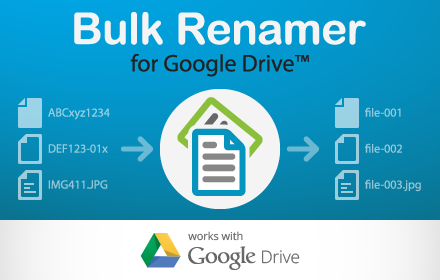
Bulk Renamer for Drive
Rename multiple files in a Google Drive folder!
5.0K
★ 2.7

Auto-Confirm Google Drive Popups
This extension auto-confirms popups when moving a shared file or folder in Google Drive or creating new files in a shared folder.
1.0K
★ 4.8

gfolderCopy
gfolderCopy can copy Google Drive folders. Team drives are supported.
—
★ 4.0
Folder Team Notifications for Google Drive™
Notify multiple persons of changes in a Google Drive Folder.
948
★ 4.0
Data sourced from the Chrome Web Store · last verified May 26, 2026.