
Fuzzy Find
A browser extension to fuzzy search for text on a web page.
As of May 2026, Fuzzy Find has 16 users in the Productivity category.
Usersdown 15.8 percent−15.8%
16
16
Ratingno change0%
—
— reviews
Reviewsno change0%
—
Version
1.0
Manifest V3
History
4 snapshotsTracking since Apr 1, 2026.
View as table
| Date | Users | Rating | Reviews | Version |
|---|---|---|---|---|
| Apr 1, 2026 | 19 | — | — | 1.0 |
| May 6, 2026 | 16 | — | — | 1.0 |
| May 17, 2026 | 22 | — | — | 1.0 |
| May 31, 2026 | 17 | — | — | 1.0 |
| Now | 16 | — | — | 1.0 |
Permissions & access
- Permissions
- scriptingactiveTab
- Host access
- None declared
Screenshots
About
This Chrome extension helps you to fuzzy search in the web page. Meaning, it can find the text you are looking for even if you don't know the exact spelling. Also supports regex search.

💡 Usage
Either click the extension icon in the browser toolbar or use the shortcut Ctrl+Shift+F (or Cmd+Shift+F on Mac) to open the search popup.

✨ Features

- Fuzzy Find goes beyond basic string matching to provide a more intuitive and powerful search experience:

- Intelligent Fuzzy Search: Find matches even with typos, misspellings, or slight variations. Eg: Searching for "recive" will highlight "receive".

- Whole Word Highlighting: Unlike some fuzzy search tools that highlight only the matched characters, Fuzzy Find intelligently highlights the entire word that contains your fuzzy match, making results clear and easy to spot.

- Adjustable Fuzziness: You can control the fuzziness level through the slider in the Popup.

- Regex Search: Just toggle the Regex switch. (This would disable fuzzy search).
Technical
- Version
- 1.0
- Manifest
- V3
- Size
- 279KiB
- Min Chrome
- 88
- Languages
- 1
- Featured
- No
Metadata
- ID
- nafgnfmmicbilnbccpbophlegklgoaci
- Developer ID
- u2358b95371f6ed3a82d0c88851576902
- Developer Email
- [email protected]
- Created
- May 29, 2025
- Last Updated (Store)
- May 30, 2025
- Last Scraped
- May 31, 2026
- Website
- —
- Privacy Policy
- —
Similar extensions
Alternatives to Fuzzy Find, ranked by description similarity.

Fuzzy Page Search
Fuzzy, deduplicated, keyboard-navigable search for any page.
8

RegEx Page Finder
Find text on the current page using regular expressions.
49

BetterSearch
Functionality for searching through html
13

Browser FZF Search
AI-powered search for web pages & PDFs. Find similar words & phrases locally in your browser.
12
★ 5.0

Advanced Find
Enhanced Ctrl+F. Multi-keyword search, color-coded highlighting, regex support.
138

Chrome Regex Search
Use Chrome Regex Search extension with regular expressions for advanced find in Chrome
761
★ 3.9
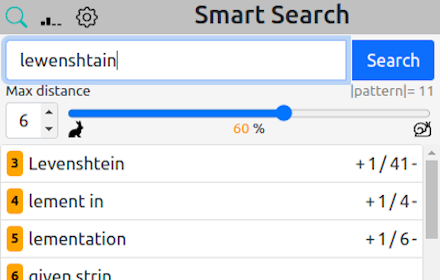
Smart Search
Better than Ctrl+F. It shows also similar matches. Shortkey: Ctrl+Shift+F
115
★ 3.7

Search For
Search for the highlighted text on any webpage without having to switch between tabs or applications.
4
Data sourced from the Chrome Web Store · last verified May 31, 2026.