
Voice to Text for ChatGPT
Speak instead of typing. Auto-send on silence, push-to-talk, floating mic panel, and more.
As of June 2026, Voice to Text for ChatGPT has 160 users and a 4.20/5 rating from 5 reviews in the Accessibility category.
Usersup 13.5 percent+13.5%
160
160
Ratingdown 3.0 percent−3.0%
4.20
5 reviews
Reviewsdown 16.7 percent−16.7%
5
Version
2.3
Manifest V3
90-day change · In the last 90 days this extension 3 version updates, changed permissions.
History
11 snapshotsTracking since Apr 1, 2026.
View as table
| Date | Users | Rating | Reviews | Version |
|---|---|---|---|---|
| Apr 1, 2026 | 141 | 4.33 | 6 | 2.0 |
| Apr 10, 2026 | 146 | 4.33 | 6 | 2.0 |
| Apr 20, 2026 | 147 | 4.33 | 6 | 2.0 |
| Apr 27, 2026 | 137 | 4.33 | 6 | 2.0 |
| May 4, 2026 | 139 | 4.33 | 6 | 2.0 |
| May 10, 2026 | 155 | 4.33 | 6 | 2.1 |
| May 15, 2026 | 150 | 4.33 | 6 | 2.2 |
| May 21, 2026 | 149 | 4.33 | 6 | 2.3 |
| May 28, 2026 | 156 | 4.33 | 6 | 2.3 |
| Jun 4, 2026 | 158 | 4.33 | 6 | 2.3 |
| Jun 9, 2026 | 152 | 4.20 | 5 | 2.3 |
| Now | 160 | 4.20 | 5 | 2.3 |
Changelog
- May 15, 2026description
Voice to Text for ChatGPT

Speak instead of typing. Hands-free dictation with auto-send on silence, push-to-talk, and a floating microphone panel.

Turn your voice into text on ChatGPT.

This extension adds a floating microphone panel to the ChatGPT interface, letting you dictate messages hands-free. No extra apps or cloud services required — everything runs locally in your browser.

Key features:
- Real-time speech-to-text in the ChatGPT input field
- Auto-send after a configurable silence delay
- Push-to-Talk (walkie-talkie) mode — hold a key, speak, release to stop
- Collapsible floating panel with drag-and-drop positioning
- Adjustable ChatGPT content width
- Auto-continue for long responses
- Support for multiple recognition languages

Your voice data never leaves your device. All processing happens inside the browser using the built-in Web Speech API.

**What’s New**

Version 2.1
- Auto-Send on Silence (Beta) — Set a countdown timer (2–30s). Stop speaking and your message sends automatically. Click the countdown timer to pause or resume it at any time.
- Collapsible Floating Panel — Collapse the control panel to a thin strip to save screen space; expand when needed.
- Draggable & Saved Position — Drag the panel anywhere; its position is remembered across sessions.
- Voice Dictation — Hands-free speech-to-text with multi-language support and real-time transcription.
Voice to Text for ChatGPT

Speak instead of typing. Hands-free dictation with auto-send on silence, push-to-talk, and a floating microphone panel.

Turn your voice into text on ChatGPT.

This extension adds a floating microphone panel to the ChatGPT interface, letting you dictate messages hands-free. No extra apps or cloud services required — everything runs locally in your browser.

Key features:
- Real-time speech-to-text in the ChatGPT input field
- Auto-send after a configurable silence delay
- Push-to-Talk (walkie-talkie) mode — hold a key, speak, release to stop
- Collapsible floating panel with drag-and-drop positioning
- Adjustable ChatGPT content width
- Auto-continue for long responses
- Support for multiple recognition languages

Your voice data never leaves your device. All processing happens inside the browser using the built-in Web Speech API.

**What’s New**

**Version 2.3**
- Line break support during dictation — press Shift+Enter while the microphone is on to insert a new line and continue dictating on the next line.
- Note: for best results, pause briefly before inserting a line break to let the current text finalize. After the line break, you can continue dictating normally.
- Fixed duplicate text issue that occurred when rebase happened during ongoing speech recognition.
- Improved manual edit preservation during dictation — edits made between speech results are now picked up correctly.
- Settings modal redesign: close button (X) in the top-right corner, hotkeys info relocated, and cleaner layout.
- May 10, 2026description
Voice to Text for ChatGPT

The "Voice to Text for ChatGPT" app converts your speech into text directly in the GPT chat. Use it for quick text input by sending messages with your voice. The app supports multiple languages, including English, Russian, French, Spanish, Portuguese, Japanese, and Chinese.... Easily switch between languages and use voice input for more convenient communication.

This app is perfect for those who want to speed up and simplify communication with ChatGPT using voice input.

Key Features:

Voice Input: Real-time speech-to-text conversion.
Multilingual Support: Supports multiple languages, including English, Ukrainian, Russian, French, Spanish, Portuguese, Japanese, and Chinese (>70 languages).
Easy Language Switching: Quickly switch languages for voice input.
User-Friendly: Simple interface for maximum convenience.
How to Use:

Click the microphone icon to start voice input.
Speak into the microphone, and your speech will automatically be converted to text in the GPT chat.
Use the language switcher to select your desired language.
System Requirements:

Compatible with the latest version of Google Chrome.
Requires access to a microphone.
Install "Voice to Text for ChatGPT" today and enjoy convenient and fast communication with ChatGPT!

Version 2.1 is now available!
Auto-Send on Silence (Beta) — Set a countdown timer (2–30s). Stop speaking and your message sends automatically. Click the countdown timer to pause or resume it at any time.
Collapsible Floating Panel — Collapse the control panel to a thin strip to save screen space; expand when needed.
Draggable & Saved Position — Drag the panel anywhere; its position is remembered across sessions.
Voice Dictation — Hands-free speech-to-text with multi-language support and real-time transcription.

Version 2.0
Modernized floating panel, settings modal, and buttons with gradients and motion.
Clear microphone status cues plus tidy hotkey section.
More reliable voice input: safe start/stop, robust auto‑actions, and persistent preferences.

Version 1.9.8
In this update, we have introduced a floating button for easier access to functionality. Additionally,
minor bugs have been fixed, making the application more stable and reliable.

Version 1.9.5 Changes
Fixed issues related to changes on the ChatGPT chat page, improved microphone functionality, and interface element interactions.


Version 1.9 Changes
Redesigned Modal Window:

Improved the layout and style of the settings modal for better user experience.
Microphone Icon Positioning +1

Fixed various bugs and issues related to the input fields and microphone functionality.


Голос в текст для ChatGPT

Приложение "Голос в текст для ChatGPT" преобразует вашу речь в текст прямо в чате GPT. Используйте его для быстрого ввода текста, отправляя сообщения голосом. Приложение поддерживает множество языков, включая английский, украинский, русский, французский, испанский, португальский, японский и китайский. Легко переключайтесь между языками и используйте голосовой ввод для более удобного общения.

 Это приложение идеально подходит для тех, кто хочет ускорить и упростить общение с ChatGPT с помощью голосового ввода.

Основные функции:

Голосовой ввод: Преобразование речи в текст в реальном времени.
Поддержка множества языков: Поддержка языков ( > 70 языков), включая английский, украинский, русский, французский, испанский, португальский, японский и китайский....
Легкое переключение языков: Быстрое переключение языков для голосового ввода.
Удобство использования: Простой интерфейс для максимального удобства.
Как использовать:

Нажмите на значок микрофона, чтобы начать голосовой ввод.
Говорите в микрофон, и ваша речь автоматически будет преобразована в текст в чате GPT.
Используйте переключатель языков, чтобы выбрать желаемый язык.
Системные требования:

Совместимость с последней версией Google Chrome.
Требуется доступ к микрофону.
Установите "Голос в текст для ChatGPT" сегодня и наслаждайтесь удобным и быстрым общением с ChatGPT!

Новая версия 2.1 теперь доступна!
Автоотправка по тишине (Бета) — Задайте таймер (2–30 сек). Перестаньте говорить — сообщение уйдёт автоматически. Кликните по таймеру, чтобы поставить отсчёт на паузу или возобновить.
Сворачиваемая плавающая панель — Сворачивайте панель в узкую полоску, чтобы освободить место; разворачивайте при необходимости.
Перетаскивание и сохранение позиции — Перемещайте панель в любое место экрана; позиция запоминается между сессиями.

Новая версия 2.0
Современный внешний вид плавающей панели, модальных настроек и кнопок.
Чёткая индикация активного микрофона и улучшенный блок горячих клавиш.
Более стабильный голосовой ввод: корректное включение/выключение, надёжные авто‑действия, сохранение настроек.

Изменения в версии 1.9 7:
- В этом обновлении мы добавили плавающую кнопку для более удобного доступа к функциональности.
- Также были исправлены незначительные ошибки, что сделало приложение более стабильным и надежным.

Изменения в версии 1.9 5:
- Исправлены проблемы, связанные с изменениями на странице чата ChatGPT, улучшена работа микрофона и взаимодействие элементов интерфейса.

Изменения в версии 1.9
Редизайн модального окна:

-Улучшен макет и стиль  окна настроек
- Добавленна еще одна позиция иконки микрофона

- Мелкие улучшения
Voice to Text for ChatGPT

Speak instead of typing. Hands-free dictation with auto-send on silence, push-to-talk, and a floating microphone panel.

Turn your voice into text on ChatGPT.

This extension adds a floating microphone panel to the ChatGPT interface, letting you dictate messages hands-free. No extra apps or cloud services required — everything runs locally in your browser.

Key features:
- Real-time speech-to-text in the ChatGPT input field
- Auto-send after a configurable silence delay
- Push-to-Talk (walkie-talkie) mode — hold a key, speak, release to stop
- Collapsible floating panel with drag-and-drop positioning
- Adjustable ChatGPT content width
- Auto-continue for long responses
- Support for multiple recognition languages

Your voice data never leaves your device. All processing happens inside the browser using the built-in Web Speech API.

**What’s New**

Version 2.1
- Auto-Send on Silence (Beta) — Set a countdown timer (2–30s). Stop speaking and your message sends automatically. Click the countdown timer to pause or resume it at any time.
- Collapsible Floating Panel — Collapse the control panel to a thin strip to save screen space; expand when needed.
- Draggable & Saved Position — Drag the panel anywhere; its position is remembered across sessions.
- Voice Dictation — Hands-free speech-to-text with multi-language support and real-time transcription.
- May 10, 2026short_description
Adds a voice-to-text button to ChatGPT input field.
Speak instead of typing. Auto-send on silence, push-to-talk, floating mic panel, and more.
- May 4, 2026description
Voice to Text for ChatGPT

The "Voice to Text for ChatGPT" app converts your speech into text directly in the GPT chat. Use it for quick text input by sending messages with your voice. The app supports multiple languages, including English, Russian, French, Spanish, Portuguese, Japanese, and Chinese.... Easily switch between languages and use voice input for more convenient communication.

This app is perfect for those who want to speed up and simplify communication with ChatGPT using voice input.

Key Features:

Voice Input: Real-time speech-to-text conversion.
Multilingual Support: Supports multiple languages, including English, Ukrainian, Russian, French, Spanish, Portuguese, Japanese, and Chinese (>70 languages).
Easy Language Switching: Quickly switch languages for voice input.
User-Friendly: Simple interface for maximum convenience.
How to Use:

Click the microphone icon to start voice input.
Speak into the microphone, and your speech will automatically be converted to text in the GPT chat.
Use the language switcher to select your desired language.
System Requirements:

Compatible with the latest version of Google Chrome.
Requires access to a microphone.
Install "Voice to Text for ChatGPT" today and enjoy convenient and fast communication with ChatGPT!

Version 2.0 is now available!
Modernized floating panel, settings modal, and buttons with gradients and motion.
Clear microphone status cues plus tidy hotkey section.
More reliable voice input: safe start/stop, robust auto‑actions, and persistent preferences.

Version 1.9.8
In this update, we have introduced a floating button for easier access to functionality. Additionally,
minor bugs have been fixed, making the application more stable and reliable.

Version 1.9.5 Changes
Fixed issues related to changes on the ChatGPT chat page, improved microphone functionality, and interface element interactions.


Version 1.9 Changes
Redesigned Modal Window:

Improved the layout and style of the settings modal for better user experience.
Microphone Icon Positioning +1

Fixed various bugs and issues related to the input fields and microphone functionality.


Голос в текст для ChatGPT

Приложение "Голос в текст для ChatGPT" преобразует вашу речь в текст прямо в чате GPT. Используйте его для быстрого ввода текста, отправляя сообщения голосом. Приложение поддерживает множество языков, включая английский, украинский, русский, французский, испанский, португальский, японский и китайский. Легко переключайтесь между языками и используйте голосовой ввод для более удобного общения.

 Это приложение идеально подходит для тех, кто хочет ускорить и упростить общение с ChatGPT с помощью голосового ввода.

Основные функции:

Голосовой ввод: Преобразование речи в текст в реальном времени.
Поддержка множества языков: Поддержка языков ( > 70 языков), включая английский, украинский, русский, французский, испанский, португальский, японский и китайский....
Легкое переключение языков: Быстрое переключение языков для голосового ввода.
Удобство использования: Простой интерфейс для максимального удобства.
Как использовать:

Нажмите на значок микрофона, чтобы начать голосовой ввод.
Говорите в микрофон, и ваша речь автоматически будет преобразована в текст в чате GPT.
Используйте переключатель языков, чтобы выбрать желаемый язык.
Системные требования:

Совместимость с последней версией Google Chrome.
Требуется доступ к микрофону.
Установите "Голос в текст для ChatGPT" сегодня и наслаждайтесь удобным и быстрым общением с ChatGPT!

Новая версия 2.0 теперь доступна!
Современный внешний вид плавающей панели, модальных настроек и кнопок.
Чёткая индикация активного микрофона и улучшенный блок горячих клавиш.
Более стабильный голосовой ввод: корректное включение/выключение, надёжные авто‑действия, сохранение настроек.

Изменения в версии 1.9 7:
- В этом обновлении мы добавили плавающую кнопку для более удобного доступа к функциональности.
- Также были исправлены незначительные ошибки, что сделало приложение более стабильным и надежным.

Изменения в версии 1.9 5:
- Исправлены проблемы, связанные с изменениями на странице чата ChatGPT, улучшена работа микрофона и взаимодействие элементов интерфейса.

Изменения в версии 1.9
Редизайн модального окна:

-Улучшен макет и стиль  окна настроек
- Добавленна еще одна позиция иконки микрофона

- Мелкие улучшения
Voice to Text for ChatGPT

The "Voice to Text for ChatGPT" app converts your speech into text directly in the GPT chat. Use it for quick text input by sending messages with your voice. The app supports multiple languages, including English, Russian, French, Spanish, Portuguese, Japanese, and Chinese.... Easily switch between languages and use voice input for more convenient communication.

This app is perfect for those who want to speed up and simplify communication with ChatGPT using voice input.

Key Features:

Voice Input: Real-time speech-to-text conversion.
Multilingual Support: Supports multiple languages, including English, Ukrainian, Russian, French, Spanish, Portuguese, Japanese, and Chinese (>70 languages).
Easy Language Switching: Quickly switch languages for voice input.
User-Friendly: Simple interface for maximum convenience.
How to Use:

Click the microphone icon to start voice input.
Speak into the microphone, and your speech will automatically be converted to text in the GPT chat.
Use the language switcher to select your desired language.
System Requirements:

Compatible with the latest version of Google Chrome.
Requires access to a microphone.
Install "Voice to Text for ChatGPT" today and enjoy convenient and fast communication with ChatGPT!

Version 2.1 is now available!
Auto-Send on Silence (Beta) — Set a countdown timer (2–30s). Stop speaking and your message sends automatically. Click the countdown timer to pause or resume it at any time.
Collapsible Floating Panel — Collapse the control panel to a thin strip to save screen space; expand when needed.
Draggable & Saved Position — Drag the panel anywhere; its position is remembered across sessions.
Voice Dictation — Hands-free speech-to-text with multi-language support and real-time transcription.

Version 2.0
Modernized floating panel, settings modal, and buttons with gradients and motion.
Clear microphone status cues plus tidy hotkey section.
More reliable voice input: safe start/stop, robust auto‑actions, and persistent preferences.

Version 1.9.8
In this update, we have introduced a floating button for easier access to functionality. Additionally,
minor bugs have been fixed, making the application more stable and reliable.

Version 1.9.5 Changes
Fixed issues related to changes on the ChatGPT chat page, improved microphone functionality, and interface element interactions.


Version 1.9 Changes
Redesigned Modal Window:

Improved the layout and style of the settings modal for better user experience.
Microphone Icon Positioning +1

Fixed various bugs and issues related to the input fields and microphone functionality.


Голос в текст для ChatGPT

Приложение "Голос в текст для ChatGPT" преобразует вашу речь в текст прямо в чате GPT. Используйте его для быстрого ввода текста, отправляя сообщения голосом. Приложение поддерживает множество языков, включая английский, украинский, русский, французский, испанский, португальский, японский и китайский. Легко переключайтесь между языками и используйте голосовой ввод для более удобного общения.

 Это приложение идеально подходит для тех, кто хочет ускорить и упростить общение с ChatGPT с помощью голосового ввода.

Основные функции:

Голосовой ввод: Преобразование речи в текст в реальном времени.
Поддержка множества языков: Поддержка языков ( > 70 языков), включая английский, украинский, русский, французский, испанский, португальский, японский и китайский....
Легкое переключение языков: Быстрое переключение языков для голосового ввода.
Удобство использования: Простой интерфейс для максимального удобства.
Как использовать:

Нажмите на значок микрофона, чтобы начать голосовой ввод.
Говорите в микрофон, и ваша речь автоматически будет преобразована в текст в чате GPT.
Используйте переключатель языков, чтобы выбрать желаемый язык.
Системные требования:

Совместимость с последней версией Google Chrome.
Требуется доступ к микрофону.
Установите "Голос в текст для ChatGPT" сегодня и наслаждайтесь удобным и быстрым общением с ChatGPT!

Новая версия 2.1 теперь доступна!
Автоотправка по тишине (Бета) — Задайте таймер (2–30 сек). Перестаньте говорить — сообщение уйдёт автоматически. Кликните по таймеру, чтобы поставить отсчёт на паузу или возобновить.
Сворачиваемая плавающая панель — Сворачивайте панель в узкую полоску, чтобы освободить место; разворачивайте при необходимости.
Перетаскивание и сохранение позиции — Перемещайте панель в любое место экрана; позиция запоминается между сессиями.

Новая версия 2.0
Современный внешний вид плавающей панели, модальных настроек и кнопок.
Чёткая индикация активного микрофона и улучшенный блок горячих клавиш.
Более стабильный голосовой ввод: корректное включение/выключение, надёжные авто‑действия, сохранение настроек.

Изменения в версии 1.9 7:
- В этом обновлении мы добавили плавающую кнопку для более удобного доступа к функциональности.
- Также были исправлены незначительные ошибки, что сделало приложение более стабильным и надежным.

Изменения в версии 1.9 5:
- Исправлены проблемы, связанные с изменениями на странице чата ChatGPT, улучшена работа микрофона и взаимодействие элементов интерфейса.

Изменения в версии 1.9
Редизайн модального окна:

-Улучшен макет и стиль  окна настроек
- Добавленна еще одна позиция иконки микрофона

- Мелкие улучшения
- May 4, 2026permissions
storage
storage, contextMenus, activeTab
Permissions & access
- Permissions
- storagecontextMenusactiveTab
- Host access
- None declared
Screenshots


About
Voice to Text for ChatGPT

Speak instead of typing. Hands-free dictation with auto-send on silence, push-to-talk, and a floating microphone panel.

Turn your voice into text on ChatGPT.

This extension adds a floating microphone panel to the ChatGPT interface, letting you dictate messages hands-free. No extra apps or cloud services required — everything runs locally in your browser.

Key features:
- Real-time speech-to-text in the ChatGPT input field
- Auto-send after a configurable silence delay
- Push-to-Talk (walkie-talkie) mode — hold a key, speak, release to stop
- Collapsible floating panel with drag-and-drop positioning
- Adjustable ChatGPT content width
- Auto-continue for long responses
- Support for multiple recognition languages

Your voice data never leaves your device. All processing happens inside the browser using the built-in Web Speech API.

**What’s New**

**Version 2.3**
- Line break support during dictation — press Shift+Enter while the microphone is on to insert a new line and continue dictating on the next line.
- Note: for best results, pause briefly before inserting a line break to let the current text finalize. After the line break, you can continue dictating normally.
- Fixed duplicate text issue that occurred when rebase happened during ongoing speech recognition.
- Improved manual edit preservation during dictation — edits made between speech results are now picked up correctly.
- Settings modal redesign: close button (X) in the top-right corner, hotkeys info relocated, and cleaner layout.
Technical
- Version
- 2.3
- Manifest
- V3
- Size
- 201KiB
- Min Chrome
- 88
- Languages
- 7
- Featured
- No
Metadata
- ID
- mnpljfjhhpogbgajfjfoolhahhoebeao
- Developer ID
- u2221224907249cd18a897fb2a4214cf0
- Developer Email
- [email protected]
- Created
- Jul 3, 2024
- Last Updated (Store)
- May 12, 2026
- Last Scraped
- Jun 9, 2026
- Website
- —
- Support URL
- —
- Privacy Policy
- —
Similar extensions
Alternatives to Voice to Text for ChatGPT, ranked by description similarity.

Voice Typing for ChatGPT
A simple extension by Diakiv A.A. that allows users to type text using their voice on chat.openai.com
364
★ 3.0

ChatGPT Voice Assistant
The ChatGPT voice assistant can communicate with ChatGPT just like a human!
199
ChatGPT - Lets talk
Add voice to ChatGPT
520
★ 4.0

VoiceGPT
Add voice input functionality to ChatGPT, Press Ctrl+Q to open voice input
78
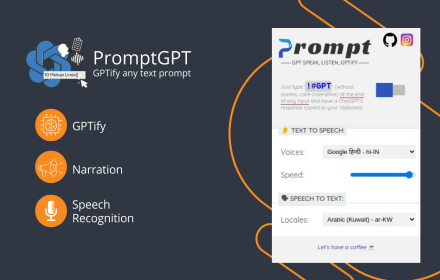
PromptGPT - Speak/Listen/GPTify
Turn any text field into a ChatGPT prompt and get the response right there, + Speaking and Listening abilities with ChatGPT web
13
★ 4.8

Speech to Text for ChatGPT
Adds a speech to text microphone into the ChatGPT website.
1.0K
★ 2.6

V2T: Voice To Text
Use speech recognition to convert your voice to text on any tab without typing
10.0K
★ 3.6

ChatGPT Speech Synthesis
Bring ChatGPT to life with speech synthesis!
90
★ 2.0
Data sourced from the Chrome Web Store · last verified Jun 9, 2026.