
Voice Typing for ChatGPT
A simple extension by Diakiv A.A. that allows users to type text using their voice on chat.openai.com
As of May 2026, Voice Typing for ChatGPT has 364 users and a 3.00/5 rating from 5 reviews in the Accessibility category.
Usersup 7.7 percent+7.7%
364
364
Ratingno change0%
3.00
5 reviews
Reviewsno change0%
5
Version
1.2.1
Manifest V3
History
2 snapshotsTracking since Apr 24, 2026.
View as table
| Date | Users | Rating | Reviews | Version |
|---|---|---|---|---|
| Apr 24, 2026 | 338 | 3.00 | 5 | 1.2.1 |
| May 19, 2026 | 372 | 3.00 | 5 | 1.2.1 |
| Now | 364 | 3.00 | 5 | 1.2.1 |
Permissions & access
- Permissions
- storageactiveTab
- Host access
- None declared
Screenshots


About
Title: Voice Typing for chatGPT

Description:

"Voice Typing for chatGPT" is an intuitive and convenient browser extension that allows users to input text using their voice on the website chat.openai.com. The extension recognizes Russian, English, and Spanish speech, ensuring comfortable communication with chatbots and simplifying interactions with the service.

Main features:

Voice input of text on the chat.openai.com website
Recognition of English, Russian, Spanish and French speech
Simple and clear interface
Fast switching between supported languages
Extension window remains on top of all windows for convenient use

How to use:

Install the "Voice Typing for chatGPT" extension from the Chrome Web Store.
Visit chat.openai.com.
Click on the extension icon in the browser toolbar.
In the pop-up window, select the language you want to speak (Russian, English, French, or Spanish).
Click the SAVE & START button. A microphone with a flag indicating the language to be recognized will appear below the chatGPT text field. Click on the microphone and start speaking. To switch languages, click on the app button, select a new language, and click SAVE & START.
The extension will automatically input the recognized text into the input field on the chat.openai.com website.
To quickly invoke the function, press Shift+Alt+Y
"Voice Typing for chatGPT" is designed to simplify the use of the OpenAI service and increase the efficiency of communication with chatbots. Enjoy seamless voice input and efficient communication with this convenient extension!
Technical
- Version
- 1.2.1
- Manifest
- V3
- Size
- 54.41KiB
- Min Chrome
- 88
- Languages
- 1
- Featured
- No
Metadata
- ID
- daocapifjfgpmfkbfkokemddlfnmnkae
- Developer ID
- uc5db796905fa616767b6c26a59543634
- Developer Email
- [email protected]
- Created
- Apr 4, 2023
- Last Updated (Store)
- Apr 18, 2023
- Last Scraped
- May 19, 2026
- Website
- —
- Support URL
- —
- Privacy Policy
- —
Similar extensions
Alternatives to Voice Typing for ChatGPT, ranked by description similarity.

ChatGPT Voice Assistant
The ChatGPT voice assistant can communicate with ChatGPT just like a human!
199

VoiceGPT
Add voice input functionality to ChatGPT, Press Ctrl+Q to open voice input
78

ChatGPT - Lets talk
Add voice to ChatGPT
520
★ 4.0

Voice to Text for ChatGPT
Speak instead of typing. Auto-send on silence, push-to-talk, floating mic panel, and more.
160
★ 4.2
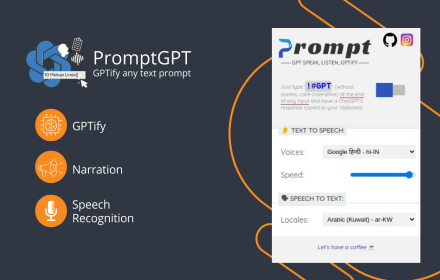
PromptGPT - Speak/Listen/GPTify
Turn any text field into a ChatGPT prompt and get the response right there, + Speaking and Listening abilities with ChatGPT web
13
★ 4.8

HearChat: Accessible and Enhanced ChatGPT
adds features to make AI web apps more friendly for screen reader users.
14
★ 5.0

Voicy - Voice to Text Powered by AI
Speech to Text Chrome Extension with +99% accuracy in over 50 languages
10.0K
★ 4.7

TalkToGPT
A simple extension that allows the user to talk to ChatGPT. Click the microphone button and begin talking.
1.0K
★ 1.0
Data sourced from the Chrome Web Store · last verified May 19, 2026.