
Inbox Accel
Inbox Accel
As of June 2026, Inbox Accel has 15 users and a 5.00/5 rating from 1 reviews in the Accessibility category.
Usersup 7.1 percent+7.1%
15
15
Ratingno change0%
5.00
1 reviews
Reviewsno change0%
1
Version
3.01
Manifest V3
History
5 snapshotsTracking since Apr 18, 2026.
View as table
| Date | Users | Rating | Reviews | Version |
|---|---|---|---|---|
| Apr 18, 2026 | 14 | 5.00 | 1 | 3.01 |
| Apr 28, 2026 | 17 | 5.00 | 1 | 3.01 |
| May 8, 2026 | 16 | 5.00 | 1 | 3.01 |
| May 20, 2026 | 15 | 5.00 | 1 | 3.01 |
| Jun 3, 2026 | 17 | 5.00 | 1 | 3.01 |
| Now | 15 | 5.00 | 1 | 3.01 |
Permissions & access
- Permissions
- activeTabnotificationscookiesscriptingstoragealarmsgcmtabs
- Host access
- https://mail.google.com/*, https://drive.google.com/*, https://app.inboxaccel.com/*, https://api.inboxaccel.com/trace/mail/*, https://gmail.googleapis.com/*, https://api.openai.com/*
Screenshots

About
Boost Productivity, Breeze Through Emails With Inbox Accel.

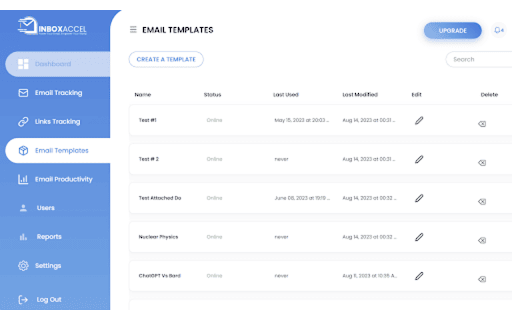
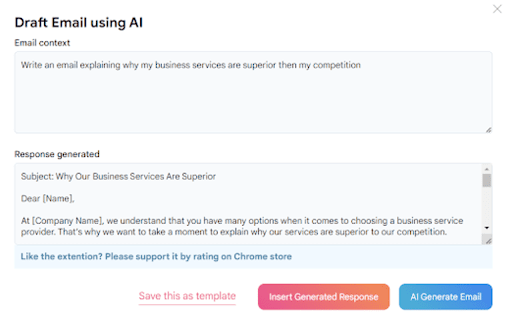
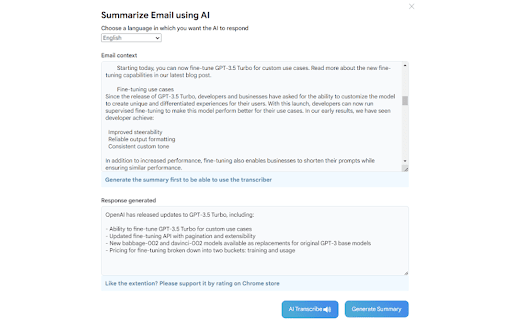
InboxAccel Transforms Your Gmail Experience With A Suite Of Cutting-Edge Features. From AI-Driven Drafting, Rewriting, Templates And Summarizing To Precise Email And Link Tracking, Stay Informed And Productive.

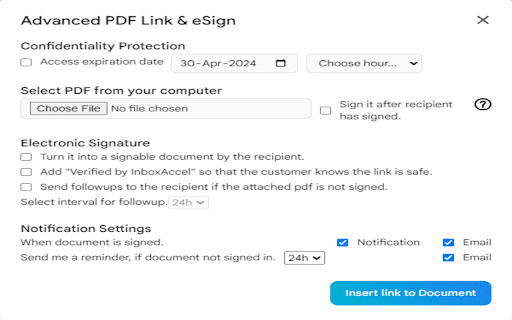
📄📄📄 Advanced PDF for Gmail Extension Overview 📄📄📄

🔐 Secure PDF Sending
▸ Send advanced PDFs via Gmail securely.
▸ Allow recipients to digitally sign PDFs for added authenticity.
▸ Enable senders to digitally sign PDFs for enhanced security.

📈 Track PDF Activity
▸ Keep track of advanced PDFs sent through Gmail.
▸ Access statistical information and insights from your user dashboard.
▸ Monitor recipient interactions and engagement with sent PDFs.

🖋️ Enhance PDF Collaboration
▸ Facilitate collaboration with digitally signed PDFs.
▸ Empower recipients to sign PDFs directly within Gmail.
▸ Streamline document workflows with seamless integration.

✨ Elevate Email Attachments
▸ Transform traditional attachments into interactive, secure PDFs.
▸ Add value and professionalism to your email communications.
▸ Simplify document management and exchange processes.

Experience the future of PDF handling within Gmail. Install the Advanced PDF for Gmail Extension now!
Technical
- Version
- 3.01
- Manifest
- V3
- Size
- 1.32MiB
- Min Chrome
- 88
- Languages
- 1
- Featured
- No
Metadata
- ID
- mcmjhbfojdhopnhdechlaiemleojeagj
- Developer ID
- u7d8fec8745f4d7aa3791c4476444f418
- Developer Email
- [email protected]
- Created
- Jan 10, 2024
- Last Updated (Store)
- Nov 3, 2025
- Last Scraped
- Jun 3, 2026
- Website
- inboxaccel.com
- Support URL
- https://inboxaccel.com/contact/
- Privacy Policy
- https://inboxaccel.com/privacy-policy/
Similar extensions
Alternatives to Inbox Accel, ranked by description similarity.

Gmailer Extension
Navigate all your Gmails the smart way.
2

Gmail Accessibility Checker
Inspects Gmail compose window for WCAG 2.1 AA accessibility issues and provides visual feedback.
130
★ 5.0
Zone PDF: Edit and Convert PDFs
Edit, Convert, Merge, Compress and Split PDF Files in Seconds!
10.0K
★ 2.4

MarketFlow
Highlighter, Automation, and Clipboard Manager with Universal Control.
13

Enhancer 4 Google
Improves the UI of various Google services, taking these already user-friendly services to the next level.
80.0K
★ 4.8

Highlight Emails in Gmail by cloudHQ
Highlight Email Rows in Gmail
8.0K
★ 4.2

Gmail Line Enlarger
Enlarge the size of email lines in Gmail for better readability
—

ProductiTab
Smart Tab & Productivity Manager - Built by Paul Abakada
1
Data sourced from the Chrome Web Store · last verified Jun 3, 2026.