
Gmail Accessibility Checker
Inspects Gmail compose window for WCAG 2.1 AA accessibility issues and provides visual feedback.
As of June 2026, Gmail Accessibility Checker has 130 users and a 5.00/5 rating from 2 reviews in the Accessibility category.
Usersup 32.7 percent+32.7%
130
130
Ratingno change0%
5.00
2 reviews
Reviewsno change0%
2
Version
6.3
Manifest V3
History
3 snapshotsTracking since Apr 20, 2026.
View as table
| Date | Users | Rating | Reviews | Version |
|---|---|---|---|---|
| Apr 20, 2026 | 98 | 5.00 | 2 | 6.3 |
| May 5, 2026 | 136 | 5.00 | 2 | 6.3 |
| Jun 3, 2026 | 142 | 5.00 | 2 | 6.3 |
| Now | 130 | 5.00 | 2 | 6.3 |
Permissions & access
- Permissions
- tabs
- Host access
- https://mail.google.com/*, https://gac.inclusend.com/*, https://inclusend.com/*, https://gmail-accessibility-checker.replit.app/*
Screenshots


About
The Gmail Accessibility Checker is an easy to use Chrome extension that transforms how users create accessible email communications. This powerful tool integrates seamlessly with Gmail's interface, providing real-time accessibility analysis as you compose emails to ensure compliance with Web Content Accessibility Guidelines (WCAG) 2.1 AA standards. The extension features an intuitive, draggable interface with color-coded indicators that highlight critical issues, suggestions, and helpful reminders directly within your composition window.

Designed to be both comprehensive and user-friendly, the tool automatically scans for multiple accessibility concerns including insufficient color contrast, missing image alt text, unclear link descriptions, improper heading structures, and poorly formatted tables. Its intelligent processing system can identify when acronyms have been properly defined and analyzes text in efficient batches to maintain performance even in lengthy emails. The extension also includes a convenient accessibility checklist with practical examples and best practices that users can reference while composing.

The Gmail Accessibility Checker is available in both free and premium versions, with the free plan offering basic functionality an limited accessibility checks per month for occasional users and the Pro plan ($2.00/month) providing unlimited checks and advanced features. For organizations, flexible team licensing options with tiered pricing (starting at $0.75/ user per month) accommodate various team sizes. By identifying potential accessibility issues before emails are sent, this tool not only improves communication effectiveness and helps organizations meet legal accessibility requirements, but also serves as an educational resource that subtly trains users on accessibility best practices through contextual feedback.

Developed by IncluSend LLC with a focus on performance and privacy, the Gmail Accessibility Checker processes all content locally within the browser and represents a significant advancement in making digital communications more inclusive for all recipients regardless of ability.
Technical
- Version
- 6.3
- Manifest
- V3
- Size
- 114KiB
- Min Chrome
- 88
- Languages
- 1
- Featured
- No
Metadata
- ID
- jijphdmhcgjjnpfmkleblagcpfbpelao
- Developer ID
- u45559a6bd18c869dd4c05877e20e5788
- Developer Email
- [email protected]
- Created
- Apr 20, 2025
- Last Updated (Store)
- May 3, 2025
- Last Scraped
- Jun 3, 2026
- Website
- —
- Privacy Policy
- https://gmail-accessibility-checker.replit.app/privacy
Similar extensions
Alternatives to Gmail Accessibility Checker, ranked by description similarity.

Accessibility Checker by WebYes
Accessibility Checker for developers and testers to identify WCAG issues directly in Chrome for improved accessibility compliance.
849
★ 4.8

Siteimprove Accessibility Checker
Jumpstart your web accessibility efforts directly in Chrome.
60.0K
★ 3.2

Includia Accessibility Checker
Evaluate web pages for accessibility.
2.0K
★ 5.0
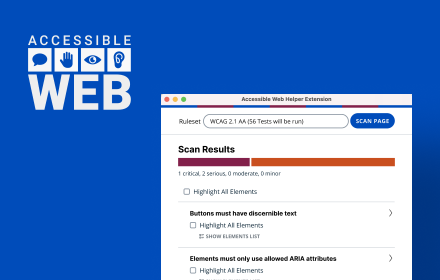
Accessible Web Helper
Discover and highlight accessibility violations on the web with the push of a button.
30.0K
★ 4.2

A11yInspect Accessibility Testing Tool
Your fastest path from accessibility issues to clean, shippable code. Test for WCAG, EN 301 549, and more.
1.0K
★ 5.0

WeAccess Scan
Web pages accessibility testing Chrome extension
61
★ 5.0

Web Accessibility Pro
Best tool to help users access the internet more easily
180
★ 5.0

WCAG 2.1 Accessibility 1.4 Text and Contrast Testing and Checking Tool
Toggles for WCAG: 1.4.12 (Text Spacing), 1.4.4 (Text Resize), 1.4.1 (Grayscale), 1.4.10 (320px Reflow).
615
Data sourced from the Chrome Web Store · last verified Jun 3, 2026.