
Quick Password Gen
Generates a secure password and copies it to the clipboard.
As of May 2026, Quick Password Gen has 15 users and a 5.00/5 rating from 1 reviews in the Productivity category.
Usersup 87.5 percent+87.5%
15
15
Ratingno change0%
5.00
1 reviews
Reviewsno change0%
1
Version
1.0
Manifest V3
History
4 snapshotsTracking since Apr 1, 2026.
View as table
| Date | Users | Rating | Reviews | Version |
|---|---|---|---|---|
| Apr 1, 2026 | 8 | 5.00 | 1 | 1.0 |
| Apr 21, 2026 | 7 | 5.00 | 1 | 1.0 |
| May 6, 2026 | 9 | 5.00 | 1 | 1.0 |
| May 30, 2026 | 10 | 5.00 | 1 | 1.0 |
| Now | 15 | 5.00 | 1 | 1.0 |
Permissions & access
- Permissions
- clipboardWritestorage
- Host access
- None declared
Screenshots


About
Quick Password Gen: Instant, Secure, and Tailored Passwords

In today's digital world, strong, unique passwords are your first line of defense. But creating and remembering them can be a hassle. Introducing Quick Password Gen, the straightforward Chrome extension designed for one single purpose: to give you robust, custom passwords instantly, with ultimate ease and peace of mind.

Why Quick Password Gen?

Instant Security: No more struggling to come up with complex combinations. Just click the extension icon, and a powerful, randomized password is ready for you.

Tailor-Made for You: Your security needs are unique. Dive into the intuitive settings to customize your password's length (from 8 to 32 characters) and choose exactly what you want it to include:
Uppercase letters (A-Z)
Lowercase letters (a-z)
Numbers (0-9)
Symbols (!@#$)
Your preferences are automatically saved, so your next password is always generated just the way you like it.

Auto-Copy on Open: Speed and convenience are paramount. The moment you open the extension, a fresh, secure password is not only generated but also automatically copied to your clipboard. Paste it directly wherever you need it – no extra clicks required! You can also easily re-copy by clicking the password display or the dedicated "Copy" button.

Never Stored, Always Safe: Your privacy is our top priority. Quick Password Gen operates entirely client-side. The passwords it generates are never stored, logged, or transmitted anywhere. They exist only briefly on your screen and in your clipboard. Your custom generation settings are saved locally in your browser, not on any external servers. This commitment to zero data storage ensures your sensitive information remains private and secure.

Lightweight & Focused: Built with a single purpose in mind, this extension is incredibly lightweight, fast, and won't slow down your browser. It does one job, and it does it exceptionally well.

How It Works:
Click the Icon: Click the "Quick Password Gen" icon in your browser toolbar.
Get Your Password: A new, secure password is instantly generated and automatically copied to your clipboard.
Customize (Optional): Click the settings gear icon to adjust length and character types. Your changes are saved automatically.
Paste and Protect: Simply paste your new password into any login or signup form.
Technical
- Version
- 1.0
- Manifest
- V3
- Size
- 37.95KiB
- Min Chrome
- 88
- Languages
- 1
- Featured
- No
Metadata
- ID
- mchaodfbngogefaeijmcgmemfjkelnki
- Developer ID
- ue76d771abc3d56f99b058e9b13a23199
- Developer Email
- [email protected]
- Created
- Sep 30, 2025
- Last Updated (Store)
- Sep 30, 2025
- Last Scraped
- May 30, 2026
- Website
- —
- Support URL
- —
Similar extensions
Alternatives to Quick Password Gen, ranked by description similarity.

Password Generator
Create strong and random passwords. Customize options and copy to clipboard with one click.
7
★ 5.0

Password Generator
A simple, strightforward tool to quickly generate passwords.
9

Random Password Generator
Generate Random Password Generator with customizable options
5

Safe Password Generator
Generate secure, random passwords of varying lengths.
7

Power Password Generator
A simple password generator extension
3
★ 5.0
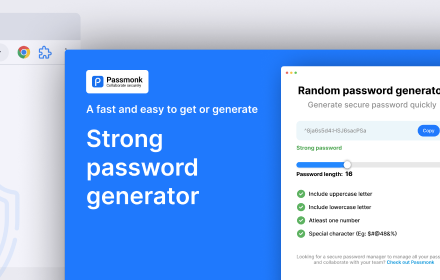
Random password generator
Generate random password of various length and complexity.
32
★ 5.0

Password Generator
A simple and secure password generator
12
★ 5.0

Password Generator
Generate strong, customizable passwords locally in your browser. Choose length 8-64 characters, and copy securely.
—
Data sourced from the Chrome Web Store · last verified May 30, 2026.