
Password Generator
A simple, strightforward tool to quickly generate passwords.
As of May 2026, Password Generator has 9 users in the Productivity category.
Usersdown 18.2 percent−18.2%
9
9
Ratingno change0%
—
— reviews
Reviewsno change0%
—
Version
1.2
Manifest V3
History
2 snapshotsTracking since Apr 26, 2026.
View as table
| Date | Users | Rating | Reviews | Version |
|---|---|---|---|---|
| Apr 26, 2026 | 11 | — | — | 1.2 |
| May 23, 2026 | 10 | — | — | 1.2 |
| Now | 9 | — | — | 1.2 |
Permissions & access
- Permissions
- clipboardWritestorage
- Host access
- None declared
Screenshots


About
Password Generator Chrome Extension
The Password Generator is a simple yet powerful tool designed to help users create strong, secure, and customizable passwords directly within their browser. This Chrome extension allows users to generate random passwords based on their preferences, such as length and character types.

Key Features
Customizable Password Length
Users can specify the desired length of the password, ranging from a minimum of 1 character to a maximum of their choice. This flexibility ensures that the generated password meets the requirements of various websites and applications.

Character Type Customization
The extension allows users to include or exclude specific character types in their passwords:

Uppercase Letters (A-Z): Adds capital letters for increased complexity.

Lowercase Letters (a-z): Includes small letters for a balanced password.

Numbers (0-9): Incorporates numeric characters for added security.

Special Characters (!@#$%^&*()_+[]{}|;:,.<>?): Enhances password strength with symbols.

Users can mix and match these options to create passwords tailored to their needs.

Random Password Generation
The extension uses a secure randomization algorithm to ensure that each password is unique and unpredictable. This minimizes the risk of password guessing or brute-force attacks.

Copy to Clipboard
Once a password is generated, users can easily copy it to their clipboard with a single click. This feature saves time and ensures that the password is ready to use without manual selection or typing.

User-Friendly Interface
The extension features a clean and intuitive interface, making it easy for users of all technical levels to generate passwords quickly and efficiently.

How It Works
Input Selection
Users start by selecting their desired password length using a slider or input field. They can then toggle checkboxes to include or exclude uppercase letters, lowercase letters, numbers, and special characters.

Password Generation
When the "Generate" button is clicked, the extension dynamically constructs a pool of characters based on the user's selections. It then randomly selects characters from this pool to create a password of the specified length.

Display and Copy
The generated password is displayed on the screen, and the "Copy" button is enabled. Clicking the "Copy" button copies the password to the clipboard, and a confirmation message is shown to the user.

Use Cases
Creating Strong Passwords for New Accounts
Users can generate secure passwords when signing up for new online accounts, ensuring their data is protected from the start.

Updating Existing Passwords
The extension is ideal for users who want to update their existing passwords to stronger, more secure versions.

Meeting Password Requirements
Many websites have specific password requirements (e.g., minimum length, inclusion of special characters). This extension ensures that generated passwords meet these criteria.

Enhancing Online Security
By generating unique, complex passwords for each account, users can significantly reduce the risk of unauthorized access and data breaches.

Why Use This Extension?
Security: The extension generates combinations that are difficult to guess or crack.

Convenience: Users can quickly generate and copy passwords without leaving their browser.

Customization: The ability to customize password length and character types ensures compatibility with various platforms.

Ease of Use: The intuitive interface makes password generation accessible to everyone, regardless of technical expertise.

Installation and Usage
Install the Extension
Add the extension to your Chrome browser by downloading it from the Chrome Web Store or loading it as an unpacked extension.

Open the Extension
Click on the extension icon in the Chrome toolbar to open the password generator interface.

Customize Your Password
Select the desired password length and character types using the provided options.

Generate and Copy
Click "Generate" to create a password, then click "Copy" to copy it to your clipboard.

Future Enhancements
Feel free to offer anything that is on your mind.

This Password Generator Chrome extension is a must-have tool for anyone looking to enhance their online security with strong, unique passwords. Its simplicity, flexibility, and ease of use make it an essential addition to your browser.

*If you find this extension helpful, consider supporting me with a small donation:
Buy Me a Coffee - https://buymeacoffee.com/guyeshel85r
Technical
- Version
- 1.2
- Manifest
- V3
- Size
- 5.84KiB
- Min Chrome
- 88
- Languages
- 1
- Featured
- No
Metadata
- ID
- fomlobodamecdjmpnmjdkodpnhjbnjlj
- Developer ID
- u2996790a2a8a9d495436561afc11c140
- Developer Email
- [email protected]
- Created
- Mar 9, 2025
- Last Updated (Store)
- Mar 9, 2025
- Last Scraped
- May 23, 2026
- Website
- —
- Support URL
- —
Similar extensions
Alternatives to Password Generator, ranked by description similarity.

Password Generator
Generate random passwords with custom options.
11

Random Password Generator
Generate random passwords based on user-defined properties.
23
★ 5.0

Password Generator
Generates a random password and copies it to the clipboard.
—

Password Generator
Create strong and random passwords. Customize options and copy to clipboard with one click.
7
★ 5.0
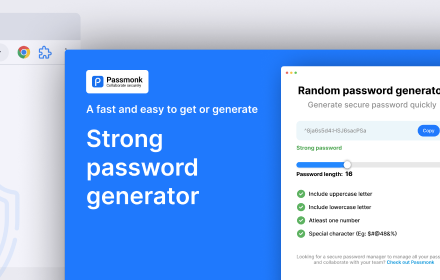
Random password generator
Generate random password of various length and complexity.
32
★ 5.0

Random Password Generator
Generates random passwords with customizable length.
2

Power Password Generator
A simple password generator extension
3
★ 5.0

Password Generator
A simple and secure password generator
12
★ 5.0
Data sourced from the Chrome Web Store · last verified May 23, 2026.