Take Webpage Screenshots Entirely - FireShot
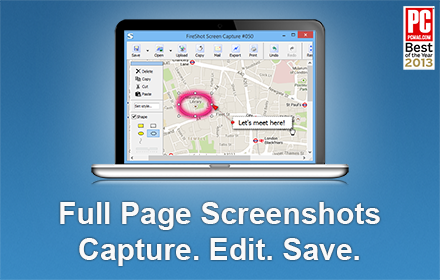
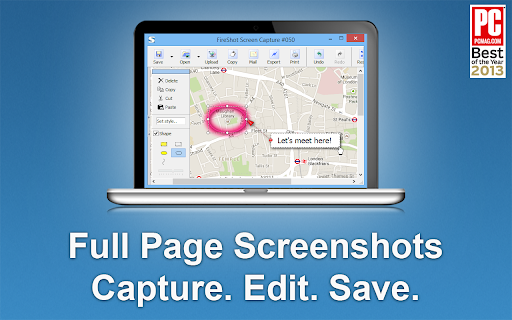
Take FULL webpage screenshots. Capture, edit and save them to PDF/JPEG/GIF/PNG, upload, print, send to OneNote, clipboard or email.
As of June 2026, Take Webpage Screenshots Entirely - FireShot has 3,000,000 users and a 4.79/5 rating from 50,891 reviews in the Developer Tools category.
Usersno change0%
3.0M
3,000,000
Ratingno change0%
4.79
50.9K reviews
Reviewsup 2.2 percent+2.2%
50.9K
Version
2.1.4.18
Manifest V3
90-day change · In the last 90 days this extension 2 version updates.
History
17 snapshotsTracking since Apr 1, 2026.
View as table
| Date | Users | Rating | Reviews | Version |
|---|---|---|---|---|
| Apr 1, 2026 | 3.0M | 4.79 | 49.8K | 2.1.4.7 |
| Apr 5, 2026 | 3.0M | 4.79 | 49.8K | 2.1.4.7 |
| Apr 16, 2026 | 3.0M | 4.79 | 49.9K | 2.1.4.7 |
| Apr 22, 2026 | 3.0M | 4.79 | 50.0K | 2.1.4.7 |
| May 2, 2026 | 3.0M | 4.79 | 50.1K | 2.1.4.7 |
| May 10, 2026 | 3.0M | 4.79 | 50.2K | 2.1.4.7 |
| May 19, 2026 | 3.0M | 4.79 | 50.3K | 2.1.4.7 |
| May 21, 2026 | 3.0M | 4.79 | 50.5K | 2.1.4.14 |
| May 24, 2026 | 3.0M | 4.79 | 50.5K | 2.1.4.14 |
| May 27, 2026 | 3.0M | 4.79 | 50.5K | 2.1.4.18 |
| May 30, 2026 | 3.0M | 4.79 | 50.6K | 2.1.4.18 |
| Jun 1, 2026 | 3.0M | 4.79 | 50.6K | 2.1.4.18 |
| Jun 4, 2026 | 3.0M | 4.79 | 50.7K | 2.1.4.18 |
| Jun 7, 2026 | 3.0M | 4.79 | 50.7K | 2.1.4.18 |
| Jun 9, 2026 | 3.0M | 4.79 | 50.7K | 2.1.4.18 |
| Jun 13, 2026 | 3.0M | 4.79 | 50.8K | 2.1.4.18 |
| Jun 18, 2026 | 3.0M | 4.79 | 50.8K | 2.1.4.18 |
| Now | 3.0M | 4.79 | 50.9K | 2.1.4.18 |
Changelog
- May 24, 2026description
FireShot helps you:

• Save receipts, tickets, and order confirmations
• Capture long articles, research, and documentation
• Share design reviews, bug reports, and product ideas
• Keep permanent records of web pages that may change or disappear

🔒 Screenshot is done instantly and stored locally. It never leaves your computer, so it's 100% safe for storing a sensitive information. FireShot can work offline.

🏆 Awarded as "The Best Free Google Chrome Extension (Full Page Screenshot Tool)" by PCMAG.COM

🛑 No spyware and unnecessary permissions - you're just in a couple of clicks away from an ideal screenshot.

Top 7️⃣ reasons to install FireShot:

1️⃣ Save screenshot to disk as PDF (with links), PNG, and JPEG
2️⃣ Capture entire page, visible part of the web page or just a selection
3️⃣ Automatically capture all tabs to PDF or image 🔥 (https://getfireshot.com/demos/capture-all-tabs.php)
4️⃣ Provide a list of URLs for an automatic batch capturing process 🔥 (https://getfireshot.com/demos/capture-website-urls.php)
5️⃣ Attach screenshot to Gmail
6️⃣ Copy screenshot to clipboard
7️⃣ Print

### An upgrade is available. Activate it directly from the menu and:

✓ PDF with direct links and text, can be saved as a single page or split to pages
✓ Capture specific elements, such as scrolling areas on web pages (https://getfireshot.com/selection.php)
✓ Capture all tabs in one click and save to single PDF (https://getfireshot.com/demos/capture-all-tabs.php)
✓ Edit: crop, resize, add text and arrow annotations, blur areas and apply other effects
✓ Send to OneNote (Pro version)
✓ Save captures to disk as  PNG, GIF, JPEG, BMP
✓ Upload to Twitter, ImageShack, Flickr, EasyCaptures, custom FTP or HTTP servers
✓ Copy  to clipboard
✓ Print
✓ E-Mail
✓ Export captures to external editor
✓ Add page information to screenshot (URL, title, time, domain, etc)
FireShot helps you:

• Save receipts, tickets, and order confirmations
• Capture long articles, ChatGPT, research, and documentation
• Share design reviews, bug reports, and product ideas
• Keep permanent records of web pages that may change or disappear

🔒 Screenshot is done instantly and stored locally. It never leaves your computer, so it's 100% safe for storing a sensitive information. FireShot can work offline.

🏆 Awarded as "The Best Free Google Chrome Extension (Full Page Screenshot Tool)" by PCMAG.COM

🛑 No spyware and unnecessary permissions - you're just in a couple of clicks away from an ideal screenshot.

Top 7️⃣ reasons to install FireShot:

1️⃣ Save screenshot to disk as PDF (with links), PNG, and JPEG
2️⃣ Capture entire page, visible part of the web page or just a selection
3️⃣ Automatically capture all tabs to PDF or image 🔥 (https://getfireshot.com/demos/capture-all-tabs.php)
4️⃣ Provide a list of URLs for an automatic batch capturing process 🔥 (https://getfireshot.com/demos/capture-website-urls.php)
5️⃣ Attach screenshot to Gmail
6️⃣ Copy screenshot to clipboard
7️⃣ Print

### An upgrade is available. Activate it directly from the menu and:

✓ PDF with direct links and text, can be saved as a single page or split to pages
✓ Capture specific elements, such as scrolling areas on web pages (https://getfireshot.com/selection.php)
✓ Capture all tabs in one click and save to single PDF (https://getfireshot.com/demos/capture-all-tabs.php)
✓ Edit: crop, resize, add text and arrow annotations, blur areas and apply other effects
✓ Send to OneNote (Pro version)
✓ Save captures to disk as  PNG, GIF, JPEG, BMP
✓ Upload to Twitter, ImageShack, Flickr, EasyCaptures, custom FTP or HTTP servers
✓ Copy  to clipboard
✓ Print
✓ E-Mail
✓ Export captures to external editor
✓ Add page information to screenshot (URL, title, time, domain, etc)
Permissions & access
- Permissions
- storagealarmsscriptingactiveTabnativeMessagingcontextMenus
- Host access
- None declared
Screenshots
About
FireShot helps you:

• Save receipts, tickets, and order confirmations
• Capture long articles, ChatGPT, research, and documentation
• Share design reviews, bug reports, and product ideas
• Keep permanent records of web pages that may change or disappear

🔒 Screenshot is done instantly and stored locally. It never leaves your computer, so it's 100% safe for storing a sensitive information. FireShot can work offline.

🏆 Awarded as "The Best Free Google Chrome Extension (Full Page Screenshot Tool)" by PCMAG.COM

🛑 No spyware and unnecessary permissions - you're just in a couple of clicks away from an ideal screenshot.

Top 7️⃣ reasons to install FireShot:

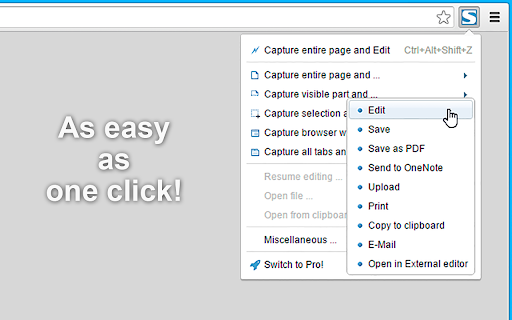
1️⃣ Save screenshot to disk as PDF (with links), PNG, and JPEG
2️⃣ Capture entire page, visible part of the web page or just a selection
3️⃣ Automatically capture all tabs to PDF or image 🔥 (https://getfireshot.com/demos/capture-all-tabs.php)
4️⃣ Provide a list of URLs for an automatic batch capturing process 🔥 (https://getfireshot.com/demos/capture-website-urls.php)
5️⃣ Attach screenshot to Gmail
6️⃣ Copy screenshot to clipboard
7️⃣ Print

### An upgrade is available. Activate it directly from the menu and:

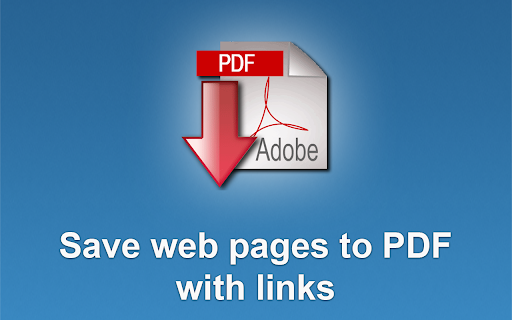
✓ PDF with direct links and text, can be saved as a single page or split to pages
✓ Capture specific elements, such as scrolling areas on web pages (https://getfireshot.com/selection.php)
✓ Capture all tabs in one click and save to single PDF (https://getfireshot.com/demos/capture-all-tabs.php)
✓ Edit: crop, resize, add text and arrow annotations, blur areas and apply other effects
✓ Send to OneNote (Pro version)
✓ Save captures to disk as  PNG, GIF, JPEG, BMP
✓ Upload to Twitter, ImageShack, Flickr, EasyCaptures, custom FTP or HTTP servers
✓ Copy  to clipboard
✓ Print
✓ E-Mail
✓ Export captures to external editor
✓ Add page information to screenshot (URL, title, time, domain, etc)
Technical
- Version
- 2.1.4.18
- Manifest
- V3
- Size
- 12.0MiB
- Min Chrome
- 114
- Languages
- 41
- Featured
- Yes
Metadata
- ID
- mcbpblocgmgfnpjjppndjkmgjaogfceg
- Developer ID
- u92bc32da986261956e7a35c1e2abfe03
- Developer Email
- [email protected]
- Created
- Sep 22, 2011
- Last Updated (Store)
- May 24, 2026
- Last Scraped
- Jun 18, 2026
- Website
- https://getfireshot.com/
- Support URL
- https://getfireshot.com/sup
- Privacy Policy
- http://getfireshot.com/privacy.php
Similar extensions
Alternatives to Take Webpage Screenshots Entirely - FireShot, ranked by description similarity.

ShotMyPage - Full Page Screen Capture
Chrome full page screenshot and screen capture extension with professional editing tools and project management
224
★ 5.0

FramedShot: Screenshot Frames, Mockup & Editor
Polish screenshots and tab recordings with frames, annotations, redactions, mockups, and local export.
114
★ 5.0

QuickShot – Screen Capture Tool
Fast screen capture with lightweight annotation and instant export.
28
★ 5.0

SnapPage Pro - Full Page Screenshot
Capture full page screenshots with advanced editing, annotations, and export to PNG, JPEG, or PDF
383
★ 5.0

Screenshot a Tab
Capture viewport, full page, or element screenshots — like Chrome DevTools.
24
★ 5.0

SnipSnap Screenshot - Full Page Capture & Editor
Fast, reliable full page screenshot tool. Capture, annotate, edit, and share browser screen captures in seconds.
14

Screenshot with URL - Full Page Screenshot
Capture full page, visible & selected area screenshots with URL bar & hidden Bookmarks, record screen with inbuilt editor.
7.0K
★ 4.9

FullPageSnap - Full Page Screenshot Capture
Capture entire webpage screenshots with one click. Take full page screenshots, long screenshots & scrolling captures. PNG/JPEG
84
★ 5.0
Data sourced from the Chrome Web Store · last verified Jun 18, 2026.