
Browser Commands
Manage your browser using word commands. Save time and be more productive on your browser time by using only commands!
As of May 2026, Browser Commands has 30 users and a 5.00/5 rating from 1 reviews in the Workflow & Planning category.
Usersup 50.0 percent+50.0%
30
30
Ratingno change0%
5.00
1 reviews
Reviewsno change0%
1
Version
1.4
Manifest V3
History
3 snapshotsTracking since Apr 1, 2026.
View as table
| Date | Users | Rating | Reviews | Version |
|---|---|---|---|---|
| Apr 1, 2026 | 20 | 5.00 | 1 | 1.4 |
| Apr 30, 2026 | 18 | 5.00 | 1 | 1.4 |
| May 29, 2026 | 28 | 5.00 | 1 | 1.4 |
| Now | 30 | 5.00 | 1 | 1.4 |
Permissions & access
- Permissions
- storageactiveTabbookmarks
- Host access
- None declared
Screenshots



About
Are you a command lover? Do you want to save time and open a new browser tab by simply writing one-word command? Browser Commands can help you save time and be more productive on your browser time by using only commands! This extension helps you to replace keyboard shortcuts with word commands.

Instead of remembering the keyboard shortcuts you can use simple English words to trigger commands on your Chrome browser.

How to open new tab using Browser Commands:
1. Open command input popup using (CTRL + Comma) shortcut. (Command + Comma) for MAC users.
2. Enter "new tab" command.
3. New tab opens up.

How to add a website as bookmark on a folder
1. Open command input popup using (CTRL + Comma) shortcut. (Command + Comma) for MAC users.
2. Enter "bookmark add folder={Folder name}" command.
3. Bookmark added.


Features:
- 10+ commands
- Add own command shortcuts
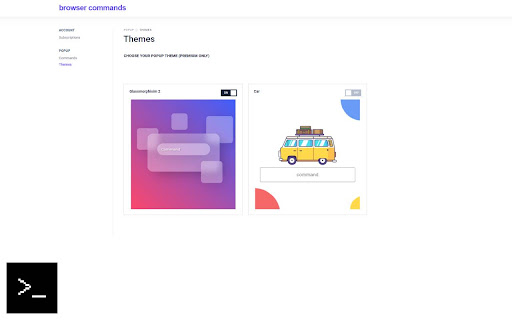
- 6+ command input themes
- Custom shortcut to show the command input
- Online documentation

All commands:

new tab - Open new tab
new window - Open new window
tab close - Close current tab
reload - Reload page
bookmark add folder={} - Add page as bookmark to a folder
bookmark remove folder={} - Remove bookmark from a folder
print - Print page
zoom in - Zoom in tab
zoom out - Zoom out tab
go to url={} - Open new tab and go to url entered
options - Open extension options page
minimize - Minimize window
maximize - Maximize window
fullscreen - Fullscreen window
normal - Window normal mode
Technical
- Version
- 1.4
- Manifest
- V3
- Size
- 808KiB
- Min Chrome
- 88
- Languages
- 1
- Featured
- No
Metadata
- ID
- lnfklljinhlagfipjenfijkeoelihdbc
- Developer ID
- u75603c12711101d40cc4259ec5995425
- Developer Email
- [email protected]
- Created
- Aug 29, 2022
- Last Updated (Store)
- Sep 6, 2022
- Last Scraped
- May 29, 2026
- Website
- browsercommands.com
- Support URL
- http://browsercommands.com/contact-us/
- Privacy Policy
- —
Similar extensions
Alternatives to Browser Commands, ranked by description similarity.

mima omnibox
Boost your browsing speed with simple search bar commands! No more navigating through endless menus and settings.
1

iLaunch: Manage Bookmark,History,Tab and More
Manage bookmark, history, tab, extension & Quick command launch tool
654
★ 4.7

Voice Command Navigator
Control tabs, scroll, and click links with voice commands.
2

Bunnyhop
Easier web navigation
11
★ 5.0

Command Palette by Single Dispatch
Command palette for any website. Manage tabs and bookmarks, open links, or trigger button clicks just with your keyboard.
35
Bookmark All Tabs
A Chrome extension that allows you to bookmark all open tabs with one click. Choose to save to a new or existing bookmark folder.
1.0K
★ 4.1

Keyboard Shortcuts
Map custom keyboard shortcuts to any Chrome browser command
18

bookmark-search
Find the bookmark you want
63
★ 5.0
Data sourced from the Chrome Web Store · last verified May 29, 2026.