
Duo Mono
Automatically log into Duo 2fa. If you have chrome sync turned on it will work anywhere you are signed into chrome.
As of May 2026, Duo Mono has 65 users in the Workflow & Planning category.
Usersup 8.3 percent+8.3%
65
65
Ratingno change0%
—
— reviews
Reviewsno change0%
—
Version
0.1.1
Manifest V3
History
2 snapshotsTracking since Apr 1, 2026.
View as table
| Date | Users | Rating | Reviews | Version |
|---|---|---|---|---|
| Apr 1, 2026 | 60 | — | — | 0.1.1 |
| May 29, 2026 | 61 | — | — | 0.1.1 |
| Now | 65 | — | — | 0.1.1 |
Permissions & access
- Permissions
- storage
- Host access
- None declared
Screenshots

About
NOT ACCOCIATED WITH © 2022 Duo https://duo.com/


AFTER INSTALL — QUICK INSTRUCTIONS

• Go to you Duo protected service as you always do.
• You should see a message from Duo Mono instructing you to sign in as normal.
• If you're sign in is successful, you're all done! You should be automatically logged in from now on.

*If it doesn't work, try reloading the page or contact me for support.*


HOW IT WORKS

On your first sign in after installing the extension you will see a message telling you that you need to sign in with you usual authentication method. By signing in you are allowing Duo Mono to create a new authentication device. This device will say it is of type android device, however, it is actually just using this device to acquire a device token.

Duo Mono uses this token to query Duo's server to acquire an authentication secret. This secret is saved to you google sync storage and used to generate a login token each time it signs you in. It sets your default authentication device to the android device it created. During this process you will see multiple pages be automatically filled in and then you will be redirected to you usual destination.

When your session runs out and you need to authenticate using Duo again, Duo Mono will automatically generate a token and submit it for you.


SECURITY CONCERNS

• Your Duo integrated service is now as secure as your chrome account. If your chrome account is compromised, remove the device Duo Mono created for you immediately because it could be used to sign into your account even if the infiltrator no longer has access to your chrome account. The device will be called ext-auto-login

• This project is open source. You may verify the security of the source code yourself on GitHub. https://github.com/JacobZwang/duo-mono


INFO

• If you need log in manually or change something, open the extension popup in the top right and flip the switch off.

•This will not work with multiple Duo accounts at the same time (yet).
Technical
- Version
- 0.1.1
- Manifest
- V3
- Size
- 27.56KiB
- Min Chrome
- 88
- Languages
- 1
- Featured
- No
Metadata
- ID
- lncmlpcdphjpofcggicgciiakehkgjpf
- Developer ID
- u5fbab76b1f261ad3eb276a1678005c8f
- Developer Email
- [email protected]
- Created
- Feb 1, 2022
- Last Updated (Store)
- Feb 1, 2022
- Last Scraped
- May 29, 2026
- Website
- —
- Privacy Policy
- —
Similar extensions
Alternatives to Duo Mono, ranked by description similarity.

autoauth - Never use Duo Mobile Again
Handles Duo authentication automatically and in the background - safely and securely.
84
★ 5.0

Sophos Chrome Security
This is the Sophos Mobile client for Chrome devices.
—
★ 4.3

AutofillDuo
Skip the hassle of Duo
199
★ 5.0

duo-ext
Extension for duo
70
mSecure
Companion browser extension for mSecure that provides auto-login features in your web browser.
3.0K
★ 2.1

Google Verified Access by Duo
Allows Duo customers to check the trustworthiness of Chrome OS devices using Google Verified Access, Chrome 88+. http://duo.sc/gva
40.0K
★ 3.7
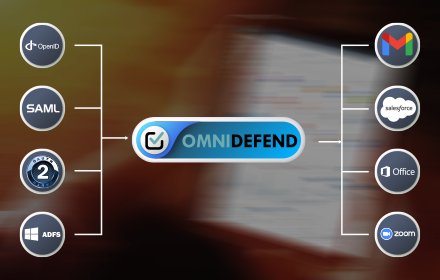
OmniDefend SSO Extension
OmniDefend's Single Sign-on feature to enable easy access to websites and applications.
—
★ 5.0

Junify
This browser extension helps you log into web applications and improve your information security at work.
4.0K
Data sourced from the Chrome Web Store · last verified May 29, 2026.