
Mr. Table (by TYO lab)
Export table(s) in the web pages into downloadable CSV, JSON file(s)
As of June 2026, Mr. Table (by TYO lab) has 84 users in the Workflow & Planning category.
Usersup 13.5 percent+13.5%
84
84
Ratingno change0%
—
— reviews
Reviewsno change0%
—
Version
0.0.3
Manifest V3
History
5 snapshotsTracking since Apr 18, 2026.
View as table
| Date | Users | Rating | Reviews | Version |
|---|---|---|---|---|
| Apr 18, 2026 | 74 | — | — | 0.0.3 |
| Apr 28, 2026 | 80 | — | — | 0.0.3 |
| May 9, 2026 | 83 | — | — | 0.0.3 |
| May 22, 2026 | 90 | — | — | 0.0.3 |
| Jun 4, 2026 | 82 | — | — | 0.0.3 |
| Now | 84 | — | — | 0.0.3 |
Permissions & access
- Permissions
- storagetabsscripting
- Host access
- <all_urls>, file://*/*
Screenshots


About
In short, Mr. Table is a tool that can help extract data from table(s) (e.g. <table>*</table>) of the web pages, and the extracted data can be saved into either "csv" or "json" format.

We often have needs to collect data from the Internet for our work or our study, however, data presented in the web pages are often not in the format that we want. For example, most data in the web pages are presented using HTML tag '<table></table>' or '<div></div>', but we want data can be processed by our programs or our tools (e.g. Excel).

With "Mr. Table", data can be converted from what you can see from the web pages to the format that we can actually use.

Data often is presented using HTML table and related tags in the following ways:
- <table> for the table
- <thead> for the table column names
- <tr> for the table header row
- <th> for the table header cell
- <tbody> for the actual data
- <tr> for a data row
- <td> for a data cell

For those data you can simply using the default settings with preset table selector, column selector, cell selector, etc.

Data also often is presented using CSS, and data is grouped in <div> tags and styled with CSS classes, for Example:
<ol>
  <!-- Column header is the first item of list -->
  <li>
   <div>#</div>
   <div>
    <div>ID</div>
    <div>Name</div>
    <div>Age</div>
   </div>
   ...
  </li>
  <li>
   <div>1</div>
   <div>
    <div>John Doe</div>
    <div>23</div>
   </div>
  ...
  </li>
  <li>
   <div>1</div>
   <div>
    <div>John Smith</div>
    <div>37</div>
   </div>
  ...
  </li>
 ...
 </ol>

Unfortunately, for such tables you can only extract them by specify the selectors manually.

We can work on a smart way to extract data from such tables if we can get more support.
Technical
- Version
- 0.0.3
- Manifest
- V3
- Size
- 653KiB
- Min Chrome
- 88
- Languages
- 1
- Featured
- Yes
Metadata
- ID
- lkpbjlipbgmdmbamoojnfakndomaicdm
- Developer ID
- ud331b08092303a275880afa016eb47ec
- Developer Email
- [email protected]
- Created
- Jul 2, 2020
- Last Updated (Store)
- Oct 22, 2025
- Last Scraped
- Jun 4, 2026
- Website
- —
- Support URL
- —
- Privacy Policy
- http://tyo.com.au/privacy/
Similar extensions
Alternatives to Mr. Table (by TYO lab), ranked by description similarity.

Table to CSV Exporter
Easily export HTML tables to Excel-compatible CSV files with UTF-8 support
104
★ 3.0

TableLens: Edit, Visualize & Export Web Tables
The Ultimate Web Scraper to Edit, Visualize & Export any Table to Excel, CSV, PDF & More
67
★ 5.0

Tabulator!
Tabulator extension allows extraction of any table in any website. You can export the table in CSV format, edit the table, set…
18

Gentables: AI Sheets for Unstructured Data
Gentables: AI Sheets for Unstructured Data
103
★ 5.0

TableClipper
Copy any website table to your clipboard & paste into Google Sheets in one click.
14

Tabulazer - Table Filter and Sorter
Filter, sort, page and style any existing HTML table using the Tabulator JS library.
1.0K
★ 4.7

Instant Table Converter
Instantly convert HTML tables to Excel, CSV, JSON, or Markdown locally.
5
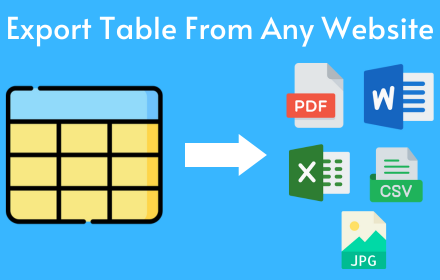
Table as CSV - Table Capture
Allows to copy, select, export HTML tables to Microsoft Excel, CSV, Google Sheets, etc
1.0K
★ 3.6
Data sourced from the Chrome Web Store · last verified Jun 4, 2026.