Table as CSV - Table Capture
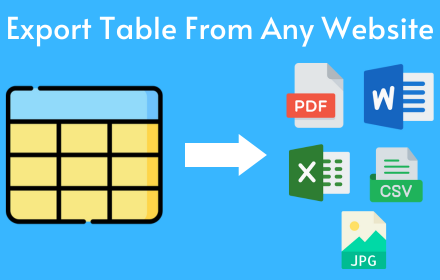
Allows to copy, select, export HTML tables to Microsoft Excel, CSV, Google Sheets, etc
As of May 2026, Table as CSV - Table Capture has 1,000 users and a 3.59/5 rating from 29 reviews in the Workflow & Planning category.
Usersno change0%
1.0K
1,000
Ratingno change0%
3.59
29 reviews
Reviewsno change0%
29
Version
1.1.0
Manifest V3
Permissions & access
- Permissions
- clipboardWritetabsstoragecontextMenusscriptingidentity
- Host access
- None declared
Screenshots

About
Table as CSV - Table Capture

ACTIVATE Extension: Purchase Subscribtion

Hot To Use:
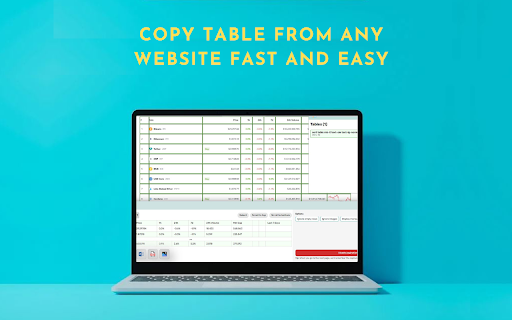
1.Go to website when you want to export or copy table
2.Click ctrl + right mouse click when you want select table then ctrl +c
3. If you want select random cells click alt + right mouse click then ctrl +c
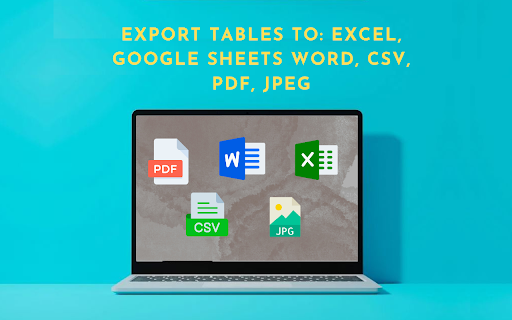
4.To export table to csv, pdf, google sheets, image, jpeg, microsoft word, doc, clipboard.


Table as CSV - Table Capture is a powerful and versatile chrome extension that empowers you to interact with HTML tables on websites like never before. With this extension Table as CSV - Table Capture, you can effortlessly copy, select, and export HTML tables to various formats, including Microsoft Excel, CSV, Google Sheets, PDF, images, and more. Whether you need to analyze data with Table as CSV, share it with colleagues, or keep a local backup, this extension Table as CSV provides a seamless and user-friendly experience.

Key Features Table as CSV - Table Capture:

-Copy HTML tables with ease and efficiency
-Export tables as CSV to work with data in spreadsheet applications
-Capture tables as images (PNG, JPEG) or PDF for documentation and sharing
-Download tables directly as Excel spreadsheets or CSV files
-Save tables to your clipboard as Markdown for versatile use
-Export tables to Office 365 for further collaboration and integration
-Supports multi-page tables and dynamically loading tables
-Extract tables from PDF files, both local and from the web
Technical
- Version
- 1.1.0
- Manifest
- V3
- Size
- 1.11MiB
- Min Chrome
- 109
- Languages
- 1
- Featured
- No
Metadata
- ID
- ajmkldlbkpbhbnblgfadgebkaoadnfld
- Developer ID
- ud528ab9920c3e9b1b18cc4f9f062df27
- Developer Email
- [email protected]
- Created
- Jul 31, 2023
- Last Updated (Store)
- Aug 13, 2024
- Last Scraped
- May 22, 2026
- Support URL
- —
Similar extensions
Alternatives to Table as CSV - Table Capture, ranked by description similarity.
Table Capture - Tabular Data to Spreadsheet
Capturing tabular data on websites. Export to Microsoft Excel, Google Sheets, CSV, etc.
10.0K
★ 3.8

Table Capture
Copies HTML tables to the clipboard or exports them to Microsoft Excel, CSV, Google Sheets, Office 365, etc.
200.0K
★ 4.3

Table to CSV Exporter
Easily export HTML tables to Excel-compatible CSV files with UTF-8 support
104
★ 3.0

TableClipper
Copy any website table to your clipboard & paste into Google Sheets in one click.
14

CopyTables
Copy web-based HTML and DIV Tables to clipboard with ease, supporting dynamic tables and sanitized output
370
★ 1.0

Snapsheet - 1-Click HTML Table to CSV Exporter
Automatically detects HTML tables and injects a floating 'Export to CSV' button.
8
★ 5.0

Tabulator!
Tabulator extension allows extraction of any table in any website. You can export the table in CSV format, edit the table, set…
18

Instant Table Converter
Instantly convert HTML tables to Excel, CSV, JSON, or Markdown locally.
5
Data sourced from the Chrome Web Store · last verified May 22, 2026.