
Video ScreenShot Capture
Video ScreenShot Capture, capture's video-size screenshots and saves them in the form of png.
As of June 2026, Video ScreenShot Capture has 846 users and a 4.55/5 rating from 11 reviews in the Workflow & Planning category.
Usersdown 6.3 percent−6.3%
846
846
Ratingup 1.1 percent+1.1%
4.55
11 reviews
Reviewsup 10.0 percent+10.0%
11
Version
1.0.1
Manifest V3
History
3 snapshotsTracking since Apr 1, 2026.
View as table
| Date | Users | Rating | Reviews | Version |
|---|---|---|---|---|
| Apr 1, 2026 | 903 | 4.50 | 10 | 1.0.1 |
| May 3, 2026 | 892 | 4.50 | 10 | 1.0.1 |
| Jun 2, 2026 | 869 | 4.55 | 11 | 1.0.1 |
| Now | 846 | 4.55 | 11 | 1.0.1 |
Permissions & access
- Permissions
- activeTabscripting
- Host access
- None declared
Screenshots
About
Video ScreenShot Capture, capture's video screenshots and saves them in the form of png.

Developed by Rohan Rashinkar, Dhananjay Bokare

What Is Video ScreenShot Capture?
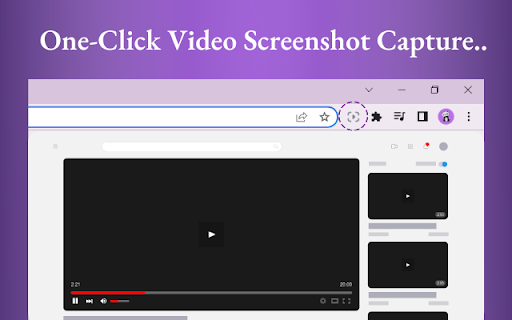
Video ScreenShot Capture's the screenshot of the video without capturing an extra screen. It just captures video-size screenshots and saves them in the form of png.

Why Video ScreenShot Capture?
With Video ScreenShot Capture, users can effortlessly capture YouTube screenshots with a single click or keyboard shortcut. Say goodbye to the hassle of capturing unnecessary screens - this screenshot extension focuses solely on the video content, ensuring precise captures every time.

Who Is Video ScreenShot Capture for?
Video ScreenShot Capture is ideal for students, researchers, and content creators who rely on platforms like YouTube and Coursera for educational content. By seamlessly integrating with these platforms, this screenshot extension enhances the process of taking YouTube screenshot notes.

HOW DOES IT WORK?
There are two different ways to capture a video screenshot:
Clicking on the extension icon.
Using Shortcut : WINDOWS : CTRL + SHIFT + Z  and MAC : CMD + SHIFT + Z.

Developer info:
Name: Rohan Rashinkar
Email: [email protected]

Name: Dhananjay Bokare
Email: [email protected]

Video Screenshot Extension: The ultimate YouTube screenshot tool and top-notch extension for effortless captures.
Technical
- Version
- 1.0.1
- Manifest
- V3
- Size
- 46.05KiB
- Min Chrome
- 88
- Languages
- 1
- Featured
- No
Metadata
- ID
- lbheaicoedhggjaiknjioebegldnnepo
- Developer ID
- u3acba580da93d2c1f55554dd28f1631b
- Developer Email
- [email protected]
- Created
- May 4, 2022
- Last Updated (Store)
- Feb 2, 2024
- Last Scraped
- Jun 2, 2026
- Website
- —
- Support URL
- —
- Privacy Policy
- —
Similar extensions
Alternatives to Video ScreenShot Capture, ranked by description similarity.

Screenshot for YouTube™
Screenshot any video on YouTube in one click
10.0K
★ 4.9

YouTube Screenshot
Capture high-quality screenshots from any YouTube video or Short with a single click. Save as JPG, PNG, or WebP.
231
★ 4.6

Screenshot YouTube Maker
Effortless Screenshot Tool for YouTube
Our Screenshot extension for Chrome is your go-to tool for capturing screenshots of any…
3.0K
★ 4.0

Screenshot and screen video recording - Screeny
The #1 screen recorder and screenshot tool! Full capture and video recording of your screen.
80.0K
★ 4.7

Screen capture and recorder - Screenshot Tool
Record screen and camera, take a screenshot, edit, and share via Google Drive
50.0K
★ 4.7

CaptureNShare: Capture, Record, Edit & Share
Transforms your screen into a canvas—effortlessly record, edit, and share high-quality screenshots and videos like a pro!
38
★ 4.9

Snap-Desk: Capture ScreenShots as PDF Notes
A powerful extension to capture screenshots of any desktop window or browser tab, Add text notes, and Save them as PDF files.
152
★ 5.0

TubeVid Screenshot
Take screenshots inside the videos being played by the YouTube (Videos / Shorts)
22
Data sourced from the Chrome Web Store · last verified Jun 2, 2026.