
M-Files for Chrome
M-Files for Chrome ensures optimal M-Files user experience for Google Chrome.
As of June 2026, M-Files for Chrome has 70,000 users and a 3.14/5 rating from 28 reviews in the Workflow & Planning category.
Usersdown 12.5 percent−12.5%
70.0K
70,000
Ratingno change0%
3.14
28 reviews
Reviewsno change0%
28
Version
2.1.1
Manifest V3
90-day change · In the last 90 days this extension lost 10.0K users.
History
1 snapshotsTracking since Jun 2, 2026.
View as table
| Date | Users | Rating | Reviews | Version |
|---|---|---|---|---|
| Jun 2, 2026 | 80.0K | 3.14 | 28 | 2.1.1 |
| Now | 70.0K | 3.14 | 28 | 2.1.1 |
Permissions & access
- Permissions
- notificationsnativeMessagingbackgroundcookiesstoragescriptingactiveTabalarms
- Host access
- http://*/*, https://*/*
Screenshots

About
M-Files for Chrome makes editing documents more effortless by allowing you to check them out for editing as well as to check them back in once you are done.

M-Files for Chrome is supported both for Windows and macOS users.

Note: It is advised to clear the cache of your Google Chrome browser and reinstall the M-Files for Chrome extension, if the yellow ribbon remains in your M-Files Web or you are having trouble updating the extension.
Technical
- Version
- 2.1.1
- Manifest
- V3
- Size
- 335KiB
- Min Chrome
- 88
- Languages
- 1
- Featured
- No
Metadata
- ID
- lapmgejioldofnecdomcdgblbiffefhb
- Developer ID
- u82ce37cf9be381b6927cff00ec659269
- Developer Email
- [email protected]
- Created
- Mar 31, 2016
- Last Updated (Store)
- Mar 1, 2024
- Last Scraped
- Jun 2, 2026
- Website
- —
- Privacy Policy
- —
Similar extensions
Alternatives to M-Files for Chrome, ranked by description similarity.
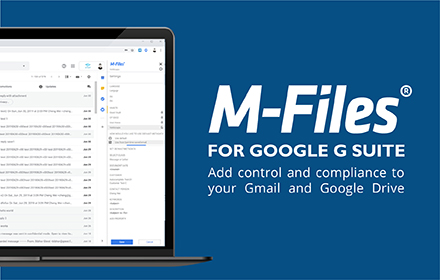
M-Files for Google Workspace™
Securely save your Gmail™ and Google Drive™ content in M-Files with just one click
4.0K
★ 4.0

Filestage – Where the best work gets approved
Add comments to live websites and interactive content in Filestage
5.0K
★ 5.0

Ultimate Office Tools
Easily Access Office Tools Right from Your Browser.
1.0K
★ 5.0
RTF Viewer for Google Chrome™
Open the RTF file quickly and for free
7.0K
★ 2.7

Clickup File Manager
A simple Extension that allows you to manage files on ClickUp
123
★ 3.0
Office Editing for Docs, Sheets & Slides
View and edit Microsoft Word, Excel, and PowerPoint files with Google Docs, Sheets, and Slides
—
★ 3.7

PDF Viewer
Display any PDF files in the Chrome browser with HTML5. Online editor, viewer and PDF converter tool.
100.0K
★ 4.7

MyCache
MyCache automatically stores saved copies of the pages you visit.
868
★ 4.6
Data sourced from the Chrome Web Store · last verified Jun 2, 2026.