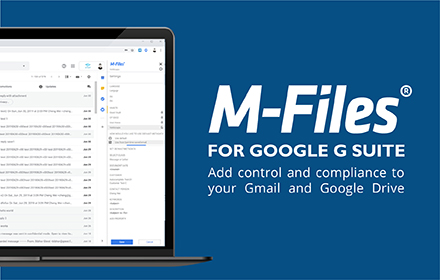
M-Files for Google Workspace™
Securely save your Gmail™ and Google Drive™ content in M-Files with just one click
As of June 2026, M-Files for Google Workspace™ has 4,000 users and a 4.00/5 rating from 2 reviews in the Workflow & Planning category.
Usersno change0%
4.0K
4,000
Ratingup 33.3 percent+33.3%
4.00
2 reviews
Reviewsdown 33.3 percent−33.3%
2
Version
7.0.5.0
Manifest V3
90-day change · In the last 90 days this extension 1 version update.
History
2 snapshotsTracking since Apr 29, 2026.
View as table
| Date | Users | Rating | Reviews | Version |
|---|---|---|---|---|
| Apr 29, 2026 | 4.0K | 3.00 | 3 | 7.0.4.1 |
| May 20, 2026 | 4.0K | 3.00 | 3 | 7.0.5.0 |
| Now | 4.0K | 4.00 | 2 | 7.0.5.0 |
Permissions & access
- Permissions
- identitystoragescripting
- Host access
- https://mail.google.com/mail/*, https://drive.google.com/*, https://docs.google.com/*, https://*.appspot.com/*, https://*.m-files.com/REST/*, https://*/REST/*
Screenshots



About
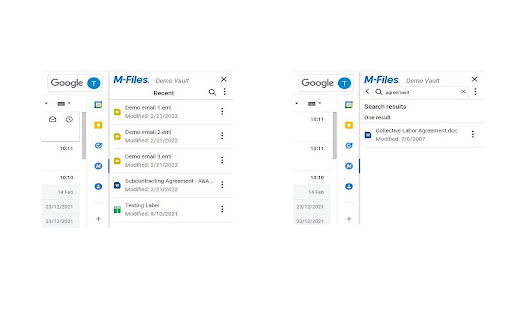
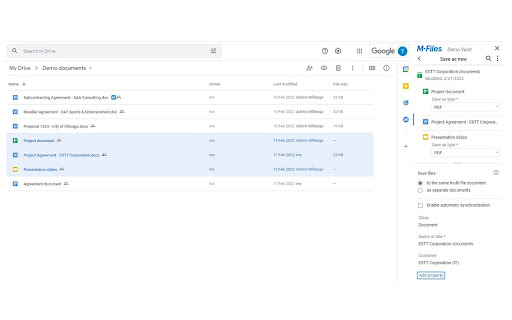
M-Files for Google Workspace™ allows you to bring all your content together into one common view, providing an easy and more controlled way of managing content. You can easily save emails and documents from Gmail™ and Google Drive™ to M-Files, with just one click.

M-Files for Google Workspace™ allows you to:

- Save Workspace™ content in a secure system of records, in the cloud, or on premises
- Save key emails and attachments in M-Files to share them with the team
- View Gmail™, business data and related content in one view
- Break down silos between Workspace™ applications and other systems and applications with one access point to all information
- Use metadata to classify and tag content efficiently
- Use automated workflows to support business processes
- Save PDF or office document renditions of native Google™ apps
- Keep Workspace™ content automatically updated in M-Files
- Collaborate on the same document in M-Files & in Google Drive™ simultaneously

Release Notes:
https://product.m-files.com/release-notes/#product=227&releaseTypes=1
Technical
- Version
- 7.0.5.0
- Manifest
- V3
- Size
- 652KiB
- Min Chrome
- 88
- Languages
- 1
- Featured
- No
Metadata
- ID
- egpgbbicplfbdphfmajbinbjlednginl
- Developer ID
- u82ce37cf9be381b6927cff00ec659269
- Developer Email
- [email protected]
- Created
- May 18, 2015
- Last Updated (Store)
- Apr 21, 2026
- Last Scraped
- Jun 14, 2026
- Website
- —
- Support URL
- https://www.m-files.com/
Similar extensions
Alternatives to M-Files for Google Workspace™, ranked by description similarity.

iManage Work for Gmail
iManage Work for Gmail
4.0K
★ 4.7

iManage Work for Gmail by MacroAgility
iManage Work for Gmail by MacroAgility
169

Protect-My-Files
Protect-My-Files extension show your public links in your google drive.
93
★ 5.0

Gigashield Extension
Track google drive shared documents and remove share permissions in bulk
4

Files Connect
Integrate Google Docs, Sheets, Slides and Drive folders with Salesforce in minutes.
257
★ 5.0

M-Files for Chrome
M-Files for Chrome ensures optimal M-Files user experience for Google Chrome.
70.0K
★ 3.1
Save Emails to Drive by cloudHQ
Save any Gmail™ email to Google Drive™ with one click. Autosave of all emails in a label. Multiple formats: PDF, HTML, EML, TXT, ...
40.0K
★ 4.3

Templafy Google Drive Extension
Replaces the Google Drive New button with a Templafy Create Document button.
66
★ 5.0
Data sourced from the Chrome Web Store · last verified Jun 14, 2026.