Office Editing for Docs, Sheets & Slides
View and edit Microsoft Word, Excel, and PowerPoint files with Google Docs, Sheets, and Slides
As of June 2026, Office Editing for Docs, Sheets & Slides has — users and a 3.67/5 rating from 5,834 reviews in the Workflow & Planning category.
Workflow & Planning★ Featured
Usersno change0%
—
—
Ratingno change0%
3.67
5.8K reviews
Reviewsdown 0.1 percent−0.1%
5.8K
Version
155.236.240
Manifest V3
History
6 snapshotsTracking since Apr 1, 2026.
Not enough history yet for this metric — the chart fills in as we collect more snapshots.
View as table
| Date | Users | Rating | Reviews | Version |
|---|---|---|---|---|
| Apr 1, 2026 | — | 3.67 | 5.8K | 155.236.240 |
| Apr 16, 2026 | — | 3.67 | 5.8K | 155.236.240 |
| Apr 27, 2026 | — | 3.67 | 5.8K | 155.236.240 |
| May 10, 2026 | — | 3.67 | 5.8K | 155.236.240 |
| May 27, 2026 | — | 3.67 | 5.8K | 155.236.240 |
| Jun 5, 2026 | — | 3.67 | 5.8K | 155.236.240 |
| Now | — | 3.67 | 5.8K | 155.236.240 |
Permissions & access
- Permissions
- clipboardReadclipboardWritecookiesdownloadsfileSystemfileSystem.writeidentityidentity.emailmetricsPrivatestorageunlimitedStorage
- Host access
- *://*.google.com/*, https://www.google-analytics.com/, https://www.googleapis.com/
Screenshots

About
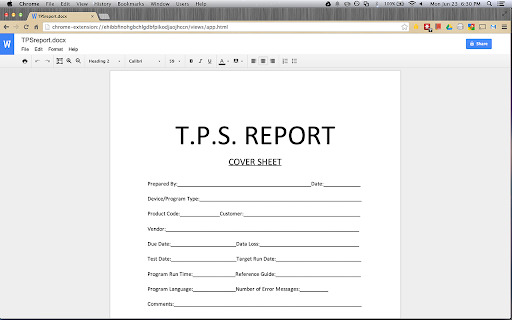
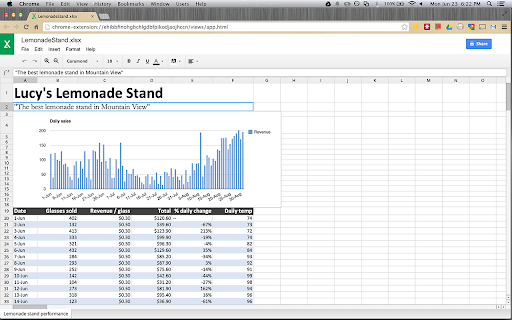
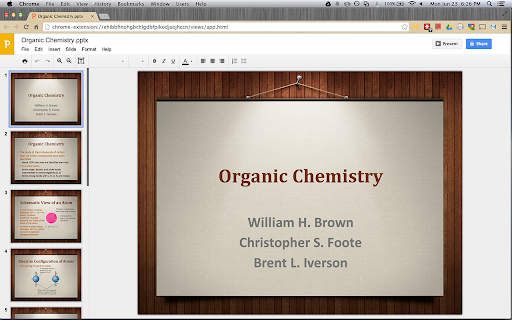
View and edit Microsoft Word, Excel, and PowerPoint files -- without needing Office installed on your computer.

Once the extension is installed, Office files that you drag into Chrome, open in Gmail, Google Drive, and more, will be opened in Docs, Sheets, and Slides for viewing and editing.

You can save each file back to its original Office format, or convert it to Docs, Sheets, or Slides to unlock more features, like inviting others to edit with you, commenting, chat, and more.

Please note that Office files cannot be edited in the classic version of Drive. The new Google Drive is gradually rolling out to all users via the Settings menu. If you don't see the option to try the new look, check back again shortly. Learn more here: https://support.google.com/drive/?p=new_drive.

Formats supported:
.doc
.docx
.xls
.xlsx
.ppt
.pptx

Please note: This extension is already installed on Chrome OS by default.

By installing this item, you agree to the Google Terms of Service and Privacy Policy at https://www.google.com/intl/en/policies/.
Technical
- Version
- 155.236.240
- Manifest
- V3
- Size
- 6.51MiB
- Min Chrome
- 102
- Languages
- 53
- Featured
- Yes
Metadata
- ID
- gbkeegbaiigmenfmjfclcdgdpimamgkj
- Developer ID
- ucdf6194beba1f190da687dd79ad8546a
- Developer Email
- [email protected]
- Created
- Mar 23, 2012
- Last Updated (Store)
- Jan 29, 2026
- Last Scraped
- Jun 5, 2026
- Website
- google.com
- Support URL
- —
- Privacy Policy
- https://policies.google.com/privacy
Similar extensions
Alternatives to Office Editing for Docs, Sheets & Slides, ranked by description similarity.

Open with Google Drive (Google Docs, Sheets or Slides)
Opens files in Google Workspace apps (Google Docs, Sheets or Slides) when dropped in designated area
551
★ 5.0

Google Drive Mini
Create and manage Google Drive files.
50.0K
★ 4.2

Document Editor
Create, edit and share Docs, Sheets, Slides, Word, Excel, PowerPoint documents. Work with others on shared projects.
4.0K
★ 4.7

Quick Create for Google Docs
Create new Documents for Google Drive from your browser bar.
287
★ 5.0

Quick Google Docs Create
Quick Google Docs Create
256
★ 5.0

Dedicated Window For Google Docs
Open Google Docs, Sheets and Slides docs in separated and dedicated window automatically, without an address bar or browser buttons.
2.0K
★ 4.7

Google Docs Quick Create
Quickly create new Google Docs, Sheets, Slides, and more.
238
★ 4.4
LibreOffice Editor
Create and edit documents with LibreOffice Online.
50.0K
★ 3.4
Data sourced from the Chrome Web Store · last verified Jun 5, 2026.