
Quick Screenshot
Click the icon or right-click to take a screenshot of the visible screen and download it.
As of June 2026, Quick Screenshot has 10 users in the Developer Tools category.
Usersdown 9.1 percent−9.1%
10
10
Ratingno change0%
—
— reviews
Reviewsno change0%
—
Version
1.1
Manifest V3
History
4 snapshotsTracking since Apr 20, 2026.
View as table
| Date | Users | Rating | Reviews | Version |
|---|---|---|---|---|
| Apr 20, 2026 | 11 | — | — | 1.1 |
| May 4, 2026 | 10 | — | — | 1.1 |
| May 14, 2026 | 10 | — | — | 1.1 |
| May 27, 2026 | 11 | — | — | 1.1 |
| Now | 10 | — | — | 1.1 |
Permissions & access
- Permissions
- activeTabdownloadscontextMenus
- Host access
- None declared
Screenshots

About
Quick Screenshot is a simple and lightweight Chrome extension that allows you to capture a screenshot of your entire browser window with just one click. Unlike complicated screen-recording or third-party tools, this extension focuses on doing one job quickly and efficiently: saving what you see in your browser window with timestamp in it.
Technical
- Version
- 1.1
- Manifest
- V3
- Size
- 37.42KiB
- Min Chrome
- 88
- Languages
- 1
- Featured
- No
Metadata
- ID
- koeblknkgkpklkpcbfigakkfnhkkadnm
- Developer ID
- u9db795529d4bfc74dbc93bd8066ba769
- Developer Email
- [email protected]
- Created
- Sep 21, 2025
- Last Updated (Store)
- Sep 26, 2025
- Last Scraped
- Jun 8, 2026
- Website
- —
- Support URL
- —
- Privacy Policy
- https://github.com/pulakeshpradhan/Quick-Screenshot
Similar extensions
Alternatives to Quick Screenshot, ranked by description similarity.

One Screenshot - One Click Screenshot (Current and Full Page)
Take a screenshot of the current page and full page and save it to downloads in just one click.
1.0K
★ 4.0

Page Screenshot
Take a screenshot of the current page
1

ScreenCapture
Select any screen area and save it instantly as a high-quality JPEG.
2

Screenshot Extension
Take Screenshot
—

Screenshot On Click
Screenshot On Click
18

SaveFullPage - Full Page Screenshot Tool
Capture screen of current page: Edit, crop, and save full-page screenshots as JPEG, PNG, or PDF—all in one easy-to-use tool
51
★ 5.0

SnipSnap Screenshot - Full Page Capture & Editor
Fast, reliable full page screenshot tool. Capture, annotate, edit, and share browser screen captures in seconds.
14
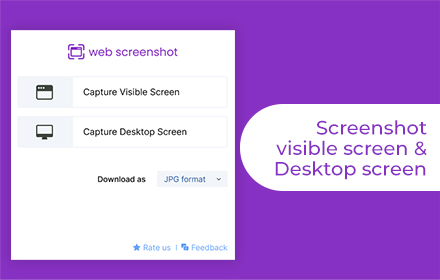
Web Screenshot
Takes Web and Desktop screenshots with a single click
10.0K
★ 4.5
Data sourced from the Chrome Web Store · last verified Jun 8, 2026.