Image to Text for ChatGPT
Add OCR Image to Text to ChatGPT
As of June 2026, Image to Text for ChatGPT has 6,000 users and a 4.15/5 rating from 13 reviews in the Workflow & Planning category.
Usersdown 14.3 percent−14.3%
6.0K
6,000
Ratingno change0%
4.15
13 reviews
Reviewsno change0%
13
Version
0.0.1.1
Manifest V3
90-day change · In the last 90 days this extension lost 1.0K users.
History
2 snapshotsTracking since Apr 23, 2026.
View as table
| Date | Users | Rating | Reviews | Version |
|---|---|---|---|---|
| Apr 23, 2026 | 7.0K | 4.15 | 13 | 0.0.1.1 |
| Jun 7, 2026 | 7.0K | 4.15 | 13 | 0.0.1.1 |
| Now | 6.0K | 4.15 | 13 | 0.0.1.1 |
Permissions & access
- Permissions
- storage
- Host access
- https://chatgpt.com/*
Screenshots


About
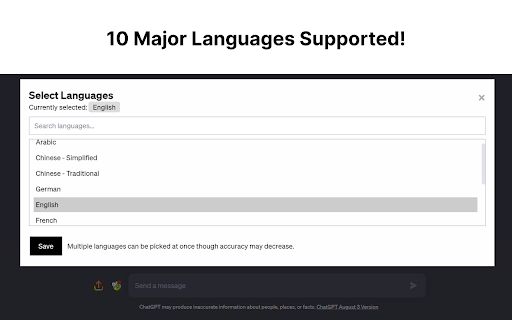
Update: Supports 12+ Major Languages!

Full Tutorial Video: https://www.youtube.com/watch?v=zob0us4bPc8

This extension was born out of a need for a fast, quick and intuitive way to get text from images into the textbox for ChatGPT. This extension accomplishes this with a great degree of accuracy and average speeds of ~5 seconds or less.

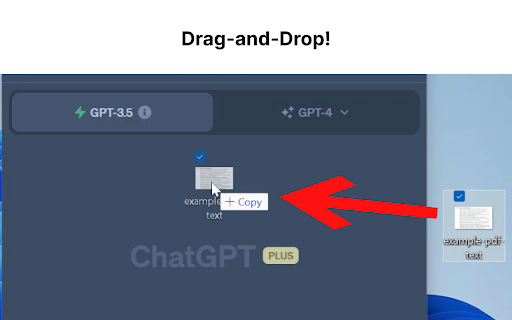
Now, you don't have to switch between multiple tools just for Optical Character Recognition (OCR). With this extension, you can easily upload an image file or drag and drop it for conversion into text, which will automatically populate your ChatGPT textbox.

Additionally, if you have a screenshot in your clipboard, you can directly paste (Ctrl+V) it into the textbox. Quick, hassle-free, and highly efficient - this extension is built with a focus on speed, user-friendliness, and most importantly, privacy.

For the Tech Savvy: Powered by Tesseract.js, this extension runs OCR directly in your browser, keeping your data secure as none of your information leaves your device. All the OCR work is performed locally, ensuring maximum privacy.

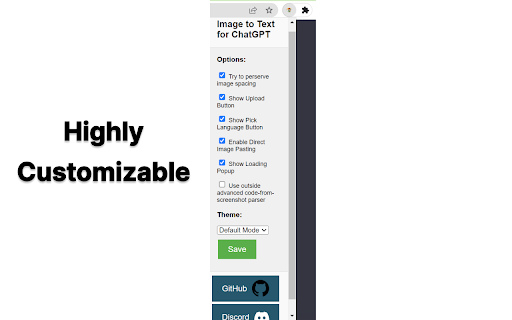
But we understand that sometimes, you may need an extra level of precision or need to retain the original format of the image, especially when dealing with content like Python code. For such instances, we provide an option to enable an embedded third-party solution created by Pieces.app. Check out their service at: https://www.codefromscreenshot.com/

All source code for complete transparency can be found on GitHub at: https://github.com/Tshetrim/Image-To-Text-OCR-extension-for-ChatGPT

Join the Discord to share feedback, errors, or just chat: https://discord.gg/8hnkBhwTJ5

Disclaimer: Please note, if you opt to use the third-party embedded option, your privacy and data handling will be subject to their policy as this extension is not affiliated with them.

Invest in your productivity today with our Chrome GPT extension, and experience the future of text transcription!
Technical
- Version
- 0.0.1.1
- Manifest
- V3
- Size
- 122MiB
- Min Chrome
- 88
- Languages
- 1
- Featured
- Yes
Metadata
- ID
- kihikabndlcbnpbgjapkhlonoddholga
- Developer ID
- uaed9c4ef4fb956079b32266f2d26025f
- Developer Email
- [email protected]
- Created
- May 26, 2023
- Last Updated (Store)
- Sep 23, 2024
- Last Scraped
- Jun 7, 2026
- Website
- —
- Privacy Policy
- —
Similar extensions
Alternatives to Image to Text for ChatGPT, ranked by description similarity.

FrogGPT
Connect to your openai.com account and use ChatGPT on any webpage.
26

Image to Text (OCR)
A Fast and simple document scanner app with high quality text output.
100.0K
★ 2.3

ChatGPT to PNG
Capture ChatGPT conversations as a single long vertical image.
273
★ 1.3

ChatGPT Screenshot Ex
Easily capture, edit, and share ChatGPT conversations. Offers selective editing for clarity, and image splitting for readability.
156
★ 1.0
ChatGPT Optimizer - Boost Your AI Workflow
Enhance the Chat GPT interface and bring GPT trough all the web!
20.0K
★ 3.9

Talking ChatGPT
Convert your speech into text so you can have a real conversation with (a talking) ChatGPT.
1.0K
★ 4.3

Chat GPT Text Background Remover
Removes background color from copied text but retains other formatting.
8.0K
★ 3.2
AI ON THE GO
Get instant, personalized AI assistance on any website with AI ON THE GO, powered by ChatGPT. Streamline your workflow today!
104
Data sourced from the Chrome Web Store · last verified Jun 7, 2026.