
Word Counter
Counts the number of words in an article
As of May 2026, Word Counter has 72 users in the Accessibility category.
Usersup 14.3 percent+14.3%
72
72
Ratingno change0%
—
— reviews
Reviewsno change0%
—
Version
1.0
Manifest V3
History
2 snapshotsTracking since Apr 24, 2026.
View as table
| Date | Users | Rating | Reviews | Version |
|---|---|---|---|---|
| Apr 24, 2026 | 63 | — | — | 1.0 |
| May 21, 2026 | 69 | — | — | 1.0 |
| Now | 72 | — | — | 1.0 |
Permissions & access
- Permissions
- activeTab
- Host access
- None declared
Screenshots


About
Have you ever wondered how many words are actually in that article you just read? Or have you ever wished for a quick way to count the words in a document without copy-pasting the content to another application? Our Word Counter Chrome Extension is here to save the day and make your life a little bit easier.

The Word Counter Chrome Extension is a powerful, simple, and user-friendly tool designed to help students, writers, professionals, and casual web users alike. This extension provides an instant word count for any article or web page at the click of a button, making it an indispensable addition to your browser.

Why Word Counter?

Writing assignments, blog posts, or even social media updates can be a challenging task, especially when you need to abide by a specific word count. In today's fast-paced digital world, it's essential to have tools that can streamline our tasks and make us more productive. This is where the Word Counter Chrome Extension comes in, offering a seamless solution to track word counts on web pages.

Whether you are a student striving to meet word count requirements for essays, a freelance writer keeping track of your work, or a content creator aiming for that perfect balance between depth and brevity, Word Counter is the tool for you. Its simple, elegant interface provides a distraction-free experience and doesn't interfere with your browsing. It's like having a silent and efficient personal assistant right within your browser!

Key Features

Instant Word Count: Get the word count for any web page within seconds. No need to copy-paste or switch between applications.

Works on Any Website: Word Counter supports both HTTP and HTTPS websites, so you can use it on virtually any site you visit.

Easy to Use: Just click the Word Counter icon in your browser's toolbar, and the extension will provide the word count right there in a small, unobtrusive popup window.

Lightweight and Fast: Word Counter doesn't slow down your browser, as it is designed to be lightweight and efficient, using minimal system resources.

Privacy Focused: Word Counter does not collect or store any personal data, and no information leaves your browser. Your privacy is our top priority.

How Does Word Counter Work?

The Word Counter Chrome Extension utilizes advanced algorithms to analyze the text content of a web page and calculate the number of words. The extension intelligently ignores elements like navigation menus, sidebars, and footers, focusing on the main article text. This ensures that you get an accurate word count without any extra noise.

The extension has been tested extensively on a variety of websites, including news sites, blogs, and academic journals, to ensure consistent performance and accuracy.

How to Get Started?

Getting started with the Word Counter Chrome Extension is a breeze. Simply follow these easy steps:

Download and install the Word Counter extension from the Chrome Web Store.

After installation, you will see the Word Counter icon in your browser's toolbar.

Visit any web page or article you'd like to analyze.

Click on the Word Counter icon in the toolbar to view the word count in a small popup window.

And that's it! You now have instant access to word counts for any article or web page you visit.
Technical
- Version
- 1.0
- Manifest
- V3
- Size
- 6.51KiB
- Min Chrome
- 88
- Languages
- 1
- Featured
- No
Metadata
- ID
- kembaocngnfonkjfenhghpanlabelimn
- Developer ID
- ud7ffba30e5bbc4f7bc33234e24aace97
- Developer Email
- [email protected]
- Created
- May 3, 2023
- Last Updated (Store)
- May 3, 2023
- Last Scraped
- May 21, 2026
- Website
- https://heatedgadget.com/
- Support URL
- https://heatedgadget.com/contact/
- Privacy Policy
- https://heatedgadget.com/privacy-policy/
Similar extensions
Alternatives to Word Counter, ranked by description similarity.

Word Counter
Count words and characters in selected text with a single click. Just right-click on any text to analyze it!
10.0K
★ 4.6
ChatGPT word counter
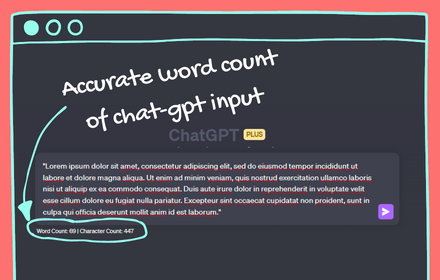
simple word & character counter extension for ChatGPT. it shows how may words are there in the input before sending a prompt
139
★ 2.3

Counting Characters - #1 Letter & Word Count
#1 Character, Letter & Word Counter Tool - Help to count letters, characters & words (UPPERCASE, Titlecase & lowercase converter).
10.0K
★ 3.8

Website Blocker
Block distracting websites to boost your productivity. Features scheduling, whitelist mode, quick-add, and blocked attempt tracking.
—

Website Tab Counter
Updates tab title with the count of open tabs for the same site.
4

Ask Me AI
The power of AI on every web page.
30

Open CoPilot™ in SideBar
CoPilot™ Chrome Extension. Open CoPilot™ in SideBar
2.0K
★ 4.0

Quick URL Copy
A simple and fast extension to copy URLs with various formatting options.
13
Data sourced from the Chrome Web Store · last verified May 21, 2026.