
Word Counter
Count words and characters in selected text with a single click. Just right-click on any text to analyze it!
As of June 2026, Word Counter has 10,000 users and a 4.61/5 rating from 18 reviews in the Accessibility category.
Usersup 66.7 percent+66.7%
10.0K
10,000
Ratingup 1.1 percent+1.1%
4.61
18 reviews
Reviewsup 12.5 percent+12.5%
18
Version
2.4
Manifest V3
90-day change · In the last 90 days this extension gained 4.0K users.
History
3 snapshotsTracking since Apr 18, 2026.
View as table
| Date | Users | Rating | Reviews | Version |
|---|---|---|---|---|
| Apr 18, 2026 | 6.0K | 4.56 | 16 | 2.4 |
| Apr 28, 2026 | 6.0K | 4.56 | 16 | 2.4 |
| May 24, 2026 | 6.0K | 4.59 | 17 | 2.4 |
| Now | 10.0K | 4.61 | 18 | 2.4 |
Permissions & access
- Permissions
- contextMenusnotificationsstoragescriptingactiveTab
- Host access
- https://wordct.com/*
Screenshots


About
Word Counter: The fastest way to count words and characters in any selected text on the web. No copying, no pasting, just select and count instantly.

✓ INSTANT COUNTS: Get word count, character count (with or without spaces), sentence count, and paragraph count in one click
✓ WORKS EVERYWHERE: Count text on any website, email, document, or social media platform
✓ MULTIPLE DISPLAY OPTIONS: Choose between in page popup (default), system notification, browser alert, or optional floating counter
✓ FLOATING COUNTER (OPTIONAL): Enable the floating counter in settings to see real time word count as you select text, no right click needed
✓ ACCURATE COUNTING: Advanced sentence detection handles abbreviations, ellipsis, and headings, matches popular word counter tools
✓ ZERO LIMITATIONS: Count text of any length with no restrictions
✓ PRIVACY FOCUSED: All counting happens locally, no data is ever transmitted

Perfect for writers monitoring word limits, students working on essays, content creators optimizing SEO, professionals drafting emails, and anyone who needs quick text analysis.

Two ways to use:
• Right click on selected text and choose "Word Counter" for instant results
• Enable floating counter in settings for automatic counting as you select text (requires page refresh)

Simple, fast, and essential for anyone working with text online.
Technical
- Version
- 2.4
- Manifest
- V3
- Size
- 67.87KiB
- Min Chrome
- 88
- Languages
- 50
- Featured
- Yes
Metadata
- ID
- cbjddaobmdfhbfgdgjocbhklpmclcboe
- Developer ID
- u9685f12abdd47380629e573444ecfd13
- Developer Email
- [email protected]
- Created
- Aug 11, 2023
- Last Updated (Store)
- Dec 7, 2025
- Last Scraped
- Jun 3, 2026
- Website
- —
- Support URL
- https://wordct.com/contact
- Privacy Policy
- https://wordct.com/privacy-policy
Similar extensions
Alternatives to Word Counter, ranked by description similarity.

Word Counter
Counts the number of words in an article
72

Counting Characters - #1 Letter & Word Count
#1 Character, Letter & Word Counter Tool - Help to count letters, characters & words (UPPERCASE, Titlecase & lowercase converter).
10.0K
★ 3.8
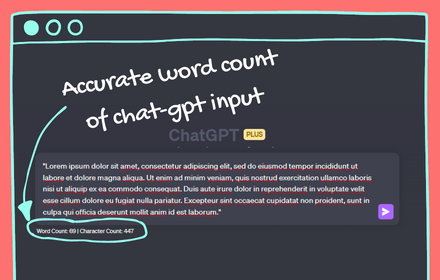
ChatGPT word counter
simple word & character counter extension for ChatGPT. it shows how may words are there in the input before sending a prompt
139
★ 2.3

Click to Copy - Unified Content Grabbing
A focused tool to instantly capture any web content—text, links, or image files—using a single Alt+Click gesture.
3

Bionic Reader - Fast Reading Helper
Make reading faster and easier with bionic text formatting. Instantly highlight key parts of words on any webpage.
75
★ 5.0

Text Adjuster
Adjusts on-page text for easier reading.
5

Text Pro - Smart Text Processing Browser Extension
Smart text tools: Copy-Paste Enabler and UI/UX demo for text processing.
19

Form Character Counter
This Extension counts and displays the number of characters in Web Forms in real time. Counter will be displayed conservatively.
605
★ 5.0
Data sourced from the Chrome Web Store · last verified Jun 3, 2026.