
Google Navigation
Navigate through Google Search with a set of hotkeys.
As of May 2026, Google Navigation has 37 users in the Workflow & Planning category.
Usersup 2.8 percent+2.8%
37
37
Ratingno change0%
—
— reviews
Reviewsno change0%
—
Version
0.3.4
Manifest V3
History
2 snapshotsTracking since Apr 25, 2026.
View as table
| Date | Users | Rating | Reviews | Version |
|---|---|---|---|---|
| Apr 25, 2026 | 36 | — | — | 0.3.4 |
| May 22, 2026 | 40 | — | — | 0.3.4 |
| Now | 37 | — | — | 0.3.4 |
Permissions & access
- Permissions
- None declared
- Host access
- None declared
Screenshots
About
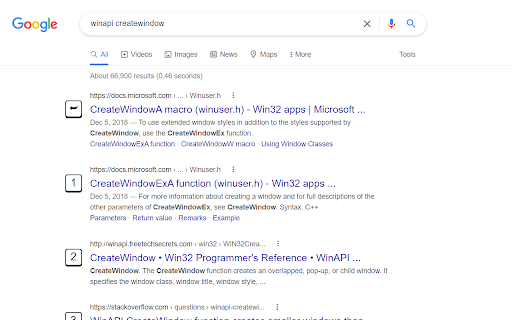
Navigate through Google Search with a set of hotkeys.

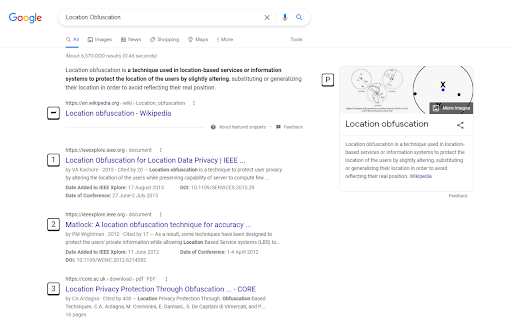
For general search results, use 0 to 9. The first will be assigned with ⮨ Enter key when no element is focused.

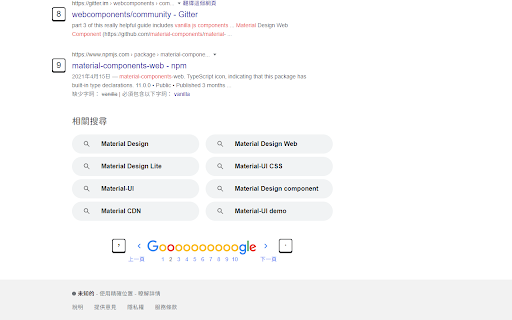
Press . for next page; , for previous page.

P for Wikipeida widget on the right hand if available.

T to get focus to the translator widget or calculator widget.

When CTRL is pressed, an icon will show up in press-down status, after that, all links will be opened in new tab, until this mode is deactivated by pressing CTRL again.
Technical
- Version
- 0.3.4
- Manifest
- V3
- Size
- 19.67KiB
- Min Chrome
- 88
- Languages
- 1
- Featured
- No
Metadata
- ID
- kcaeenlnabomianhofhmkaeaddkfcndm
- Developer ID
- u557d67f165decdfb56cf3ebe96d1df0a
- Developer Email
- [email protected]
- Created
- Aug 16, 2022
- Last Updated (Store)
- Aug 16, 2022
- Last Scraped
- May 22, 2026
- Website
- —
- Support URL
- —
- Privacy Policy
- —
Similar extensions
Alternatives to Google Navigation, ranked by description similarity.

Keyboard Navigator for Google Search™
Navigate Google Search results using arrows and keyboard shortcuts.
214
★ 4.9

Ldrize Next for Search Engine
LDRize Next for Search Engine
2

SERP
SERP adds keyboard shortcuts to search engine result pages.
You can press 1 to go to the first page, 2 to the second page, and so…
4

ChromeKeys
Extra keyboard shortcuts from Chrome
26
★ 5.0

Search Select
Navigate and view search results quickly with shortcuts.
18
★ 5.0

ArrowKeys For Search
Navigate conveniently with arrow keys through search results of various search engines. Pages like Google or Ecosia are supported.
71
★ 5.0

Focus On Search
Press the hotkey (Ctrl+Shift+F or Command+Shift+F) to instantly focus on the search bar of a page and select its text.
17

Blue Links
Copy Google search results links with a single click
162
★ 5.0
Data sourced from the Chrome Web Store · last verified May 22, 2026.