
Wiggle Teams
Ensures your Microsoft Teams status stays active by simulating random user activity.
As of June 2026, Wiggle Teams has 2,000 users and a 4.11/5 rating from 9 reviews in the Workflow & Planning category.
Usersdown 33.3 percent−33.3%
2.0K
2,000
Ratingdown 8.7 percent−8.7%
4.11
9 reviews
Reviewsup 12.5 percent+12.5%
9
Version
1.6
Manifest V3
90-day change · In the last 90 days this extension lost 1.0K users.
History
5 snapshotsTracking since Apr 16, 2026.
View as table
| Date | Users | Rating | Reviews | Version |
|---|---|---|---|---|
| Apr 16, 2026 | 3.0K | 4.50 | 8 | 1.6 |
| Apr 27, 2026 | 2.0K | 4.50 | 8 | 1.6 |
| May 18, 2026 | 2.0K | 4.50 | 8 | 1.6 |
| May 23, 2026 | 3.0K | 4.50 | 8 | 1.6 |
| Jun 2, 2026 | 3.0K | 4.11 | 9 | 1.6 |
| Now | 2.0K | 4.11 | 9 | 1.6 |
Permissions & access
- Permissions
- scriptingtabsactiveTabstorage
- Host access
- *://*.teams.microsoft.com/*, *://teams.microsoft.com/*, *://*.teams.live.com/*, *://teams.cloud.microsoft/*, *://*.teams.cloud.microsoft/*
Screenshots
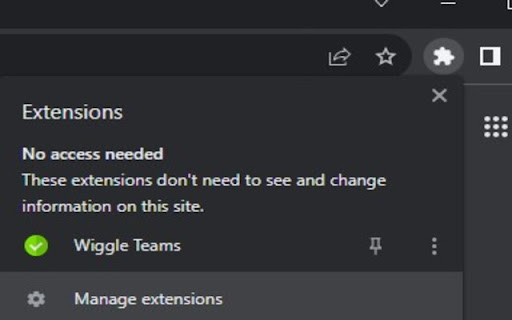
About
Wiggle Teams is a Chrome extension designed to help Microsoft Teams users by keeping their status active in the web browser. Here's what it does and why you should consider installing it:

1. Prevents Your Status from Going Idle: If you're a Microsoft Teams user who often finds themselves busy with other tasks, Wiggle Teams will keep your status active by periodically interacting with the Teams webpage in your browser. No more worrying about being marked as away!

2. Simple and Efficient: With Wiggle Teams, maintaining an active presence on Microsoft Teams is effortless. Once installed, it works automatically in the background, without any manual intervention or impact on your browsing experience.

3. Privacy-Focused: This extension respects your privacy. It doesn't collect, store, or share any of your personal information. All functionality is contained within your browser, focused solely on enhancing your productivity with Microsoft Teams.

4. Compatibility Note: Wiggle Teams is designed to work with the Microsoft Teams web client. Ensure that Teams is not open simultaneously in multiple browsers or the desktop app, as it may impact the functionality.

Why Install Wiggle Teams? If you're looking to maintain your presence on Microsoft Teams without constant manual interaction, Wiggle Teams is a straightforward and efficient solution. It's free, privacy-focused, and dedicated to improving your Teams experience.

Install Wiggle Teams today and discover the convenience of automatic status management on Microsoft Teams!
Technical
- Version
- 1.6
- Manifest
- V3
- Size
- 27.18KiB
- Min Chrome
- 88
- Languages
- 1
- Featured
- No
Metadata
- ID
- kbfceooaaajnllddlnimiddlfdhieldp
- Developer ID
- u23af0c70ec96348a08ce974955a2e668
- Developer Email
- [email protected]
- Created
- Aug 8, 2023
- Last Updated (Store)
- Mar 2, 2026
- Last Scraped
- Jun 10, 2026
- Website
- —
- Support URL
- —
- Privacy Policy
- —
Similar extensions
Alternatives to Wiggle Teams, ranked by description similarity.

MS Teams Status Keeper
Keep MS Teams status active.
26

User Presence for MS Teams Web Client
A tool to keep you available based on system idle status
10.0K
★ 4.5

WorkWise
Stay motivated and organized. Get time, quotes, and a task manager. Add, update, or delete messages anytime.
2

TimoDesk
Track Your Team with Timodesk
60
★ 5.0

Instant Teams Meeting Link
Quickly generate and insert a Microsoft Teams meeting link via the right-click menu or popup.
141
★ 5.0

Disable WhatsApp Status: Privacy & Focus
Disable WhatsApp Status extension empowers users to regain control over WhatsApp. Focus on privacy and conversations.
76
★ 5.0

Keep Awake
Keep Awake: Prevent screen dimming & sleeping during tasks. Boost productivity effortlessly. A must-have Chrome Extension!
1.0K
★ 5.0

Worktual for Google Chrome
Transform your chrome browser into powerful business communications hub by seamlessly integrating Worktual services and Google cloud
17
★ 5.0
Data sourced from the Chrome Web Store · last verified Jun 10, 2026.