
Snippet Highlighter For ChatGPT, Gemini, and Claude
Enhanced note-taking and text highlighting for ChatGPT, Gemini, and Claude with cloud sync
As of June 2026, Snippet Highlighter For ChatGPT, Gemini, and Claude has 19 users and a 3.67/5 rating from 3 reviews in the Workflow & Planning category.
Usersup 18.8 percent+18.8%
19
19
Ratingdown 26.6 percent−26.6%
3.67
3 reviews
Reviewsup 50.0 percent+50.0%
3
Version
4.0.1
Manifest V3
History
7 snapshotsTracking since Apr 1, 2026.
View as table
| Date | Users | Rating | Reviews | Version |
|---|---|---|---|---|
| Apr 1, 2026 | 16 | 5.00 | 2 | 4.0.1 |
| Apr 17, 2026 | 15 | 5.00 | 2 | 4.0.1 |
| Apr 24, 2026 | 17 | 3.67 | 3 | 4.0.1 |
| May 1, 2026 | 19 | 3.67 | 3 | 4.0.1 |
| May 8, 2026 | 18 | 3.67 | 3 | 4.0.1 |
| May 16, 2026 | 15 | 3.67 | 3 | 4.0.1 |
| Jun 3, 2026 | 24 | 3.67 | 3 | 4.0.1 |
| Now | 19 | 3.67 | 3 | 4.0.1 |
Permissions & access
- Permissions
- storageactiveTabtabsidentity
- Host access
- https://chatgpt.com/*, https://chat.openai.com/*, https://gemini.google.com/*, https://claude.ai/*
Screenshots


About
Snippet Highlighter For ChatGPT, Gemini, and Claude

Snippet Highlighter For ChatGPT, Gemini, and Claude is the ultimate productivity tool for anyone using ChatGPT, Google Gemini, or Claude AI. Never lose important insights from your AI conversations again!

**Transform Your AI Conversations with Smart Highlighting and Note-Taking**

✨ **KEY FEATURES**

 🖍️ **Smart Text Highlighting**
• Highlight any text in your AI chats with a single click
• Persistent highlights that survive page reloads
• Navigate between highlights with Previous/Next buttons
• Visual counter showing your position (e.g., "3/5 highlights")
• Yellow highlighting that stands out without being distracting

 📝 **Rich Note-Taking**
• Add detailed notes to any highlighted text
• Notes badge (📝) appears on highlights with notes
• Quick access to all your notes from the dashboard
• Edit or delete notes anytime
• Perfect for capturing ideas, questions, or action items

 🏷️ **Smart Organization with Tags**
• Tag conversations for easy organization
• Multiple tags per conversation (e.g., "Work", "AI", "Research")
• Visual tag pills on chat cards
• Filter chats by tags in the Tags view
• Find related conversations instantly

 📊 **Powerful Dashboard**
A beautiful, feature-rich dashboard with 6 specialized views:

**1. Highlights View**
• Browse all your chats with highlights
• Click any chat to view its highlights in detail
• See highlight count, note count, and tags at a glance
• Export individual chats or highlights

**2. All Chats View**
• Grid view of all conversations with highlights
• Sort by platform, date, or highlight count
• Quick access to ChatGPT, Gemini, and Claude chats
• Visual platform indicators

**3. Favorites View**
• Star your most important conversations
• Quick access to frequently referenced chats
• Beautiful gold star indicators
• One-click favorite toggle

**4. Tags View**
• See all your tags with usage counts
• Click any tag to filter chats
• Organize conversations by topics
• Visual tag cards with chat counts

**5. Notes View**
• Browse all highlights with notes
• Perfect for reviewing important insights
• See note content without opening chats
• Direct links to original conversations

**6. Settings View**
• Cloud sync management
• Export all data
• Account settings
• Auto-sync configuration

 🔍 **Advanced Search**
• Search across all conversations simultaneously
• Search in chat titles, highlights, notes, and tags
• Filter search by type (Chats, Tags, or Highlights)
• Real-time search results as you type
• Find anything in seconds

 ☁️ **Cloud Sync & Backup**
• Automatic sync every 60 minutes
• Manual sync on demand
• Never lose your highlights and notes
• Restore from cloud anytime
• Works across multiple devices
• Secure Firebase backend

 📤 **Export & Share**
Export your highlights to:
• 📓 **Notion** - Direct integration
• 📔 **OneNote** - Microsoft integration
• 📄 **Google Docs** - One-click export
• 📋 **Clipboard** - Copy formatted text

Formatted output includes:
✓ Highlighted text
✓ Notes
✓ Tags
✓ Timestamps
✓ Professional formatting

 🎨 **Beautiful Dark Theme**
• Modern purple gradient design
• Easy on the eyes for long sessions
• Polished, professional interface
• Smooth animations and transitions
• Responsive layout

---

### 🤖 **SUPPORTED PLATFORMS**

✅ **ChatGPT** (chatgpt.com, chat.openai.com)
✅ **Google Gemini** (gemini.google.com)
✅ **Claude AI** (claude.ai)

---

### 💡 **USE CASES**

**For Developers:**
• Highlight code snippets and solutions
• Tag conversations by programming language
• Save important debugging insights
• Build a personal knowledge base

**For Researchers:**
• Capture key findings from AI research
• Organize conversations by topic
• Export citations and references
• Track research progress

**For Writers:**
• Save creative ideas and prompts
• Organize story concepts
• Track character development
• Export content for editing

**For Students:**
• Highlight study materials
• Organize by subject with tags
• Take notes on explanations
• Review key concepts easily

**For Professionals:**
• Save business insights
• Tag by project or client
• Export for reports and presentations
• Share findings with team

---

### 🚀 **HOW TO USE**

**Step 1: Install the Extension**
Click "Add to Chrome" and the extension installs automatically.

**Step 2: Visit ChatGPT, Gemini, or Claude**
Open any conversation on supported platforms.

**Step 3: Highlight Text**
Select any text you want to save. A note dialog appears.

**Step 4: Add Notes & Tags (Optional)**
Add personal notes and organize with tags.

**Step 5: Access Dashboard**
Click the extension icon and open the dashboard to view all your highlights.

**Step 6: Sync to Cloud (Optional)**
Enable cloud sync to backup your data and access across devices.

---

### 🔒 **PRIVACY & SECURITY**

• **No data collection** - Your highlights stay private
• **Local storage first** - Data stored on your device
• **Optional cloud sync** - You control when to sync
• **Secure backend** - Industry-standard Firebase security
• **No tracking** - We don't track your usage
• **Open permissions** - Only accesses supported AI chat websites

---

### ⚡ **PERFORMANCE**

• **Lightweight** - Minimal memory usage
• **Fast** - Instant highlighting and search
• **Reliable** - Highlights persist across sessions
• **Efficient** - Auto-sync doesn't slow down browsing
• **Optimized** - Works smoothly with 100+ highlights

---

### 📱 **SYSTEM REQUIREMENTS**

• **Browser:** Chrome, Edge, or any Chromium-based browser
• **Version:** Chrome 88 or later
• **Storage:** ~10 MB for local storage
• **Internet:** Required for cloud sync (optional)

---

### 🆕 **WHAT'S NEW IN VERSION 6.0**

✨ **New Features:**
• Added Claude AI support
• Improved favorite icon design
• Enhanced search filters
• Better tag management
• Optimized storage usage

🐛 **Bug Fixes:**
• Fixed highlight restoration on page reload
• Improved chat key detection
• Better error handling for sync

🎨 **UI Improvements:**
• Cleaner favorite button (no border box)
• Better responsive design
• Smoother animations
• Updated color scheme

---

### 💬 **SUPPORT & FEEDBACK**

We're constantly improving! If you have:
• Feature requests
• Bug reports
• General feedback

Use the "Feedback" button in the dashboard or rate us on the Chrome Web Store!

---

### 🎯 **WHY CHOOSE Snippet Highlighter For ChatGPT, Gemini, and Claude?**

✅ **All-in-One Solution** - Highlighting, notes, tags, and sync in one extension
✅ **Multi-Platform** - Works with ChatGPT, Gemini, and Claude
✅ **Beautiful Design** - Professional, modern interface
✅ **Powerful Dashboard** - 6 specialized views for organization
✅ **Cloud Sync** - Never lose your data
✅ **Export Options** - Share to Notion, OneNote, Google Docs
✅ **Active Development** - Regular updates and improvements
✅ **Free to Use** - All features included

---

### 📊 **PERFECT FOR:**

✓ Developers saving code solutions
✓ Researchers organizing findings
✓ Writers capturing creative ideas
✓ Students taking study notes
✓ Professionals tracking insights
✓ Anyone using AI assistants regularly

---

### 🌟 **FEATURE HIGHLIGHTS**

| Feature | Description |
|---------|-------------|
| **Highlighting** | One-click text highlighting with persistence |
| **Notes** | Add detailed notes to any highlight |
| **Tags** | Organize conversations with multiple tags |
| **Navigation** | Previous/Next buttons with position counter |
| **Dashboard** | 6 views: Highlights, Chats, Favorites, Tags, Notes, Settings |
| **Search** | Global search with filters (Chats/Tags/Highlights) |
| **Favorites** | Star important conversations for quick access |
| **Cloud Sync** | Automatic backup every 60 minutes |
| **Export** | Share to Notion, OneNote, Google Docs, or Clipboard |
| **Multi-Platform** | ChatGPT, Google Gemini, Claude AI |

---

### 🎁 **BONUS FEATURES**

• **Auto-sync** - Backup happens automatically in background
• **Badge counter** - Extension icon shows highlight count
• **Keyboard shortcuts** - Navigate efficiently
• **Bulk operations** - Export multiple chats at once
• **Dark theme** - Easy on the eyes
• **Responsive design** - Works on all screen sizes
• **Quick access popup** - View stats without opening dashboard
• **Smart search** - Find anything in milliseconds

---

### 📈 **STATISTICS AT A GLANCE**

The dashboard shows:
• Total conversations with highlights
• Total highlights across all chats
• Highlights with notes
• Number of tags
• Cloud sync status
• Last sync time

---

### 🔄 **UPDATE FREQUENCY**

Regular updates with:
• New features based on user feedback
• Bug fixes and improvements
• Performance optimizations
• UI/UX enhancements
• New platform support

---

### 💻 **TECHNICAL DETAILS**

• **Manifest Version:** 3 (latest standard)
• **Permissions:** Storage, Active Tab, Tabs, Identity
• **Storage:** Chrome local storage + optional cloud
• **Backend:** Firebase/Firestore
• **Frontend:** Vanilla JavaScript, HTML5, CSS3
• **Size:** ~500 KB installed

---

**Start highlighting smarter today! Install Snippet Highlighter For ChatGPT, Gemini, and Claude now.**
Technical
- Version
- 4.0.1
- Manifest
- V3
- Size
- 77.63KiB
- Min Chrome
- 88
- Languages
- 1
- Featured
- No
Metadata
- ID
- jpcoldckonpmcbboeifbkamjdmkhoopp
- Developer ID
- u065cc2eebcd80ded94d236b9ff4374c5
- Developer Email
- [email protected]
- Created
- Jan 26, 2026
- Last Updated (Store)
- Feb 4, 2026
- Last Scraped
- Jun 3, 2026
- Website
- enigmaxtech.com
- Support URL
- —
- Privacy Policy
- https://www.enigmaxtech.com/privacy
Similar extensions
Alternatives to Snippet Highlighter For ChatGPT, Gemini, and Claude, ranked by description similarity.

ChatGPT Highlighter
Turn your ChatGPT history into a color-coded knowledge base with one click.
166
★ 5.0

Chat Highlight: Auto ChatGPT & AI Highlighter
The auto-highlighter for AI chats & Web. Features structured sidebar, dashboard, Markdown export, and cloud sync.
39
★ 4.5

GlowText: Web Text Highlighter
Highlight and save interesting or useful text from any webpage with a single click.
78
★ 4.4

Web Highlights: PDF & Web Highlighter + Notes & AI Summary
Productivity Highlighter & Annotation Tool for Websites & PDFs with AI Summary - free, easy to use, no sign-up required.
200.0K
★ 4.8
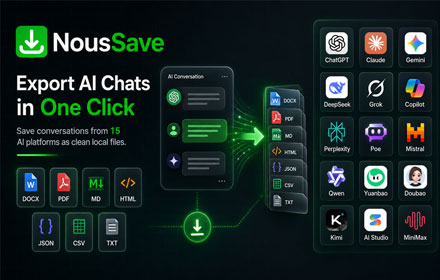
NousSave: Export ChatGPT, Gemini, DeepSeek, Claude and Grok Chats to PDF
Effortlessly export AI chats to PDF, Word, Markdown, HTML & more. Features 'Deep Research' support and collapsible long messages.
2.0K
★ 4.5

ChatGPT Focus: AI Summarizer, Auto-Highlighter & Speed Reader
AI highlights to focus, skim, or skip. Read ChatGPT replies 5x faster without info overload.
39
★ 4.7

ChatGPT Clarity
Pin ChatGPT messages, ask follow-up questions, and organize conversations in a beautiful sidebar with grid layout.
—

Universal AI Backup
Backup conversations from ChatGPT, Claude, Gemini & more. Export to JSON, Markdown, HTML. Privacy-first.
18
Data sourced from the Chrome Web Store · last verified Jun 3, 2026.