
Chat Highlight: Auto ChatGPT & AI Highlighter
The auto-highlighter for AI chats & Web. Features structured sidebar, dashboard, Markdown export, and cloud sync.
As of June 2026, Chat Highlight: Auto ChatGPT & AI Highlighter has 39 users and a 4.50/5 rating from 8 reviews in the Workflow & Planning category.
Usersup 225.0 percent+225.0%
39
39
Ratingdown 10.0 percent−10.0%
4.50
8 reviews
Reviewsup 33.3 percent+33.3%
8
Version
3.2.9
Manifest V3
90-day change · In the last 90 days this extension 8 version updates.
History
10 snapshotsTracking since Apr 6, 2026.
View as table
| Date | Users | Rating | Reviews | Version |
|---|---|---|---|---|
| Apr 6, 2026 | 12 | 5.00 | 6 | 3.0.9 |
| Apr 18, 2026 | 12 | 5.00 | 6 | 3.1.1 |
| Apr 25, 2026 | 16 | 5.00 | 6 | 3.1.4 |
| May 2, 2026 | 20 | 5.00 | 6 | 3.1.4 |
| May 9, 2026 | 22 | 5.00 | 6 | 3.1.6 |
| May 14, 2026 | 27 | 4.43 | 7 | 3.1.9 |
| May 20, 2026 | 30 | 4.43 | 7 | 3.2.3 |
| May 26, 2026 | 30 | 4.43 | 7 | 3.2.5 |
| Jun 2, 2026 | 35 | 4.43 | 7 | 3.2.5 |
| Jun 8, 2026 | 34 | 4.50 | 8 | 3.2.7 |
| Now | 39 | 4.50 | 8 | 3.2.9 |
Changelog
- May 20, 2026description
STOP LETTING YOUR AI BREAKTHROUGHS VANISH IN THE CHAT HISTORY.

You use ChatGPT and Gemini for deep research, coding, and brainstorming. But scrolling through miles of chat logs to find that one specific prompt or code snippet is a nightmare.

Whether you want to export ChatGPT history to Notion or prepare to save your AI discussions across upcoming platforms like Claude, we've got you covered.

ENTER CHAT HIGHLIGHT.
We did not just build a highlighter; we built a Knowledge Manager for the AI era. Unlike generic tools, Chat Highlight understands the context of your AI conversations.

🚀 WHY CHAT HIGHLIGHT IS DIFFERENT:

🧠 1. EXCLUSIVE "AI-NATIVE" STRUCTURE (CORE FEATURE)
Standard highlighters only see text. Our exclusive Chat Note Mode understands AI structure.
• Auto-Grouping: Automatically detects Prompts (Questions) and Answers inside ChatGPT and Gemini (Claude support coming soon!).
• Result: Instantly turns a chaotic 50-turn conversation into a clean, structured outline in the sidebar.

🌲 2. POWERFUL TREE-VIEW SIDEBAR
Forget linear lists. Manage your insights in a hierarchical Tree View designed for clarity.
• Smart Categories: Highlights are automatically sorted into Images, Prompts, Answers, or General notes.
• Live TOC: Generates a real-time Table of Contents for easy navigation.
• Flexible Organization: Filter to see only Prompts, sort by time or position, and edit notes directly in the sidebar.

⚡ 3. BUILT FOR YOUR WORKFLOW
Don't trap your data in the browser.
• One-Click Export: Export highlights to Markdown, HTML, or TXT. Perfect for pasting into Obsidian, Notion, or VS Code.
• Visual Dashboard: Access your personal Cloud Viewer to search every highlight, tag, and image you have ever saved across the web.
• Auto-Restore: Revisit a page, and your notes appear instantly (requires host permissions).

🛡️ 4. PRIVACY FIRST (NO BACKGROUND TRACKING)
Your research belongs to you.
• Local by Default: All data is saved to your browser's local storage instantly.
• Zero Knowledge: We do not use your private notes to train AI models.
• Secure Sync: Optional cross-device sync via Google Sign-In (powered by Firebase).

COMPLETE TOOLSET FOR POWER USERS:
✅ Transparency Control: Adjust highlight visibility with a slider.
✅ Image Wall: Collect and view all highlighted images in one place.
✅ Code Friendly: Perfectly preserves code block formatting.

Stop scrolling. Start structuring. Install Chat Highlight and save your knowledge today.

📋 DATA & PRIVACY DISCLOSURE:
This extension collects the following user data:
- Website content: Highlighted text, notes, tags, and page URLs/titles (only on pages where you actively make highlights).
- Authentication info: Email, name, and profile picture via Google OAuth (only if you sign in for cloud sync).
- Web history: URLs of pages where highlights are made (not general browsing history).
Data is stored locally in your browser by default using chrome.storage.local. Cloud sync is optional and stores data on Supabase (AWS, US West) or Firebase (Google Cloud). We do not collect browsing history, track your activity, use analytics, or sell your data. All data transmission uses HTTPS encryption.
STOP LETTING YOUR AI BREAKTHROUGHS VANISH IN THE CHAT HISTORY.

You use ChatGPT, Claude, and Gemini for deep research, coding, and brainstorming. But scrolling through miles of chat logs to find that one specific prompt or code snippet is a nightmare.

Whether you want to export ChatGPT history to Notion or save your AI discussions across platforms like Claude and Gemini, we've got you covered.

ENTER CHAT HIGHLIGHT.
We did not just build a highlighter; we built a Knowledge Manager for the AI era. Unlike generic tools, Chat Highlight understands the structure of your AI conversations.

🚀 WHY CHAT HIGHLIGHT IS DIFFERENT:

🧠 1. EXCLUSIVE "AI-NATIVE" STRUCTURE (CORE FEATURE)
Standard highlighters only see text. Our exclusive Chat Note Mode understands AI structure.
• Auto-Grouping: Automatically detects Prompts (Questions) and Answers inside ChatGPT, Claude, and Gemini.
• Result: Instantly turns a chaotic 50-turn conversation into a clean, structured outline in the sidebar.

🌲 2. POWERFUL TREE-VIEW SIDEBAR
Forget linear lists. Manage your insights in a hierarchical Tree View designed for clarity.
• Smart Categories: Highlights are automatically sorted into Images, Prompts, Answers, or General notes.
• Live TOC: Generates a real-time Table of Contents for easy navigation.
• Flexible Organization: Filter to see only Prompts, sort by time or position, and edit notes directly in the sidebar.

⚡ 3. BUILT FOR YOUR WORKFLOW
Don't trap your data in the browser.
• One-Click Export: Export highlights to Markdown, HTML, or TXT. Perfect for Obsidian, Notion, or VS Code.
• Notion Export: Send your structured highlights directly to Notion in one click.
• Visual Dashboard: Access your personal Cloud Viewer to search every highlight, tag, and image you have ever saved across the web.
• Auto-Restore: Revisit a page, and your notes appear instantly (requires host permissions).

🛡️ 4. PRIVACY FIRST (NO BACKGROUND TRACKING)
Your research belongs to you.
• Local by Default: All data is saved to your browser's local storage instantly.
• Zero Knowledge: We do not use your private notes to train AI models.
• Secure Sync: Optional cross-device sync via secure sign-in.

COMPLETE TOOLSET FOR POWER USERS:
✅ Transparency Control: Adjust highlight visibility with a slider.
✅ Image Wall: Collect and view all highlighted images in one place.
✅ Code Friendly: Perfectly preserves code block formatting.
✅ Direct Notion Export: Turn AI conversations into reusable knowledge assets.

Stop scrolling. Start structuring. Install Chat Highlight and save your knowledge today.

📋 DATA & PRIVACY DISCLOSURE:
This extension collects the following user data:
- Website content: Highlighted text, notes, tags, selected images, and page URLs/titles (only on pages where you actively make highlights).
- Authentication info: Email, name, and profile picture via Google OAuth or email sign-in (only if you sign in for cloud sync).
- Web history: URLs of pages where highlights are made (not general browsing history).
Data is stored locally in your browser by default using chrome.storage.local. Cloud sync is optional and stores data on Supabase (AWS, US West) or Firebase (Google Cloud). We do not collect general browsing history, track your activity, use analytics, or sell your data. All data transmission uses HTTPS encryption.
Permissions & access
- Permissions
- sidePanelcontextMenusstorageactiveTabscriptingidentity
- Host access
- https://*.firebase.google.com/*, https://*.firebaseio.com/*, https://*.googleapis.com/*, https://firebase.googleapis.com/*, https://*.firebaseapp.com/*, https://gemini.google.com/*, <all_urls>
Screenshots


About
STOP LETTING YOUR AI BREAKTHROUGHS VANISH IN THE CHAT HISTORY.

You use ChatGPT, Claude, and Gemini for deep research, coding, and brainstorming. But scrolling through miles of chat logs to find that one specific prompt or code snippet is a nightmare.

Whether you want to export ChatGPT history to Notion or save your AI discussions across platforms like Claude and Gemini, we've got you covered.

ENTER CHAT HIGHLIGHT.
We did not just build a highlighter; we built a Knowledge Manager for the AI era. Unlike generic tools, Chat Highlight understands the structure of your AI conversations.

🚀 WHY CHAT HIGHLIGHT IS DIFFERENT:

🧠 1. EXCLUSIVE "AI-NATIVE" STRUCTURE (CORE FEATURE)
Standard highlighters only see text. Our exclusive Chat Note Mode understands AI structure.
• Auto-Grouping: Automatically detects Prompts (Questions) and Answers inside ChatGPT, Claude, and Gemini.
• Result: Instantly turns a chaotic 50-turn conversation into a clean, structured outline in the sidebar.

🌲 2. POWERFUL TREE-VIEW SIDEBAR
Forget linear lists. Manage your insights in a hierarchical Tree View designed for clarity.
• Smart Categories: Highlights are automatically sorted into Images, Prompts, Answers, or General notes.
• Live TOC: Generates a real-time Table of Contents for easy navigation.
• Flexible Organization: Filter to see only Prompts, sort by time or position, and edit notes directly in the sidebar.

⚡ 3. BUILT FOR YOUR WORKFLOW
Don't trap your data in the browser.
• One-Click Export: Export highlights to Markdown, HTML, or TXT. Perfect for Obsidian, Notion, or VS Code.
• Notion Export: Send your structured highlights directly to Notion in one click.
• Visual Dashboard: Access your personal Cloud Viewer to search every highlight, tag, and image you have ever saved across the web.
• Auto-Restore: Revisit a page, and your notes appear instantly (requires host permissions).

🛡️ 4. PRIVACY FIRST (NO BACKGROUND TRACKING)
Your research belongs to you.
• Local by Default: All data is saved to your browser's local storage instantly.
• Zero Knowledge: We do not use your private notes to train AI models.
• Secure Sync: Optional cross-device sync via secure sign-in.

COMPLETE TOOLSET FOR POWER USERS:
✅ Transparency Control: Adjust highlight visibility with a slider.
✅ Image Wall: Collect and view all highlighted images in one place.
✅ Code Friendly: Perfectly preserves code block formatting.
✅ Direct Notion Export: Turn AI conversations into reusable knowledge assets.

Stop scrolling. Start structuring. Install Chat Highlight and save your knowledge today.

📋 DATA & PRIVACY DISCLOSURE:
This extension collects the following user data:
- Website content: Highlighted text, notes, tags, selected images, and page URLs/titles (only on pages where you actively make highlights).
- Authentication info: Email, name, and profile picture via Google OAuth or email sign-in (only if you sign in for cloud sync).
- Web history: URLs of pages where highlights are made (not general browsing history).
Data is stored locally in your browser by default using chrome.storage.local. Cloud sync is optional and stores data on Supabase (AWS, US West) or Firebase (Google Cloud). We do not collect general browsing history, track your activity, use analytics, or sell your data. All data transmission uses HTTPS encryption.
Technical
- Version
- 3.2.9
- Manifest
- V3
- Size
- 448KiB
- Min Chrome
- 88
- Languages
- 1
- Featured
- No
Metadata
- ID
- ffnhgclfemimnnbkbhebjbobiipgkgbk
- Developer ID
- u5eee78f18857be714d7e286597dd805a
- Developer Email
- [email protected]
- Created
- Feb 25, 2026
- Last Updated (Store)
- Jun 4, 2026
- Last Scraped
- Jun 8, 2026
- Website
- https://chat-highlight.com/
- Support URL
- https://chat-highlight.com/contact.html
- Privacy Policy
- https://chat-highlight.com/privacy.html
Similar extensions
Alternatives to Chat Highlight: Auto ChatGPT & AI Highlighter, ranked by description similarity.

ChatGPT Highlighter
Turn your ChatGPT history into a color-coded knowledge base with one click.
166
★ 5.0

Snippet Highlighter For ChatGPT, Gemini, and Claude
Enhanced note-taking and text highlighting for ChatGPT, Gemini, and Claude with cloud sync
19
★ 3.7
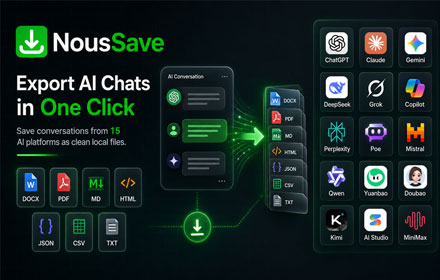
NousSave: Export ChatGPT, Gemini, DeepSeek, Claude and Grok Chats to PDF
Effortlessly export AI chats to PDF, Word, Markdown, HTML & more. Features 'Deep Research' support and collapsible long messages.
2.0K
★ 4.5

ChatEngram - Search & Autosave ChatGPT, Claude & Gemini chat history
Save and search ChatGPT, Claude, Gemini, and DeepSeek chats. Export to Obsidian, Notion, and Google Drive.
130
★ 3.5

Web Highlights: PDF & Web Highlighter + Notes & AI Summary
Productivity Highlighter & Annotation Tool for Websites & PDFs with AI Summary - free, easy to use, no sign-up required.
200.0K
★ 4.8

Recall.Ai
Save, organize, and summarize AI chats (ChatGPT, Gemini, Claude, etc.) directly in your browser. Cross-platform & privacy-first.
126
★ 5.0

Notion AI Bridge: Export & Prompt
Seamlessly export AI chats (ChatGPT, Gemini, Claude, Perplexity, DeepSeek) to Notion and import reusable prompts.
58
★ 5.0

AI Chat Organizer
Organize your AI conversations with folders, tags, and powerful search. Works with ChatGPT and Claude. Your data stays local.
18
★ 5.0
Data sourced from the Chrome Web Store · last verified Jun 8, 2026.